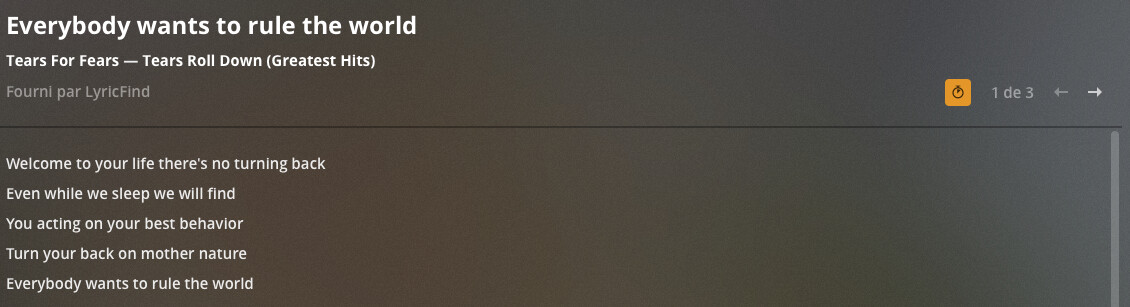
Lyrics functionality in Plexamp lacks two important features of main desktop players or iOS player:
Disabling timed lyrics. They are great but sometimes the sync is simply wrong (not in sync) so lyrics cannot be read because automatic scrolling is too slow or too fast. It would be great if we could simply toggle off this feature (only for the song currently playing) like in other Plex players.
Changing lyrics page. Normally, lyrics are displayed in the first page but sometimes they are not. iOS or desktop players allow to swap to page 2 or 3 where they might be there. An example for this is “Are you gonna go my way” from Lenny Kravitz which lyrics are on page 3. On Plexamp, I just can’t have those since the player is only displaying page 1.
Those missing features in Plexamp are the only things that prevent me from using Plexamp as my main music player while working out where I like to read lyrics.
thanks for the feedback. out of curiosity, can you explain the difference between (1) and (2)? i thought timed lyrics were on the first page, and regular lyrics are on the second page (and maybe there are more pages if you have local lyrics).
but we’ll definitely add support for multiple lyrics.
I’ve just realized that instead of toggling off the orange button (as seen on this picture of the web player), I could change page to have regular lyrics, thank you. So, that means the arrows for changing pages are more important than the orange button since they solve my two problems. So I guess you could just implement the former in Plexamp if you want to save space. It doesn’t even have to be arrows, it could only be the possibility to swipe left or right
Anyway, what I’d like the most is a solution for when there’s no lyrics on page 1 (only on page 2 or 3) since it occurs frequently. Although the “wrong sync” problem also make the lyrics unusable, it is quite rare so that’s not a big deal for me.
so sorry, just to clarify, this issue happens on Plexamp? or in the web app? AFAIK Plexamp picks the first available lyrics option and uses it, vs web which gives you every option. if we’re not falling back to untimed lyrics and showing a blank page when you enable it, that seems like a bug.
The issue where lyrics are detected but there’s nothing on page 1 happens on both the web app and Plexamp but since we can change page on the web app, the workaround is to manually change page to page 2 or 3 (like with the song from Lenny Kravitz I mentioned) where regular lyrics will be shown. On Plexamp, this workaround doesn’t work since we cannot change page. So, in fact, I was asking for this workaround to work on Plexamp but a real solution would be even better, that is lyrics appearing correctly on page 1.
probably a server-side thing. do you have Local Media Agent in the top spot, or prefer tags on? if so, might be worth seeing if this is reproducible and sharing a track with us as it might be incorrectly getting the blank lyrics from the track?
Seems like “Local Media Assets” is not in the top spot (is this what you’re talking about?). As for “prefer tags”, it seems to be enabled (sorry for the french). But I don’t understand why these two settings should be like this because the issue is not with custom lyrics I put in .txt files along my music, it’s with the lyrics provided by Plex.
As for sharing the track, how do we proceed? It’s “Are you gonna go my way” from the album “Greatest Hits” of Lenny Kravitz. Let me know if you need more than just this. Meanwhile, I will try to find or remember other tunes that have the same issue.
i just actually found the cause of the issue on the server, will be in an upcoming release. after that, refreshing the album in question (or just waiting for the periodic refresh) will fix the issue with invalid lyrics.
Thanks for fixing the issue and for your patience as I have not been very clear in my explanations. I look forward to the upcoming release that will fix this.
As of version 1.23.0.4480-fe95a312e of PMS, I confirm that I no longer have a problem with the two songs I mentioned in this topic (and this version also resolved a major regression where I had no lyrics at all). So, big cheers to you and your team Elan!!