Server Version#: 4.84.1
Player Version#: 4.2.2
Essentially after I download the album and go to downloaded albums, it shows an empty album even though the album size is 227 MB
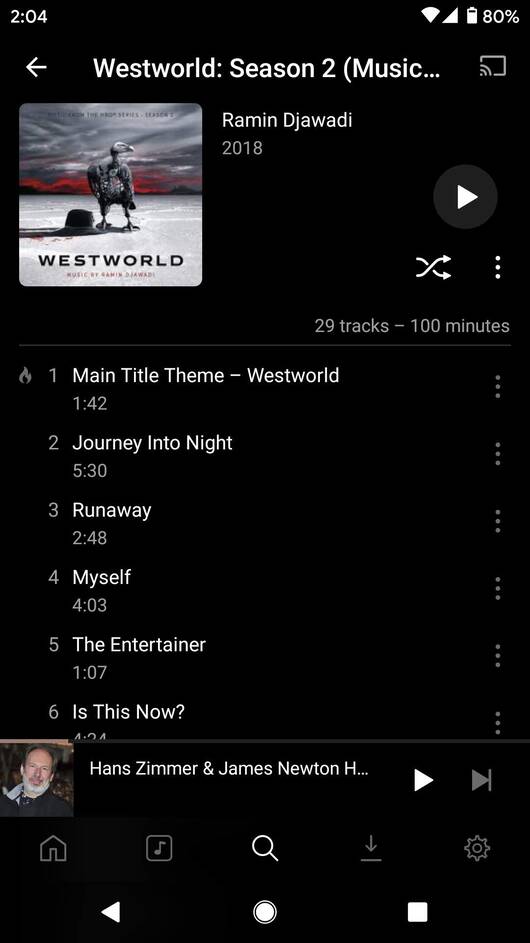

I’ve been getting this quite a lot recently and, in some cases, downloading an additional album also wipes out any existing downloads. I can eventually get them back by using a combination of various ‘Refresh…’ actions on either the individual album within Downloads or from the menu at the top of the Downloads screen but it’s certainly frustrating.
I’ve been meaning to post logs and a screen capture of it going wrong, but typically whenever I attempt this, the download works first time!
Sounds really weird, not an issue we’re familiar with.
Please post logs after you experience such an issue and we will try to figure out what’s going on. Alternatively post a reliable way to reproduce.
What does the downloads list show?
Here are the logs, and screen capture video I took reproducing it.
You just download the album, go do download tab, tap on the album, and shows nothing.
I went back to download it again, and it kept saying “Already Downloaded” but when i go to download tab and tap on the album, it showed empty.
I resolved the issue via deleting the album from my drive, and downloading another copy from Spotify, which then synced/downloaded and showed successfully on Plexamp.
Share Debug Logs.zip (360.5 KB)
I’m sorry, the logs don’t appear to show the period when you originally downloaded the album.
I’m sorry too that since I deleted the album and re-downloaded from another source, I currently don’t have any way to reproduce the problem. Perhaps we can ask to user pjn who replied under this thread to provide such logs. If I encounter the same problem, I’ll take logs before resolving it next time.
