I’ve used Plexamp desktop longer than I recall, currently running Plexamp (4.10.1 flathub) on Linux Mint 21.1 Intel i9-13900 32GB. Visualizer has been solid until yesterday. I had Tahitian Pearls Visualizer running (looks like planets beating to the music while orbiting the sun). Yesterday most of the planets gathered to one side of the sun and a few planets were beating on the top of the sun. Then slowly the planets stop beating to the music and now just orbit on a plane around the sun.
All other visualizers have also failed to display what was their original visualizations.
I have Plexamp running on multiple other Linux PCs and android devices, all still have original visualizations.
I’ve uninstall and reinstalled Plexamp, no change.
Unfortunately, not sure why it would have stopped working. The visualizers depend on WebGL working, so perhaps something related to this on your system?
I’ve rebooted more times than I can remember, which is unusual for my Linux systems which normally just work all the time.
Active Kernel is 6.5.0-28
Installed Kernels are:
6.5.0-26
5.15.0-105 (5.15.0-106 was available to install)
I rolled back to 5.15.0.105, which 5 series Kernels have other issues on my system, but the visualizers worked. While rolled back I removed 6.5.0-26, 6.5.0-28 and installed 5.15.0-106.
Another reboot shift key into 5.15.0-106 and other system issues still exist but visualizers worked. Deleted Kernel 5.15.0.105. Reboot again into 6.5.0-28 and visualizers don’t work.
I’m running integrated graphics.
Does WebGL hold any cache or can WebGL be cleaned, restored?
I’m pretty skeptical about blaming Linux Mint. I assume you know it’s based on Ubuntu, which is based on Debian, right? And the Kernel is not specific to the distro? I started with Ubuntu almost 15 years ago, and have been using Mint for 8 - 10 years, and my experience is that any problem I’ve had with Mint could be solved on the Ask Ubuntu forum because the problems were common to both.
Mint is a very popular distro, and it’s not known for having these weird problems you refer to. Most likely, the Mint developers might say the same thing about Plex having weird problems.
FWIW, I run the standard, current Mint on two different systems, and have not had problems except the one fairly minor one, which disappeared after a power down/restart.
Also, this issue I reported was solved by a power down/reboot. Since only Plexamp was having problems, it may point to a memory allocation error in Plexamp rather than a Mint problem. I really don’t know.
I ran Plexamp desktop at it’s “original installed” display size. I didn’t see the normal Linux Mint upper right corner icons for minimize, maximize and close. It looked like Plexamp was a graphical front-end with little creature comforts. I used Plexamp like this for yrs, then I realized I could drag the corners (dahh). So about 1mo ago I started dragging the Plexamp GUI window tall and wide, ya know why look at a postage stamp visualizer when you have a big screen?
Just unisntalled and reinstalled Plexamp and still no audio and no visualization, while PMS plays!
OK, this is stupid as ■■■■. I tried to cast the audio, which I don’t think is possible from desktop, but after clicking cast button I realized Plexamp had speaker output set to zero, which is not a controllable option from keyboard.
So I fugrured out the audio-out issue, visualization still borked.
I checked @aubrey.wodonga thread. I didn’t get any help from that thread, appeared more PMS and not Plexamp visualization.
I rolled back to an ancient kernel, from there deleted all other newer kernels. Rebooted, and then installed the most recent kernal available via Linux Mint update manager.
I’m running intigratred graphics so I rely on Update Manager to take care of integrated and system level drivers.
Please give me more instructions and specific details of what and how else I could update my system.
Good suggestion. I had a problem recently, and did a power down, then restarted, and the problem disappeared. Embarrassing to me, as I often tell people with problems to restart, but I didn’t think to do it for a couple of days.
I restart when updates say to, but I don’t usually power down; that could make a difference with hardware, I think.
Nothing? ? ?
This is like telling the person on the phone . . . “Are you sure it’s plugged in.” Or “Reinstall the OS”. Seriously, a better solution must exist.
 It’s in there.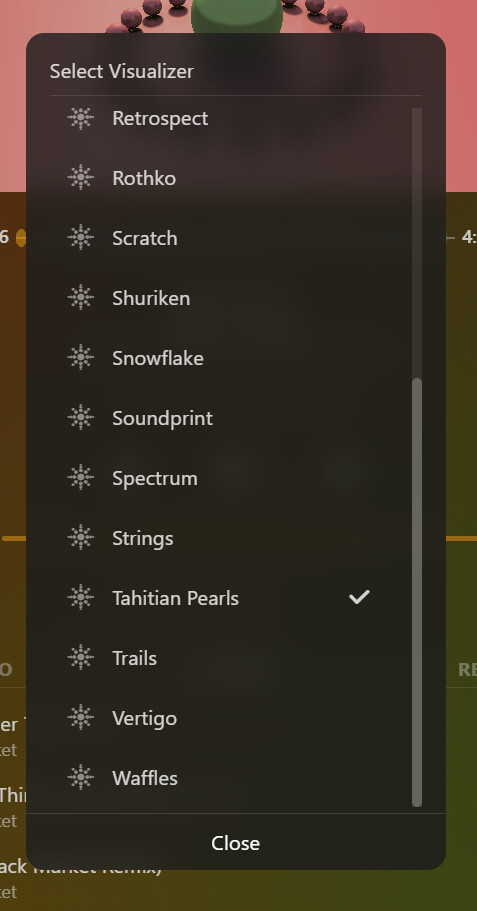
 )
)

