Server Version#: 1.41.5.9626
Player Version#:m 4.12.4 (1417)
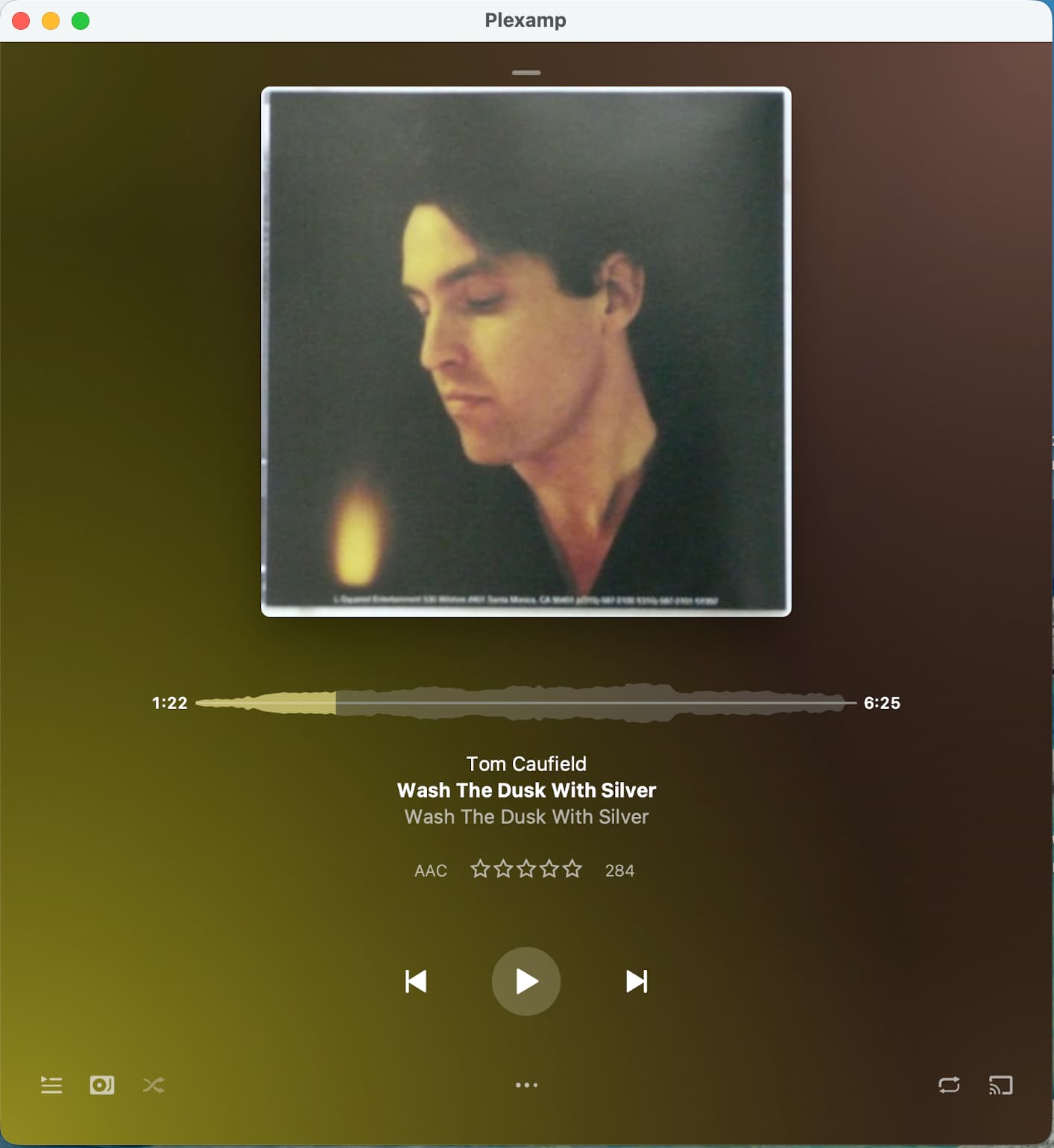
I recently upgraded the PlexAmp player on my Mac mini M1 to version 4.12.4. I’m running macOS Tahoe on my Mac, but regardless of what I do, the volume slider control is no longer visible. Even if I run the PlexAmp player in full screen mode, the volume control does not appear. The screen shot below shows what I’m seeing.
Any suggestions on how to resolve this would be appreciated. I tried uninstalling and reinstalling, but that made no difference. Thanks in advance!
We both have Plexamp 4.12.4, but I’m still on the older macOS Sequoia 15.7.1.
I noticed that changing the shape of the player by dragging on the window border will change the layout. I realize you said you tried full screen layout. Oh well. I certainly don’t have the grey menu bar. Did that start appearing after you upgraded to macOS Tahoe? Maybe there are some layout bugs.
On Sequoia, one shape has no volume slider, but most do.
I think that’s a somewhat odd default setting; when I think of the various media players I’ve used over the years, I don’t recall any that didn’t show the volume control by default. Regardless, you provided me with a solution. Very much appreciated!