When choosing the Kodi widget, navigate like this: Add-ons → Video Add-ons → PlexKodiConnect → Plex Hub → Continue Watching
This only shows in progress Movies and TV Episodes but doesn’t show “next” episodes like the On Deck node does. I would like all of these in one node. What’s weird is that On Deck for movies shows in progress movies and On Deck for TV Shows shows in progress tv episodes as well as next episodes, however On Deck in the Plex Hub doesn’t put both together, it only shows next episodes. I’m looking for a node that shows In Progress Movies, In Progress TV Episodes and next TV Episodes.
For context: I’m making changes to Kodi to display Plex Kodi Connect nodes in Android TV’s Channels feature, rather than just smart playlists. The changes I made allow anything added as a favourite in Kodi to be added as an Android TV channel, so I’m looking to add the above node as a favourite in Kodi so that I can have in progress movies/episodes and next episodes in one channel. Alternatively, I may just change the code to add items in On Deck and Continue watching automatically added to Android TV’s Play Next channel, but it feels a little hacky.
Then there is no node for that, not provided by Plex and thus not by PKC
Hi @croneter, in the addon python files, can you let me know which one handle the mapping for direct path ?
In the setting page, we can only setup 1 mapping for Movies, 1 for TV Show, 1 for Music.
And I have several NAS at home with different library path, I would like to provide a mapping for all of them, so i’m ok to modify your addon scripts for my personal usage
Thanks !
Method ‘validate_playurl’ (around line 1850) here: https://github.com/croneter/PlexKodiConnect/blob/master/resources/lib/plex_api.py
I need some major help cuz I have no idea what to put in for set network credentials for Direct Paths
When I click on it it ask for server name or ip?
I don’t know if I’m supposed to use my portable hard drive that I enabled sharing on or what
And then the second part comes up the network protocol likely smb I know my smb paths but it says it’s not valid WTH am I doing wrong it’s literally driving me nuts I’ve went over and over the wikki guide but am still stumped can someone please help me
thank you, I’ll have a look
I’ve reset this system so many times, I’m up for anything to help troubleshoot this.
Thanks!
Thanks for bringing this up! It took me ages to figure out what’s wrong, and the solution is rather ridiculous. See your Github issue how you can fix it in 30 seconds 
Hi All,
I’m seeing an issue with a widget I created for recently added music. When I select the album, the album’s description displays very briefly, as expected, then it’s replaced with “No information available”.
I added the widget by doing the following,
Add-ons -> Music Add-ons -> PlexKodiConnect -> Plex Hub -> Recently Added Music -> Use as widget
Am I doing it correctly?
Thanks,
Ken
What you did seems to have been correct. What skin are you using?
Edit: try to pick the widget starting with Music Library → Addons → PlexKodiConnect. Does that make a difference?
I’m using the Titan - Mod (beta) for Leia v18.1.11
I tried your suggestion, same behavior.
Hi,
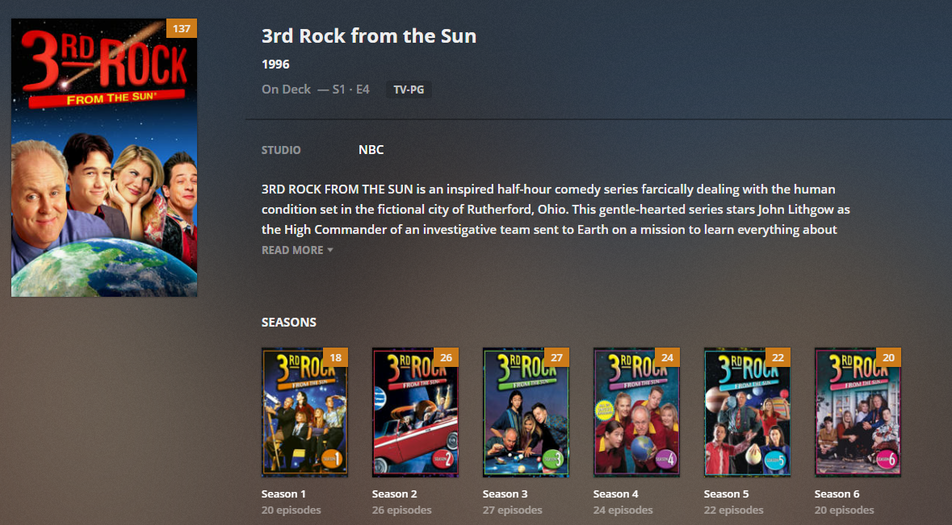
I currently use Titan Bingie mod which has a Netflix style season and episode view in it. The issue is that this view seems to organize the seasons depending on the order that the seasons were written into MyVideos116.db. Is there anyway that I could customize PKC to write seasons to the DB in numerical order instead of randomly?
Here is a visual of what I am talking about. 3rd Rock from the Sun is show id 2.

https://imgur.com/PxZEr1i
That’s definitely not how that works
Look at the image that I posted, when I changed the idSeason the seasons then line up in the correct order.
Do you think because the idSeason is 10 that that’s the reason your view is messed up? That would mean my order for everything would be fucked

Does the season order look fine in other skins? Is it fine when you view from https://app.plex.tv/desktop?
The order is fine in other skins and when looking through any season views. The Bingie episode view is applied at the episode level of the viewer. Do you also use Titan Bingie with the Bingie episode view and PKC?

Not a pkc issue but a problem with your skin. Get in touch with the skin developer please
