Try 4k as well to see the difference.
Indeed there are some minor differences, but not as significant that I would give up the more snappier 120Hz refresh rate. I think for me the best settings are as detailed above
I do love that we have all these choices 
3 Likes
I don’t. I never messed with the whitelist feature. I read over on the CoreELEC forums some users having issues when switching the GUI resolutions with the Ugoos, so I didn’t mess with it much. I do have a lot of standard blu-ray movies in my library, should I be doing something different to get the best PQ or are you speaking mainly about the GUI resolution?
I really don’t care about GUI quality that much so never looked that deep into it. Are you saying video playback will have better PQ if set to 1080p 120hz as my TV will do the upscaling? Or are you referring to the PQ of the GUI? Sorry if I misunderstand what you meant.
Cause as it stands for me the AM6B+ looks amazing during video playback of 1080p and 4K content, and the way I have the GUI right now is snappy enough and pretty high quality for browsing and selecting movies.
I’m referring to the PQ of the content, but it is dependent on the GUI resolution. Kodi will always upscale whatever content it is given to the GUI resolution without a whitelist set. Meaning if you have a 4K GUI, and play <4K content like 1080p or 720p, Kodi will upscale it to 4K vs your TV upscaling it.
Kodi’s upscaler isn’t bad, but generally the TV will be better, especially if you have a nice OLED or something. This is why 1080p GUI is better out-of-box, because Kodi will naturally let your TV upscale 1080p (and lower) content without additional user configuration.
If you toggle your GUI resolution between 4K and 1080p and play 720p or 1080p content, you will see a difference. That difference is Kodi upscaler vs your TV upscaler. If you decide to keep a 4K GUI on your Am6b+, you should set your whitelist on all 1080p refresh rates to let your TV upscale it for optimal PQ unless for some reason you prefer Kodi’s upscaler instead.
There is quite a difference on my G2, Kodi’s upscaler has some built-in DNR vs LG’s algorithm.
2 Likes
I am not sure if this is entirely the case. There’s some more settings that may impact the resolution selection, especially the Settings>Player>Videos>Adjust display refresh rate settings. I personally use 1080p with 120.00 Hz on Kodi GUI, without any whitelist, and with having Adjust display refresh rate set to On start/stop. With this, I can make sure that the TV is changing the resolution and framerate to the same like the video content, and no judder is happening. This is a very nice guide about explaining whitelisting: [HowTo] Guide to the Kodi whitelist function and related settings - HowTo - OSMC Forums
Well this is recommended so of course it will work right/transparently. I have the same settings.
But with this setup, on <1080p content first Kodi will first upscale to 1080p, then send to your TV, where TV then upscales again to 4K. This is not an issue, but it’s occurring transparently to the end user.
This can easily be checked by setting a whitelist on 480p for example, then playing 480p content. Opening the Kodi UI during playback will render in lower resolution since there is no Kodi upscaling.
Afaik native framerate is passed through to TV with or w/o whitelist when framerate matching is set; except for 25 and 30fps where Kodi will play with double framerate, CoreElec or otherwise same behavior.
Example, 512p and 25fps content played with 1080p x 120Hz GUI and no whitelist. Both LG VRR info and Kodi playerdialog both report 1080p x 50Hz. Content is upscaled to GUI resolution by Kodi, double framerate applied, then sent to the TV for additional processing/upscaling.

0.8.0-beta8.1: script.plexmod.zip (3.1 MB)
- Core/Servers: Fix rare error when prefer local/LAN is enabled and the resulting connection’s port is None (probably custom https server connection without explicit :443) (thanks @atld for reporting and testing)
- Cache/PlayerSettings/Items: Clear item cache when subtitle/audio stream is changed, fixes old stream settings persisting when re-visiting item afterwards (thanks @atld for reporting)
- SeekDialog/VideoPlaylist: Properly unsubscribe signals when closing
- SeekDialog/VideoPlaylist: When clicking a video in the playlist, send final timeline event for current one, close playlist dialog
- SeekDialog/VideoPlaylist: Fix logging
- Player: When playing a playlist at a requested position, properly trigger progress event; assume no resume in this case
- SeekDialog: Ensure applying current seek when seeking via OSD and figuring out when to hide the OSD (the OSD timeout may be smaller than the auto seek timeout; if so, postpone OSD hiding to guarantee the seek)
- Library: Add support for sorting by bitrate and randomly
- Library: When selecting random as sort option, clear library cache to actually get a randomized result
Edit: Switching to a different playlist item (or episode) while playing back is still a little buggy at times, but way more stable than before. Previously it tended to crash on Android.
6 Likes
Is there any way to play a movie using external audio files? I have a movie “abc.mkv” and in the same folder is an external audio file “abc.sv.dts”
Using Kodi normally, I can select the external audio, but not through PlexMod. Perhaps because Plex itself does not support external audio? I have set up path mapping and am using the latest PM-beta on a AM6B+ running the cpm-build A12, if that helps.
Edit: Playing the movie and then going through Settings → Kodi Audio Settings → Audio Stream seems to do the trick. But is there a way to make the audio selectable directly through PlexMod?
Hmm, does your path mapping actually work? And would you normally select the audio stream in the kodi audio settings inside the kodi player? If so, we provide the kodi native interface in our player settings, at least partially.
I did find going through Settings → Kodi Audio Settings → Audio Stream seems to do the trick. But is there a way to make the audio selectable directly through PlexMod? Show Stream Info shows “Mode: directplay, lan (verified), mapped (smb)”.
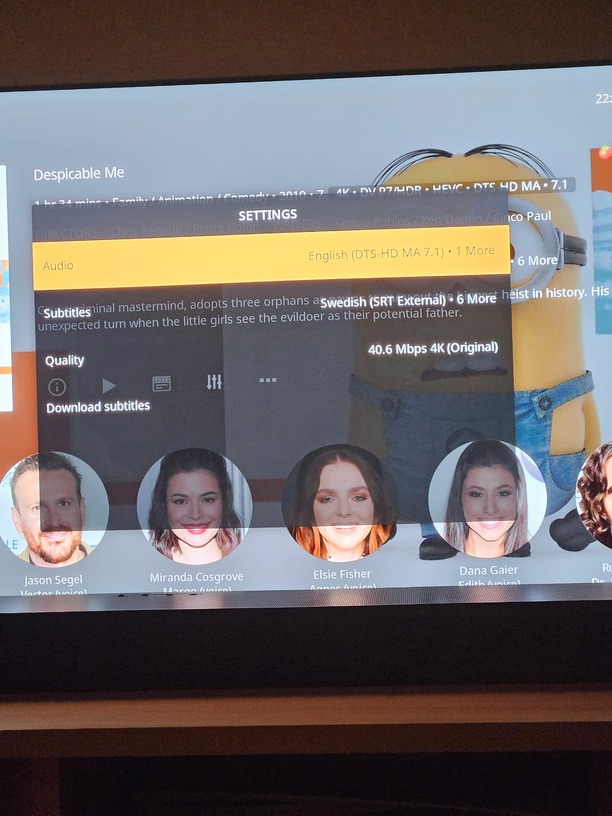
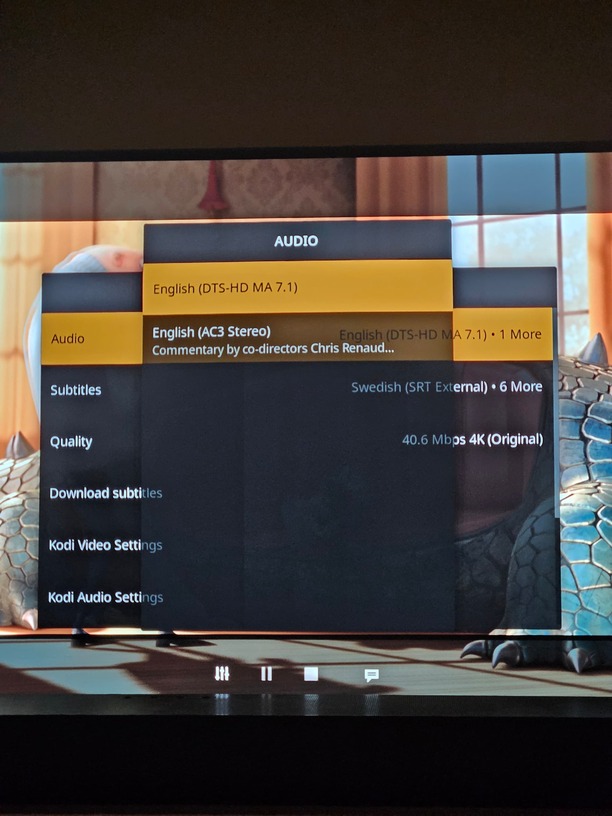

Mapping seems to work, yeah.
Unfortunately, no. We represent most of what Plex sees, and audio streams is not one of those. Might be possible in a hacky way, but for now, just stick to the manual solution, sorry!
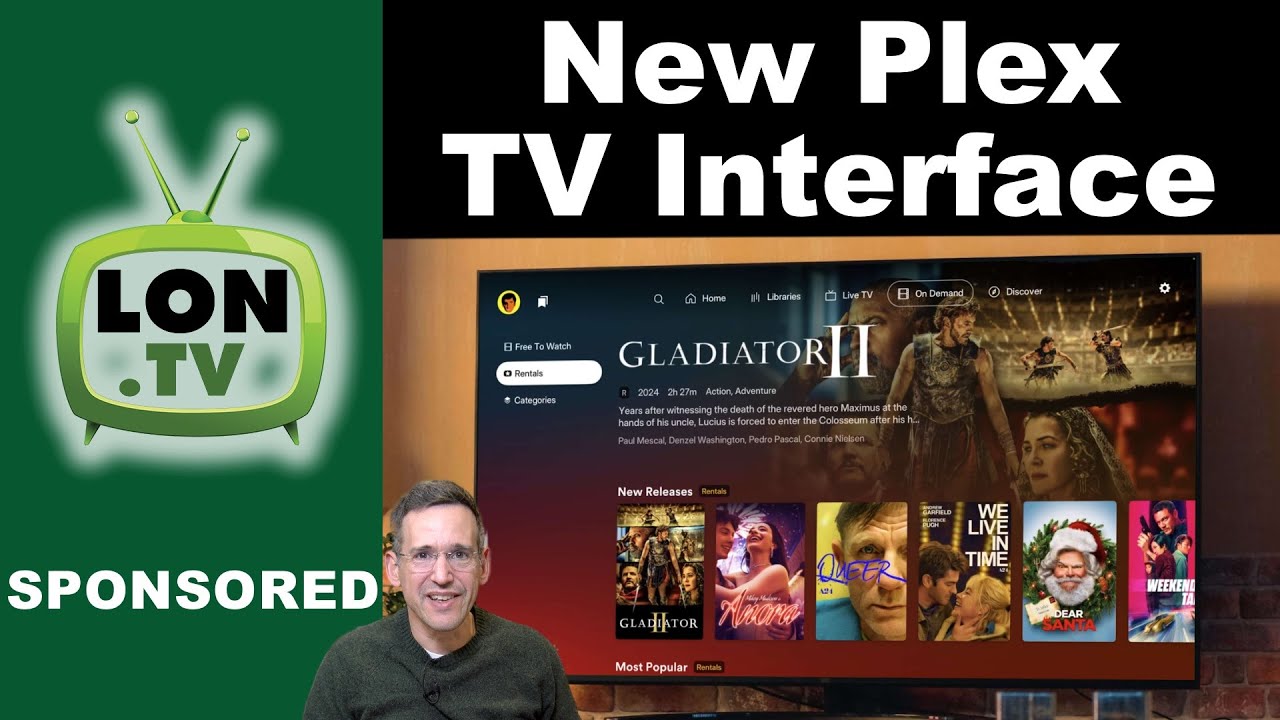
What the hell is this? Hahahahahaha
We are eating good with PM4K. I will never take it for granted. What an absolute mess. They can’t be serious. Who approves this.
1 Like
I guess you missed in beta the last several weeks lol - yeah…PM4K rules.
I tried it on Android TV (Shield TV Pro) and it is low and laggy. Yeah I know they havent released the Android TV Version yet but I sideloaded it. I am not a huge fan of it right now but I could be bc its just in preview right now and they havent worked out the bugs
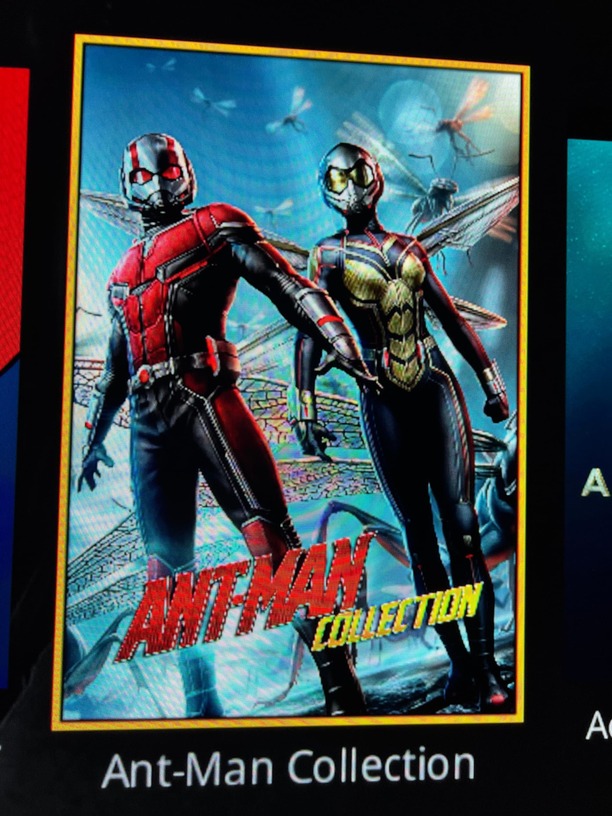
I followed that guide to improve artwork quality, and set my advanced settings to 2160 for fanart and imageres. Posters look sharper for sure, but on some I’m getting some weird aliasing and moire effect. Have you seen that? Almost all on collection posters for some reason. I’ve tried switching them, uploading higher res versions, etc. I can’t get that odd effect to go away. I added some images to show you what I mean.
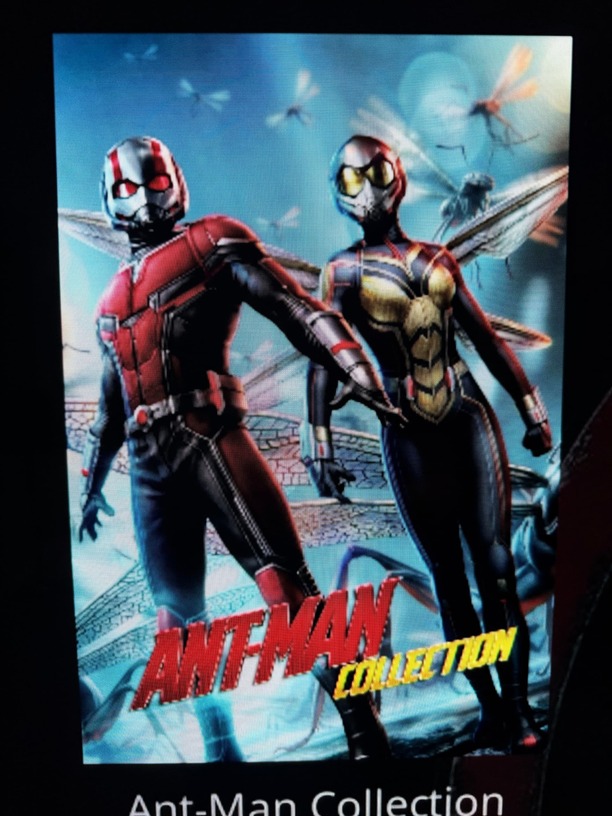

Is anyone else seeing this?
Did you also adjust the artwork and poster quality modifiers in PM4Ks AddonSettings? If not, you might want to do that (and clear your thumbnails and textures13.db)
Edit: I might’ve also messed up the way we request collection posters from the PMS. I’ll check next week.
1 Like
I did do all of those steps. I was actually just going to respond. I just tested applying the Deadpool image above to a collection and a single movie. The collection exhibits that issue, while the single movie entry looks great. So something different is definitely happening when it comes to how collection images are being handled.