PM4K / PlexMod for Kodi (18, 19, 20, 21, 22+)

Just got PM4K set up on an UGOOS AM6B+ and it’s been awesome so far. Just one minor issue, not sure if I’m doing something wrong or if it’s a conflict of some sort.

-CPM A11
-PM4K 0.8.0-beta10.2
-Plextuary CPM skin

Settings > Interface > Startup > Startup window > “Settings”

When I set CoreELEC to launch directly to the “Settings” pane with this setting instead of the default of the “Home window” pane, the PM4K setting to “Start Plex On Kodi Startup” is no longer honored on startup. Navigating back to the “Home window” will then launch PM4K.

Am I setting something wrong, or is this a conflict/bug of sorts between CoreELEC and PM4K?

It’s a minor gripe, but I’m really only exiting out of PM4K to get to the core settings pane, so it would be nice if this was working nicely together. Not exactly sure who to raise the issue to.

The autolaunch only works from home, so you basically have to give up the launch to settings thing.

1 Like

Any reason why something like the smart playlist can’t be synced? Seems it would be useful

This is correct. PM4K only autolaunches from Home views, as it can never really know whether you want it to autostart while browsing something like settings, or not.

I can add an optional toggle to ignore this.

1 Like

That’d be great! A minor thing no doubt, but it does save a few button presses for people who view their device as a PM4K box, should they ever need to exit out and tinker with settings.

Thanks for all your work, by the way! :grin:

2 Likes

@ fizzmissile

Great idea with the settings section.
That makes sense!

1 Like

0.8.0-beta10.3: script.plexmod.zip (3.1 MB)

  • Core/Video: Fix crash on no selected audio stream/language
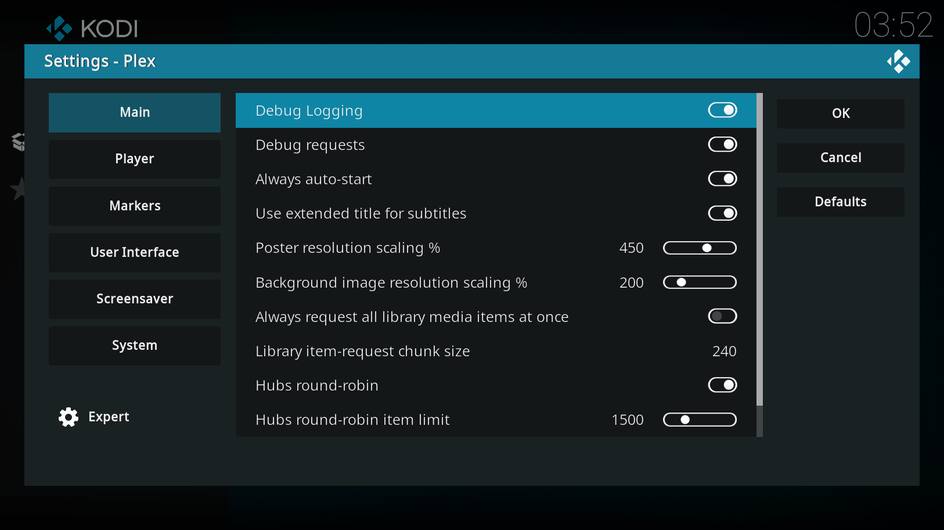
  • AddonSettings: Add setting for “Always auto-start” (default: off)
  • Core/Service: Always auto-start if requested, regardless of the currently shown Kodi window

@fizzmissile @legend there you go :slight_smile:

You’ll need to get to the AddonSettings.

Support me on Ko-Fi if you like what I do!

5 Likes

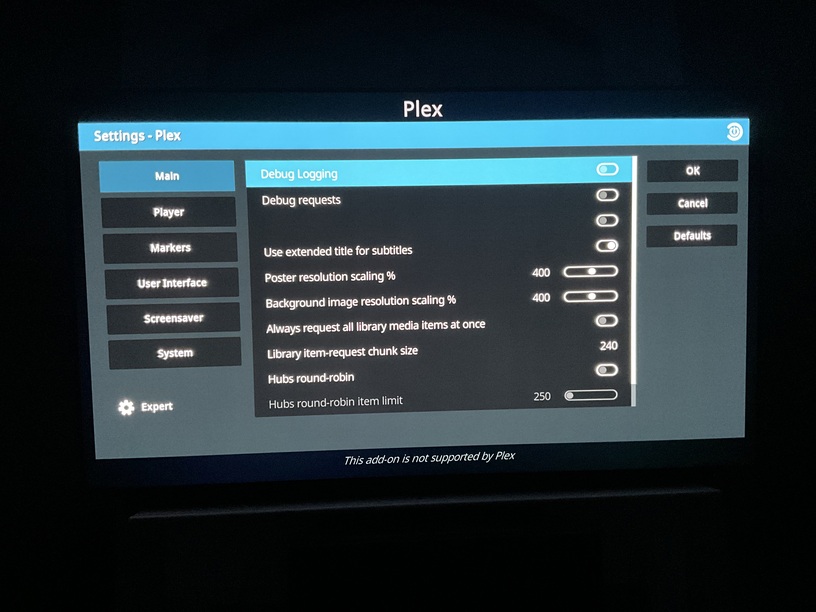
Just updated, im not seeing the new auto start setting

Perfect!

Thanks for that! :heart_eyes:

You probably didn’t restart Kodi or you didn’t look at the AddonSettings after the update.

I activated it in the addon settings.

As soon as I restart CoreELEC the option in the settings is deactivated again. )-:

PM4K won’t start in settings screen.

It starts automatically when i’m back on the home menu.

Can’t reproduce, sorry.

I try to reinstall PM4K…

If it’s deactivated, that’s a Kodi issue. AddonSettings uses the native Kodi settings. I can’t control how they’re handled.

After uninstalling and deleting the data and reinstalling,
the option remains activated.

Plex now starts from the settings!

Thank you! (-:

To all:
Deinstall and delete data, if you have the same issue.

Should never be necessary honestly.

But thanks for reporting!

Of course, that’s how it worked for me.

And thanks again for this very fast update. (-:

1 Like

Yes, I rebooted the whole box

Can you screenshot the Info screen of the addon, as well as its AddonSettings?

Edit: Like this: