No worries, there is no rush. PM4K is very solid and stable right now.
1 Like
0.8.0-beta12: script.plexmod.zip (3.0 MB)
Changelog:
- Core/Player: Harden against early exit (NAV_BACK/PREVIOUS_MENU/STOP) actions during video playback start, which could cause the plugin to crash or not properly shut down
- Core/Player/BGM: Hopefully fix playback error when repeating theme music is enabled under certain conditions (hitting play right when theme music restarts)
- Library: Hide collections when any filter applied (same behaviour as Plex Web)
- Music/CurrentPlaylist: Try fixing bad positioning in playqueue callback on large playlists
- Music/CurrentPlaylist: Correctly select the currently playing item after shuffling a full playlist and after skip next/prev track
- Playlists: Make PLAYLIST_INITIAL_SIZE adjustable by addonSetting
- AddonSettings: Add setting for maximum playlist size before chunking it (default: 500); reduce on memory/stability issues
- Updater/Service: Show changelog for updates
Changelogs will be shown starting with the next update. A Kodi restart is recommended due to changes to the updater itself.
This release adds a whole lot of stability to the main playback handling as well as big playlists.
18 Likes
I have noticed the playback OSD UI appears to be a little desaturated when watching with Dolby Vision. It doesn’t appear to be the case when watching HDR10 content.
Best way to tell is to look at the Skip Credits color. Is this a bug?
Device: lg oled, ugoos am6b+, coreelec 21.2, 0.8.0-beta12
Another potential bug, I am seeing a tiny glitched line along the right side of posters from top to bottom. I am using poster scaling resolution 200% at a resolution of 3840 x 2160 (4K). This appears on Home or Recently Added for example. It doesn’t appear on all posters, just some. I checked the posters in another client and they seem fine.
You can see the issue here on the A Beautiful Way in the Neighbourhood poster.

Well not really, no. Not sure if Kodi actively manages the brightness for UI elements (they do for subtitles to make them less eye-watering in HDR/DV situations), or it doesn’t and it’s just the DV behaviour as the TV lets certain areas pop it can’t keep the brightness of other elements high. Could be either, I’d bet on the second (panel).
Seems like a poster size issue. You can turn on debugging in Kodi and look at the images it loads, then compare resolutions.
We use <aspectratio>scale</aspectratio> (https://kodi.wiki/view/Aspect_Ratio) for posters.
1 Like
I don’t think this is a bug, but is related to how TV-led DV is enabled:
It won’t happen with HDR10 since scene by scene brightness is not changing
2 Likes
I guess this is the default behaviour for a non-patched/forked Kodi instance, as well. The TV doesn’t know that it has UI elements that are RGB, it treats it as a full frame and applies the DV/HDR10+ per-frame metadata, potentially raising other elements as well.
Something similar happened with subtitles, where those would simply glare massively in HDR contexts before Kodi 20 I think. Nowadays the subtitle rendering lowers their brightness so it’s not as visually jarring as it was before.
Hi Panni,
feature request (dunno if possible obviously 
I’m currently watching all seasons of Grey’s Anatomy with my wife (don’t judge me). And for now already 9 seasons, the artwork is from season 21. So, would it be possible, for TV series, to somehow use the currently watched season’s artwork as the main background art etc.?
For long-running shows this also has spoiler implications, as you can clearly see surviving cast members
Anyway, that’s my idea, do with it as you please
Cheers
Martin
Hmm. I’ve yet to come across any TV shows with different background art per season. For the ones I’ve checked, all the background art is pointing to the same source. The only thing that seems to differ is the thumbnails.
@DonSqueak
Oh, do you mean the backgrounds on the home screen?
Edit: Hmm, this should be the same background art on home, even if set manually.
Hi, thanks again for all your work!
I regularly experience a behavior with the app: when I log in with my son’s account, it displays the last background picture loaded from the previous launch, usually from my account. This can sometimes be explicit, and since my son is young, I specifically designed an account for him. The background picture only stays for a few seconds before being refreshed, but I was wondering if PlexMod could load a blank picture instead in cases where the last connected account was different
Sure, which kind of “login” are we talking about? An in-app user switch of home users? Or a real logout + login?
Well, in my case it’s a home user switch and I appreciate the wish, too. I think, it would be desireable in any case.
Like @rossinior , I’m talking about home users. You’re the best 
0.8.0-beta12.1: script.plexmod.zip (3.0 MB)
Changelog:
- Home/Core: Don’t retain background image when switching home users
10 Likes
I’ve been getting an error for the past few weeks now. I think it started with beta 12 but can’t be certain. After playing media and quitting out into the menu I get an error saying ‘no data; disconnected?’
The ‘home’ page seems to be fine. Selecting my library (but not clicking) shows a message saying ‘no content’ in this library. But if I click on the library, it opens fine and everything plays ok. A restart fixes it. Any idea what’s going on?
I’m using the cpm build on the ugoos but I’ve not updated that in months.
Edit: turning off cacheing seems to have fixed it.
Logs would’ve been nice.
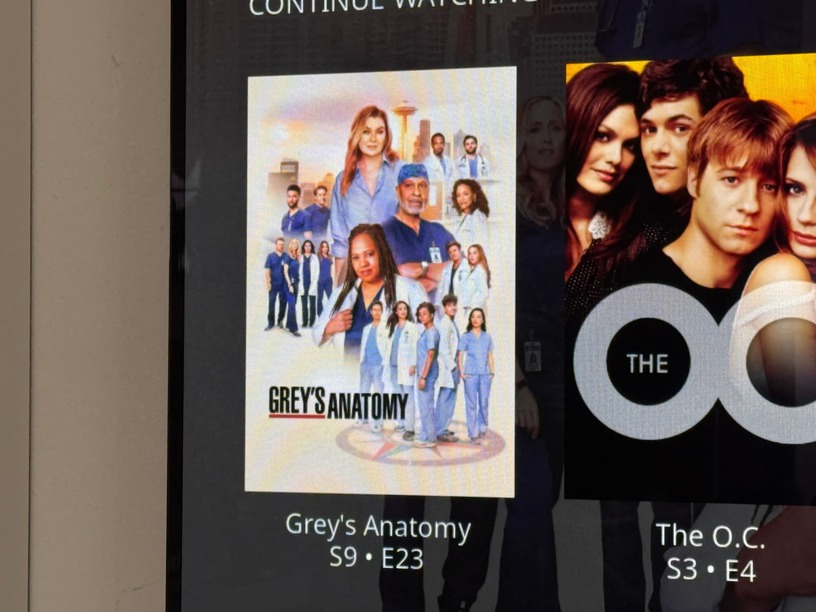
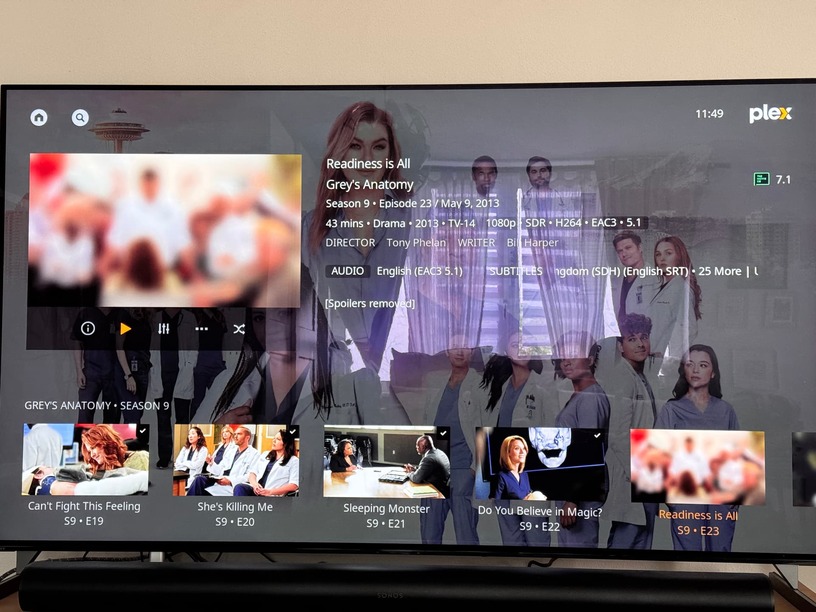
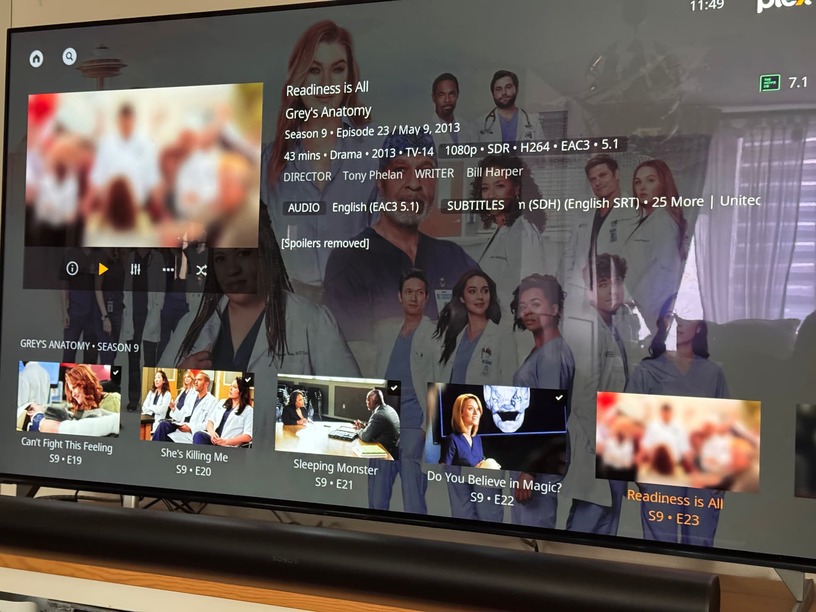

So, it’s pretty much everywhere. I’d really rather have a setting to base these backgrounds on the current season’s box-art thumbnails (zoomed in or whatever) than to have to look at this for another eleven-ish seasons
Or, be able to easily upload season specific art somehow?