PMS crashes since installing first public 1.15.x

Server Version: 1.15.2.793 (installed via DSM package center)
DSM Version: DSM 6.2.1-23824 Update 6
NAS: DS3617xs
Plex Media Server.log (46.6 KB)

PMS started crashing when installing the first 1.15.x public, issue still occurs with the current version, I’ve included logs, also the packages doesn’t stop when crashing, I have to stop it via DSM and then run it again.
I hope I’ve included enough information, thank your for your help !

Things I’ve already tried:

  • Optimize database.
  • Restart the NAS.

Ok, what I’ve noticed is that PMS becomes unaccessible (shows as offline) and I have to restart it.

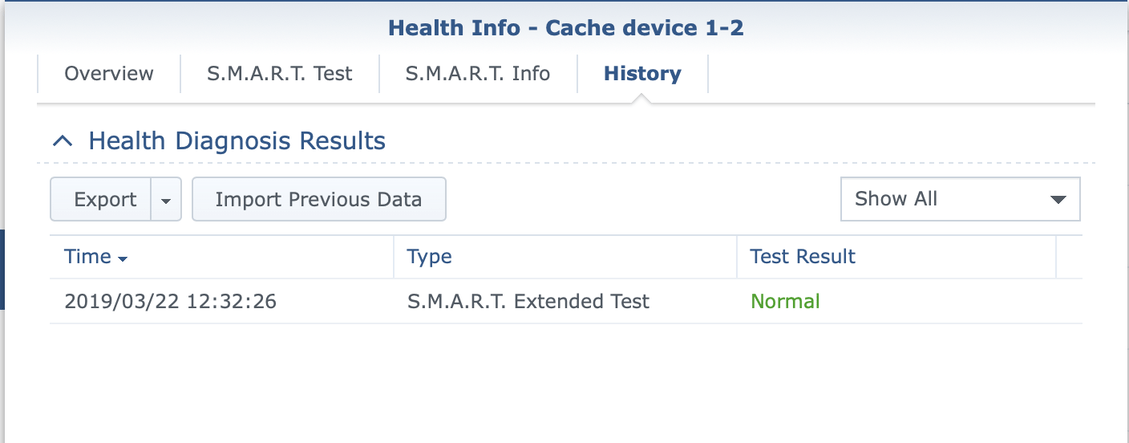
I’ve launched the extended test earlier today, I’m guessing this will take a while !

The extended test is done, and I got no errors.

@Hamilcar you are aware that you have actually disabled debug logging for Plex Media Server ?

Also if there are any crashes - it is important to have other log files as well - to see if any attempts were made to upload crash reports on last few launches - the default downloaded logs zip via the web interface would ensure these log files are included

And if there is any deadlock within plex media server it will not be possible to ascertain without debug logging

I was aware of it and I didn’t think it was needed until you mentioned it.

I’ve enabled it now and I’ll upload the logs after the next “crash” .

PMS just showed the same issue, I’ve included all the logs this time with debug logging enabled !

Plex Media Server Logs_2019-03-26_14-28-35.zip (7.2 MB)

I run Plex in Unraid docker and I’m having the same issue. It just hangs, since updating it the 1.15.x.

I’ll watch this post and add my logs if they don’t see anything going on here.

That steep rise in (xx live) count is indicative of a deadlock

Mar 26, 2019 14:25:16.315 [0x7f7a6e5be700] DEBUG - Request: [178.197.232.167:54913 (WAN)] GET /activities (192 live) TLS GZIP Signed-in Token ()
Mar 26, 2019 14:26:29.278 [0x7f7a6e5be700] DEBUG - Request: [69.162.124.237:9961 (WAN)] GET / (260 live) TLS Signed-in

There is a standard set of diagnostics needed for deadlocks

  1. List of connections.
  2. Process Dump
  3. Debug logs

Connnetctions List: That would be obtained through a specifc url in a browser. You would need the server security token for the request and you can prepare it by going through the steps here https://support.plex.tv/articles/204059436-finding-an-authentication-token-x-plex-token/

In the event of a deadlock, open browser and go to this url to get the list of connections on the server
http://192.168.1.4:32400/connections?X-Plex-Token=xxxxxxxxxxxxx
put the server security token instead of the xxxxxxxxxxxx
Note down the time and copy the displayed output into a text file - with time of request part of the filename

Wait 5 minutes and confirm it is still locked out by trying out http://192.168.1.4:32400/web
and if it is, repeat the /connections request and save the output again

Force a process dump by finding out the PID of the Plex Media Server process and doing a kill -SEGV <pid>
This should result in a crash report being written to /volume1/Plex/Library/Application Support/Plex Media Server/Crash Reports/1.15.2.793-782228f99/PLEX MEDIA SERVER

Restart the server and wait few minutes. With crash reporting enabled, the dmp file should get uploaded

Capture server logs zip and attach with zip of the 2 connections lists captured.

If there are difficulties uploading the dmp file, it will remain there until it is successful - an attempt is made after each launch of the server

I’ve uploaded the necessary files !

logs and connections.zip (4.6 MB)

Thank you,

Was the “kill -SEGV pid” at 11:22:13 ?

I think so, sorry I didn’t write that down

Thank you. I have referred it to the development team. Appears to be an issue with music transcoding - in this case it was for user mausidid on an iPhone.

unrelated to the hang - noticed some invalid requests, eg this where the stream number is showing as (null)

Mar 28, 2019 10:10:19.261 [0x7eff616fb700] DEBUG - Request: [178.197.236.44:10459 (WAN)] GET /library/streams/(null)/levels?subsample=256 (58 live) TLS GZIP Signed-in Token (mausidid)
Mar 28, 2019 10:10:19.263 [0x7f0033a23700] DEBUG - Completed: [178.197.236.44:10459] 400 GET /library/streams/(null)/levels?subsample=256 (58 live) TLS GZIP 2ms 384 bytes (pipelined: 1)

I would like to see the xml you get back from the following requests, Please copy and paste into a txt file for each

http://192.168.1.4:32400/library/metadata/59201/children?X-Plex-Token=xxxxxxxxxxxxx
and
http://192.168.1.4:32400/library/metadata/59202?asyncAugmentMetadata=0&checkFiles=1&includeChapters=1&includeConcerts=1&includeExternalMedia=1&includeExternalMetadata=1&includeExtras=1&includeGeolocation=0&includeOnDeck=1&includePopularLeaves=1&includePreferences=0&includeRelated=1&includeRelatedCount=15&includeReviews=1&X-Plex-Token=xxxxxxxxxxxx

putting the token instead of the xxxxxxxxxxxxx

The two xmls you requested.

xmls.zip (4.0 KB)

Is there anyway to mitigate the issue in the meantime, or do you have an ETA on a fix ?

Thanks. The null stream id appears to be a harmless bug in Plex for iOS that is being fixed. Relates to checking loudness for a stream. Relates to this Plex music player iOS is showing an amplitude on the play bar - #13 by chfredrickson

I don’t have any feedback yet. It appears to be relating to transcoding music tracks.

Do you know if latest Plex pass solved the issue ?

Sorry for insisting so much but I have to restart PMS several times a day…

No specific fix went in to the release for this problem - but sometimes problems do get resolved by other fixes

Any information about that bug ? I still have crashes on latest public.

I have no update. But lets get new diagnostics from the latest version.

Ok, sorry if this takes a while to gather…