PMS Dashboard - Bandwidth monitor suddenly doesn't work

Server Version#: 1.19.1.2621
Player Version#: N/A (Plex Web 4.30.2)

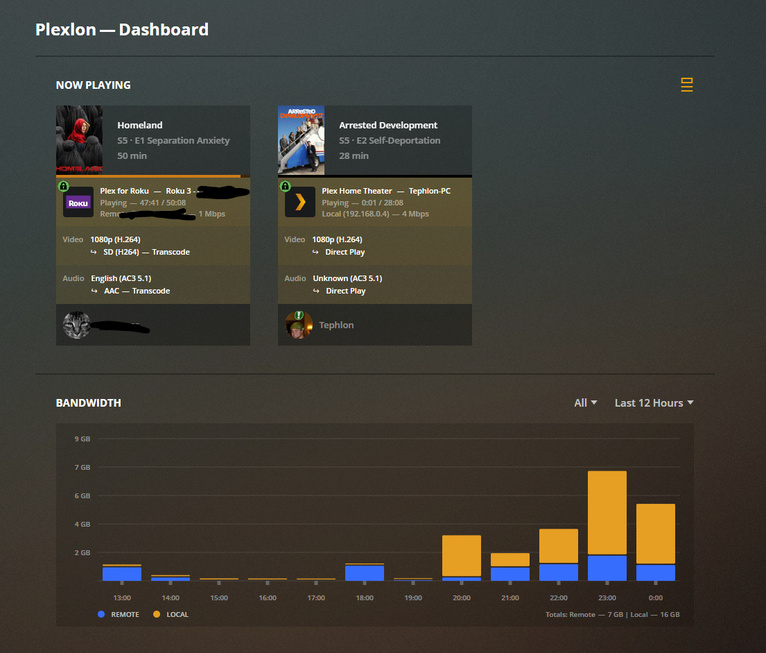
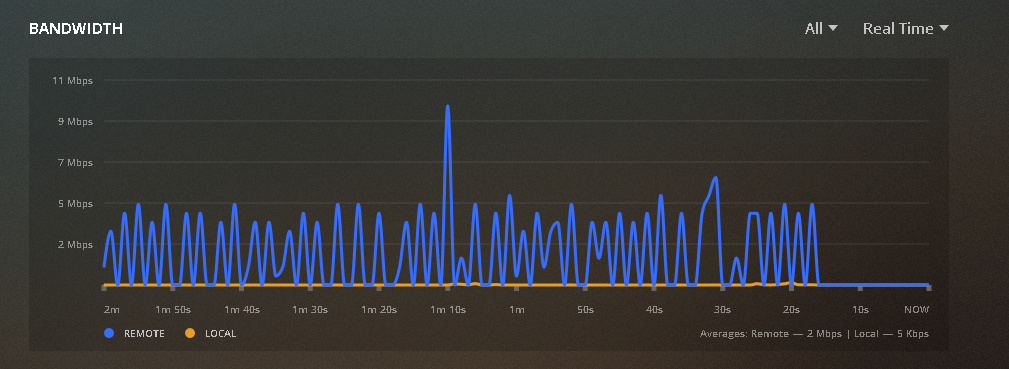
I’m not sure when this started, but I just noticed that my bandwidth monitor no longer works. The CPU and RAM monitors work as expected. I couldn’t tell you when I last noticed it worked, but it could have been a few updates ago. Things have just been working, and I’ve been busy at work, so I haven’t been watching the server much lately.

As you can see, there are both local and remote players watching content.

EDIT:
I just thought to check the historical, and it appears to be logging the bandwidth, just not displaying it realtime.

I’ve seen that… reboot of the system running the client usually clears that up.
some times restarting the browser…

It doesn’t matter what client or browser I use.
On mobile. On two different PCs. Safari. Firefox. Chrome. Edge.

Doesn’t work anywhere.

Restart Plex or the server.

-Shark2k

check the time difference between where the client is running and your PMS server…

Sorry for not stating so—
I’ve restarted PMS and the server to no effect.

Interesting.

The time looked the same between server and clients, but I forced both server and PCs to sync to us.pool.ntp.org and the monitor is working again.

So the server must have had its time off by a little bit.

Thanks!

mine is off by about 15 seconds…
you only have to be off by 2 mins… to blank it out totally…

1 Like

This topic was automatically closed 90 days after the last reply. New replies are no longer allowed.