Server Version#: 1.19.5.3112
Player Version#:
Hi
Plex suddenly stopped working. Did not do any upgrades etc. Used it this morning, then couldn’t access in the afternoon.
Not accessible via web player or apps in shield for example. When I try to access via web player it tells me to add my media. When I click that it takes me to the Plex home page to download PMS.
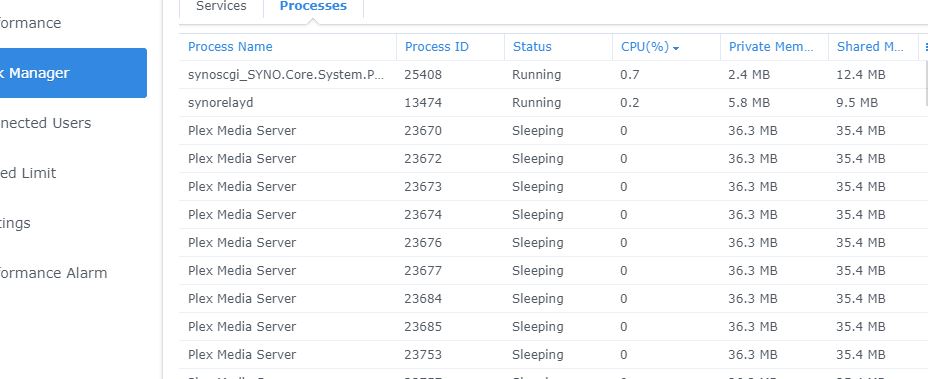
PMS is running on the NAS, however I did see that all of the plex processes are “sleeping”. I’ve attached a screen shot.
I have tried re-starting the NAS, and stopping and starting PMS on the server.
I’ve attached the logs also.
I had recently (2 weeks ago) tried to upgrade PMS to version 1.20.3.3437, but that created issues / failed, so I reverted back to this version that had been working no problem
Thanks(File removed)