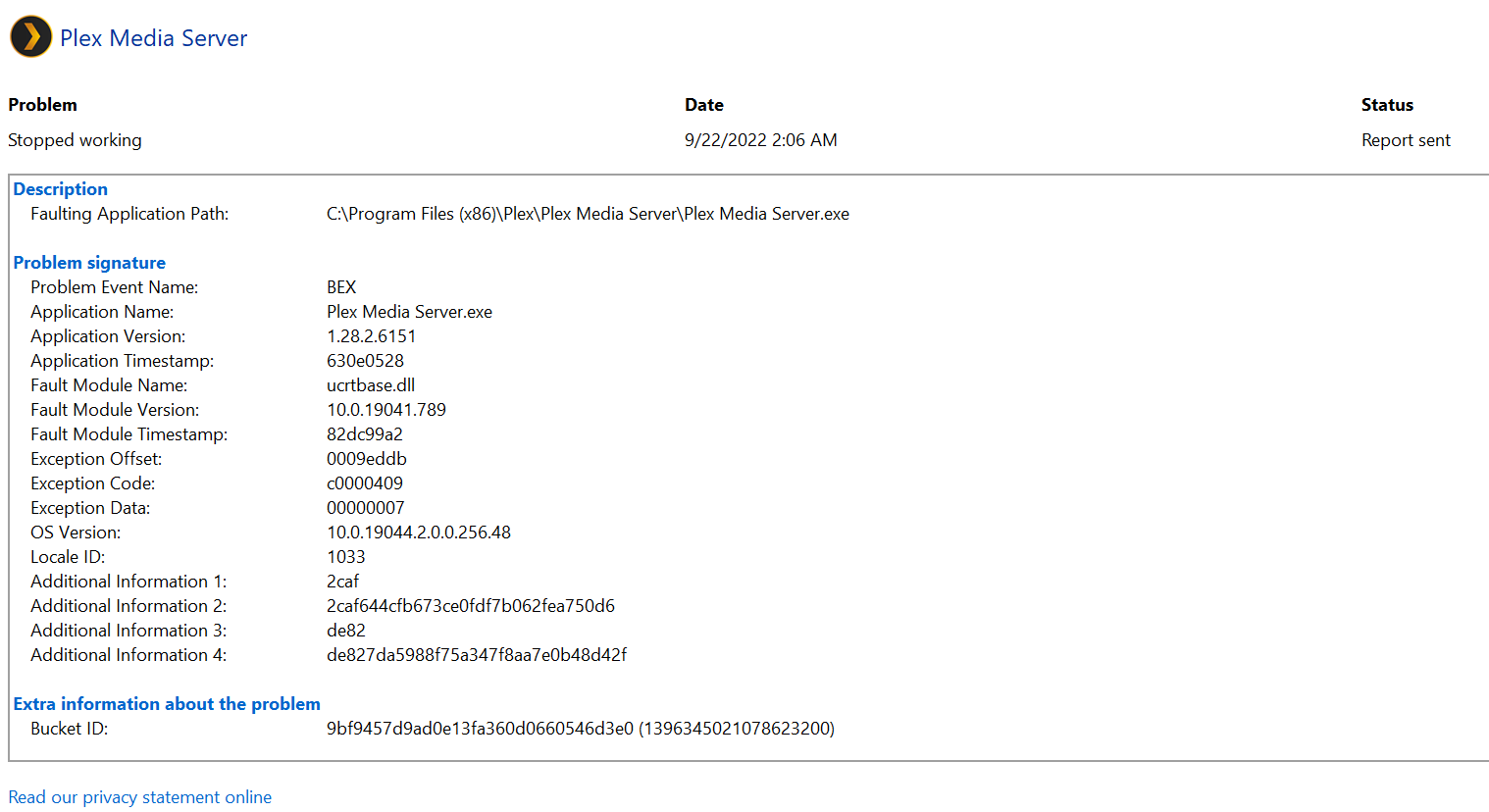
I have the same problem. A while back, I had a few corrupt files that caused the transcoder to fail and crash Plex. That left plenty of evidence in the Plex logs to track it down and fix it, but nothing in Event Viewer. After updating to 1.28.2.6151, Plex started crashing again. This time there are no obvious errors in the Plex log, just the same Windows error as above in Event Viewer. Once a week at 2am or so. It appears to crash either during or just after the bundles are cleaned during weekly maintenance. I suspect this because the last thing in my plex logs at that time on the crash day is cleaning the bundles.
I rolled back to the previous version, 1.28.1.6104. It no longer crashes when the bundles are cleaned. I have not tried updating again to see if it returns.
I updated to 1.28.2.6151 and 1.29.0.6244 and both versions crash when cleaning bundles. 1.28.1.6104 is the latest version to not crash on my system. I’m running Win11 Pro on an i5-9600K.
Yesterday I did two Windows updates that required two reboots and install the latest PMS.
Windows 21H2 OS Build 19044.2075
Plex Version Version 1.29.0.6244
And right on schedule Plex crashed at 2am.
I have disabled the weekly “bundles cleaning” to see if that does the trick.
Of note I have second PMS on a Azure VM that has a copy of my music library but no videos or photos, and it does not have this issue. So I assume “bundles” is something to do with video files?
Do you have the windows edit for windows to capture application crashes into %LocalAppData%\CrashDumps folder - you would need to create the folder in advance - the Regedit is mentioned here Crash Logs: Plex Media Server | Plex Support
If you have this in place, please get me zip of the dmp file plus the server logs (debug logging must not disabled) captured after one of these crashes
If you do not have this regedit, then Plex Media Server will try to capture a minidump and after processing it, the crash report is placed in %TEMP% - the debug server logs would show the filename (the name is just some hex characters without a filename extension) - then would need the server logs and zip of the minidump file copied to the temp folder
Thanks for the logs and feedback that the crashes occur on 1.28.2.6151-914ddd2b3 and 1.29.0.6244-819d3678c but not on 1.28.1.6104-788f82488
I have passed that information on to the development team
I would like to get more examples of dumps - so please make the registry change outlined on this support article Crash Logs: Plex Media Server | Plex Support and create the CrashDumps folder under C:\Users\Movies\AppData\Local\ and restart the server and then upgrade to the latest version of Plex Media Server and let me have the debug server logs and zip of the dmp file for the next crash on instigating a “Clean Bundles”
I am having the exact same issue. Seen a few threads about it but this one seems to be exact and is getting some attention from @sa2000.
I am currently on v1.29.0.6244-819d3678c as I upgrade from the server when it prompts me for updates. This issue has been going on for about 4-5 weeks with the ucrtbase.dll error in my event log every 7 days just after 2 am. I narrowed this down to the scheduled tasks, and then specifically to the clean bundles when I manually execute it crashes immediately.
As my issues seem 100% identical to OPs, I’m not sure if you want more data here. If so, please advise - otherwise I am another user anxiously awaiting a fix.
I have a number of crash dumps and logs now for the Clean Bundles crashes - if you are confident your crashes relate to that then there is no need for more logs / crash reports
Thanks @sa2000, as you say you have enough data, so standing by for an update.
P.S. I have also confirmed that disabling the weekly Clean Bundles task has kept the server from crashing. But oddly enough I don’t see this issue on my 2nd server running on a azure VM.