Server Version#: Version 1.19.4.2935

As you can see in the above image, resource monitor reports that Plex is sending about 2-3 mbps is being sent to the IP that is actually playing something back (24.141.XX.XXX), but then about 25 mbps is being sent to a random IP (24.36.36.XXX) that does not have access to the server and is not reported as anything playing in the dashboard. Plex’s bandwidth monitor also reports about 30 mbps being used but marks the stream from 24.141.XX.XXX as only 5 mpbs. Resource monitor also reports all of the traffic coming into 32400. My firewall rules in Windows Firewall allow Plex to communicate with any port, but no other traffic is specifically allowed in to 32400. My remote access setup is very simple, forwarding 32400 external → 32400 internal.
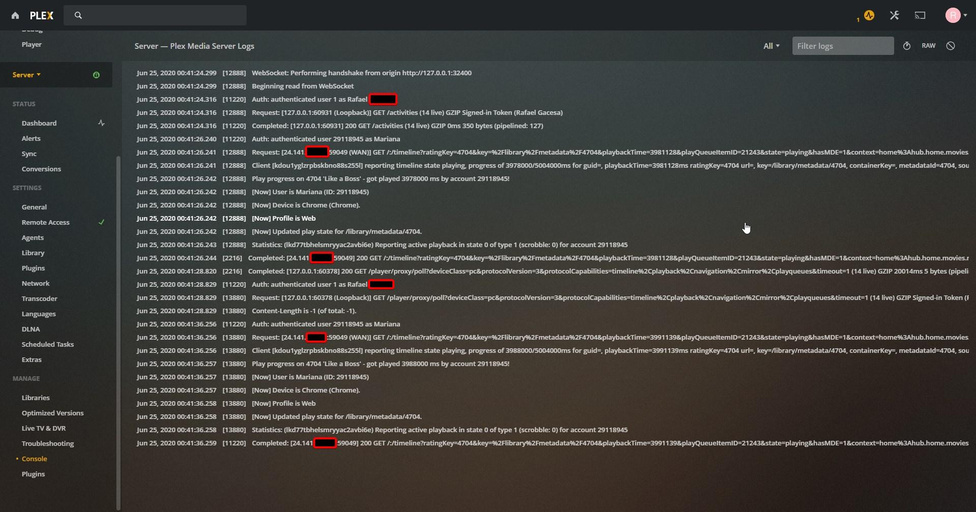
Plex also reports nothing about the random IP in the console, only the IP that is actually playing something.

This is now the 3rd time this has happened, with the IPs being different every time, even from completely different ISPs (some residential, some static business).
It may also be important to note that when these IPs are downloading from the server, they are using the max bandwidth which is allotted to this Windows server (30 mbps), so it could be some kind of attack.
What are some possible solutions to this problem? (Would forwarding a different external port than 32400 do anything?) I have tried changing my password and signing all devices out, as well as removing all non-home users.
