Possible to tag home videos?

Goal:

To tag 2000+ home videos with {who is in each video}, {occasion}, {location}

I read that Plex can read the following tags:

Title, Description, Summary, Year, Originally Available, Genre, Director, Screenwriter, Writers, Composer, Producer, Cast, Studio,

I tried changing the video’s metadata in windows that was available to see what plex would pick up (artists, composers, conductors, directors, genre, mood, producers, writers, comment, tags).

Plex only picked up Genre.

I didn’t change to “use local metadata” as I have a lot of audio files and other media that is relatively well tagged already so would prefer not to disturb that.

Is there a way to tag home video files with this data to be able to search in plex for it?

Can you ask plex to only use local metadata for “other video” files?

IF genre is being picked up, I guess you could use multiple tags in that field, though it would be messy and potentially mess up the full genre list for all media

eg

For one video file : {genre} = “Christine, Patrick, Gisele, birthday, France”

For another video file: {genre} = “Patrick, beach, Italy”

etc

As you can imagine, this would introduce dozens of new tags into plex’s Genre metadata that aren’t genre, though that would be (hopefully) picked up to find home video files.
Audio and video must go into separate libraries.
Each library has its own, individual metadata agent settings.
It is therefore absolutely possible to enable “Prefer local meta tags” in your private videos library, and leave it off in your music library.

Thank you.

“Audio and video must go into separate libraries.”

Yes, of course - I have a library for music, one for TV shows, one for “regualar” movies and one for home videos.

“Each library has its own, individual metadata agent settings.”

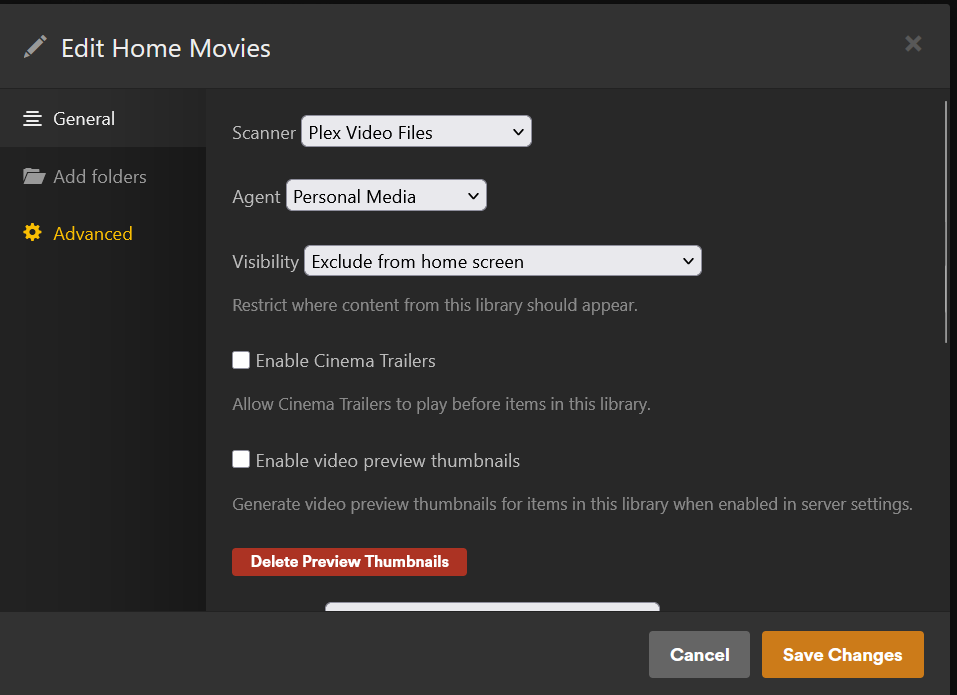
That’s what I thought - however I couldn’t find those settings - where do you see them?

Here is the EDIT screen for the home videos libaray:

Scroll down.

Thank you for taking the time to reply, however did you actually see the setting before replying “scroll down”?
Or, are you assuming such a setting exists there, as, of course, I had scrolled down, and I hadn’t attached a screen shot of the advanced settings at the bottom, since there were no applicable settings there that I could see, unless I’m missing something.

ie

It appears not to be an option in Personal Media libraries, sorry about that.

How old is this library?
Was it created a few years ago?
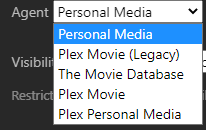
The current agent for “Other Videos” type of libraries is “Plex Personal Media”.
It is reading from embedded meta tags by default. (this cannot be disabled, because embedded tags are the only source of metadata for “Other Videos”)
Perform a Refresh Metadata on the item to read a newly added title tag.

In my test the Genre tag was also imported, though it is not immediately shown on the item’s preplay page. But you can see it when you filter the library, or edit the item

Hello Otto,

I think this library is 1-3 years old.

For the scanner should we be using “Plex video files scanner” or “Plex video files”?

The default agent selected was “personal media” - I’ll change it to “Plex personal media”.

btw couldn’t find in the docs the difference between these similarly named scanners and agents (it’s confusing).

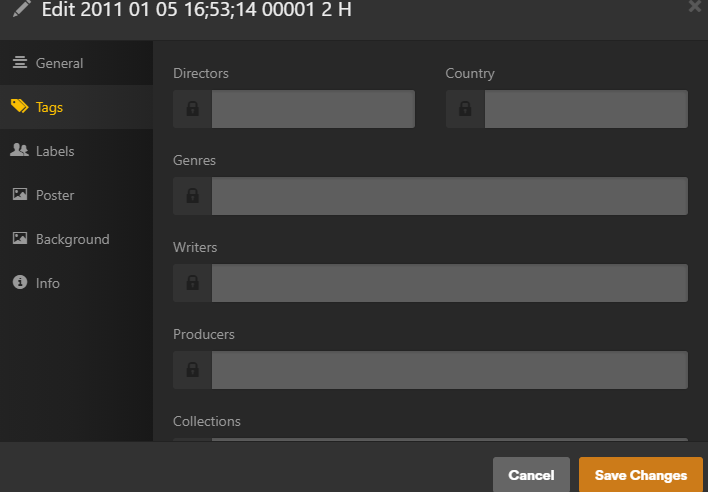
I’ll refresh all metadata in that library, though after refreshing metadata for a test file that I filled in the tags of various metadata fields (below), plex was still only reading “Genre” (2nd below):

Do you think it would be possible for plex to read metadata tags other than genre?

“Plex video files”

Unfortunately not. I’ve seen some report from users who managed to put something into the “Actor” field.
As well something into the “long description” field.
But I haven’t tested that myself in a long time.

Thank you for your advice.

Btw if you tag an “Album” title, Plex will create a Collection by that name in the tag, and add the video(s) to that collection.

Oh, that’s really useful - I guess you could change the “album” tag to an occasion (Birthday, vacation) for collections, use Genre for location, and put peoples names in the title

Checked, and FYI there is no “Album” tag for videos.

I can set it no problem, using mp3tag, and it works.

Oh, that’s interesting, however Album is not a tag that appears when you edit a video file.

Would it appear if you add data into that tag? That would be strange (?)

As I wrote above: album meta tag=collection.

Ah, that’s very odd.

So for future people seeing this thread, using directory opus (good file manager), I can’t see an “Album” tag, and in plex there is no “Album” tag for video files, however if you use mp3tag (originally created to tag mp3s, I assume, hence why “Album” is a default tag), then plex reads the album tag and creates a collection which appears when you edit the file, under collections.

This looks more like a hack, as it’s counter intuitive, however thanks for the heads up!

These sorts of illogical methods should be in a big Plex FAQ!

1 Like

This topic was automatically closed 90 days after the last reply. New replies are no longer allowed.