Server Version#: 3.71.1
Player Version#: Web Browser, Google Chrome Version 69.0.3497.100
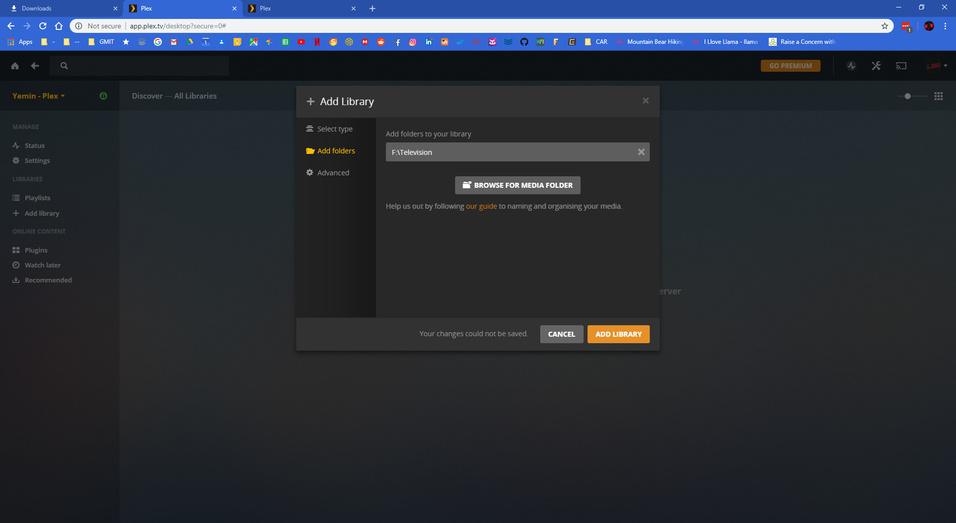
Ive been having a lot of problems with my libraries for the past while, So in order to fix them I decided to reinstall plex to clean out the old App data. After installing Plex again and now I cant make any libraries at all.
Simply uninstalling Plex will not clean out the old app data.
You’ll need to erase some folders and their content manually.
https://support.plex.tv/articles/201941078-uninstall-plex-media-server/
Tried it again. This time uninstalling, removing the folders, and also deleting the registry files. Still not working at all. Getting the same error.
Have you relocated the Plex data folder to a different drive letter?
Do you use any type of web browser add-ons? Disable them and try again.
Or try Firefox instead.
Huh scratch that. Restarted the PC and now its finding content. On a fresh install so this could take a while  but Hope fully it will find it all now. Will update if I have any more problems. Thanks for your help Otto!
-Eanna
This topic was automatically closed 90 days after the last reply. New replies are no longer allowed.
