Server Version#:
Player Version#:
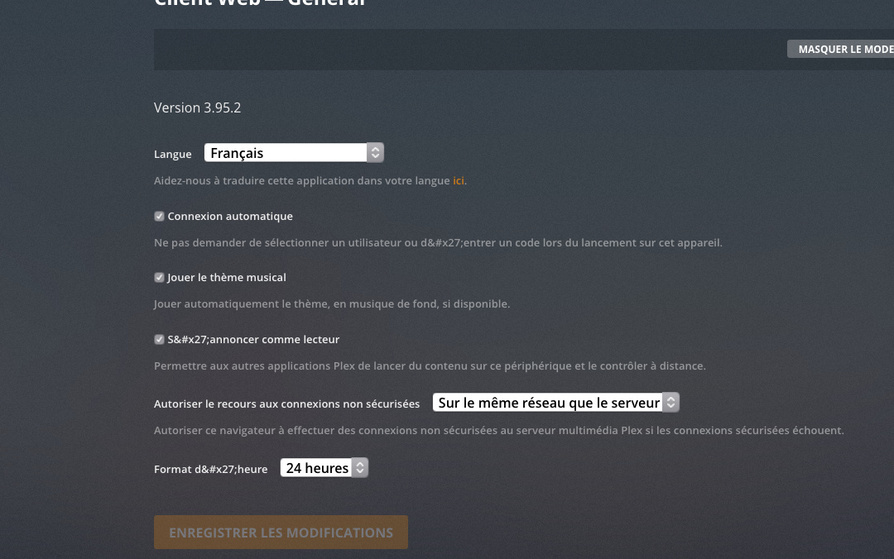
Hello, I am obliged to open Plex server media in my Firefox browser so web client settings are taken into account and remain active! What’s the problem? Thank you. Kind regards.
Server Version#:
Player Version#:
Hello, I am obliged to open Plex server media in my Firefox browser so web client settings are taken into account and remain active! What’s the problem? Thank you. Kind regards.
Have you tried accessing the server through another browser, like Google Chrome or Safari? If so, does it work?
When you say
obliged to open Plex server media in my Firefox browser
Is this because your workplace, school, etc.. only allows this browser? If so this could be the issue as well, as they may be limiting the access of 3rd party content on their network.
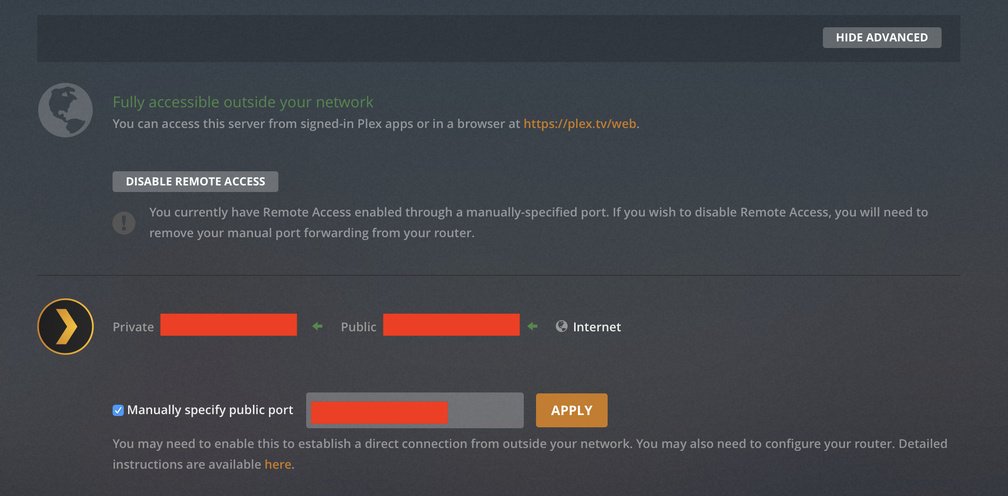
Please can you provide a bit more info on your port settings and that the Plex Network is in fact open and you can access it remotely? (see screenshot below)
I’m not exactly sure which settings you are talking about.
Hello, no that’s not the problem, remote access works. The problem is more the web client settings that disable when I get out of Plex via Firefox.
Client settings are saved locally in the browser If you are using the bundled app ( at IP:32400/web) . And if you have your browser set to delete cookies/site storage/etc when you close browser then they will get reset to defaults every time you close it.
The hosted app at https://app.plex.tv/desktop which is newer has a new feature to sync settings with your account so even if you use a different browser on a different computer it should sync the settings.
Ok, thanks for the information, I hadn’t thought about it. Kind regards.
This topic was automatically closed 90 days after the last reply. New replies are no longer allowed.