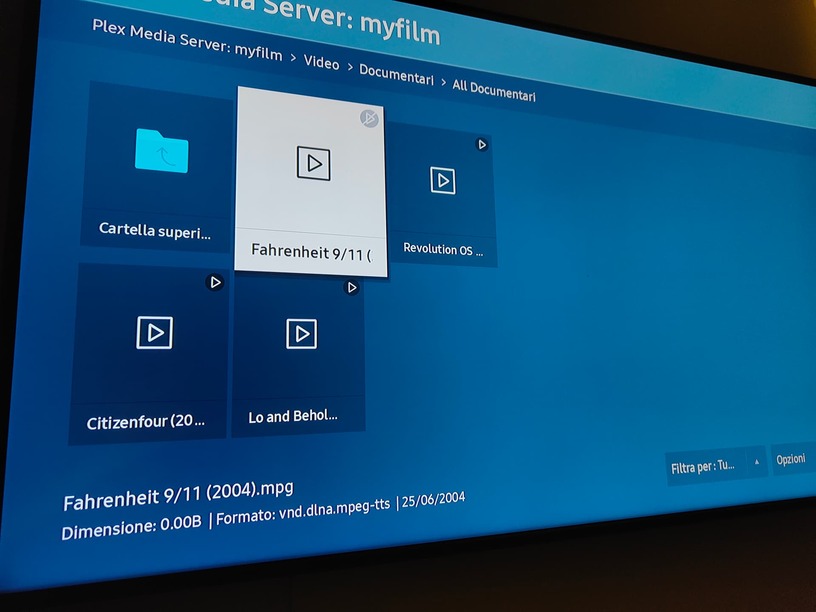
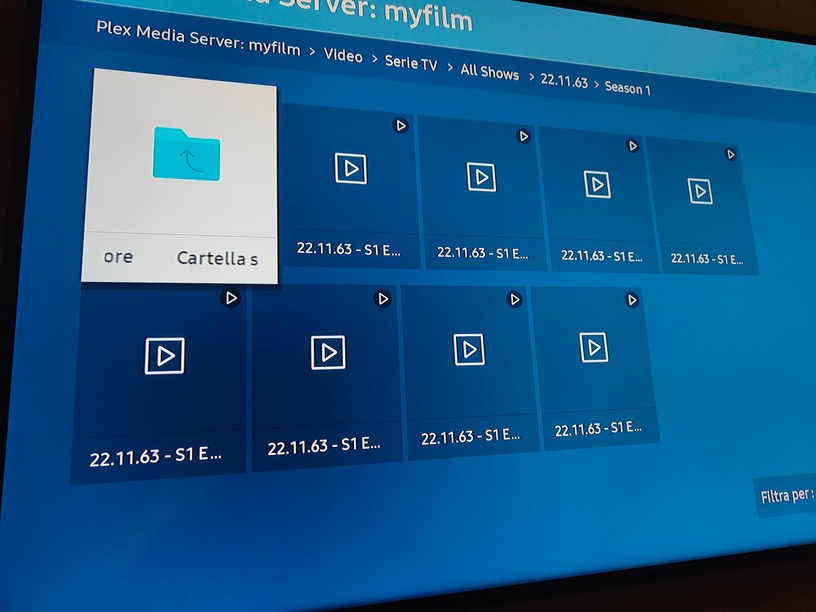
Hi. I have installed latest version of plex and other problems came out. … I can no longer view media via dlna from my TV (UE43AU9079UXZT). BEFORE THE SERVER UPDATED EVERYTHING WORKED !!!
Seeing in the logs this message appears:
[Req#1867] Unable to find client profile for device; platform=Tizen, platformVersion=6, device=21_NIKEL_UHD, model=UE43AU9079UXZT
Because I want it all to work! What question is this ??.
The application on my tv literally sucks! (always samsung). Every time (out of the blue) I go to open the application and it disconnects me from my account … for no reason! So I have to re-log in every time and frankly I’m tired !!
DLNA, the only thing that worked, now it doesn’t even work anymore !! BEFORE THE UPDATES EVERYTHING WAS GOOD!
So, are you telling me that this application will no longer be on samsung tvs !?
I was curious why you are using a DLNA app instead of the Plex Samsung app (which does not use DLNA).
Not at all.
I’m saying you can ignore the error message regarding client profiles. At one time, Plex had individual client profile files for each client. The files are no longer used with the Plex Samsung app. However, the server software still checks and logs an error when it does not find the file. Given that the file no longer exists, you can ignore the error.
Yep. That would be a pain.
In the Plex app on the TV, make sure the setting for auto-sign in is enabled. It is configured per-device, so enabling it on another device will not enable it on the TV.
Do you know what the big problem is? If I open some libraries via DLNA, only files without cover appear to me and through the information of the TV player I have seen that the information of the file (size, format, etc.) does not even appear. But do you want to feel the good thing? Any folder I open, after a while I start transcoding all the files in that folder! And they don’t stop until the server stops !!! ALL of this is not normal. A simple “visit” and the transcoding starts !? It didn’t happen before.
Not at all.
I’m saying you can ignore the error message regarding client profiles. At one time, Plex had individual client profile files for each client. The files are no longer used with the Plex Samsung app. However, the server software still checks and logs an error when it does not find the file. Given that the file no longer exists, you can ignore the error.
So, the other TVs remain screwed ?? My tv is from 2020/2021