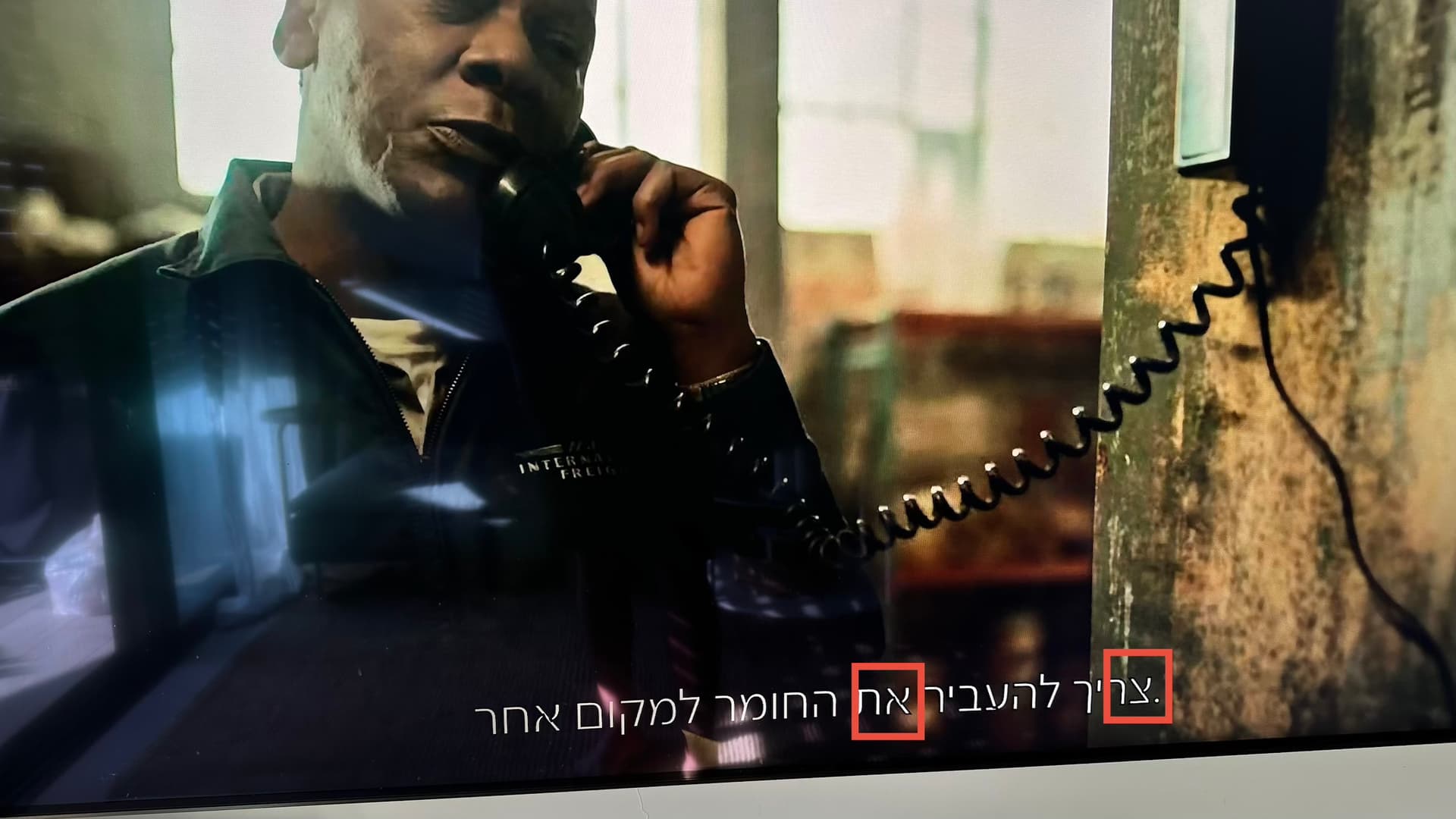
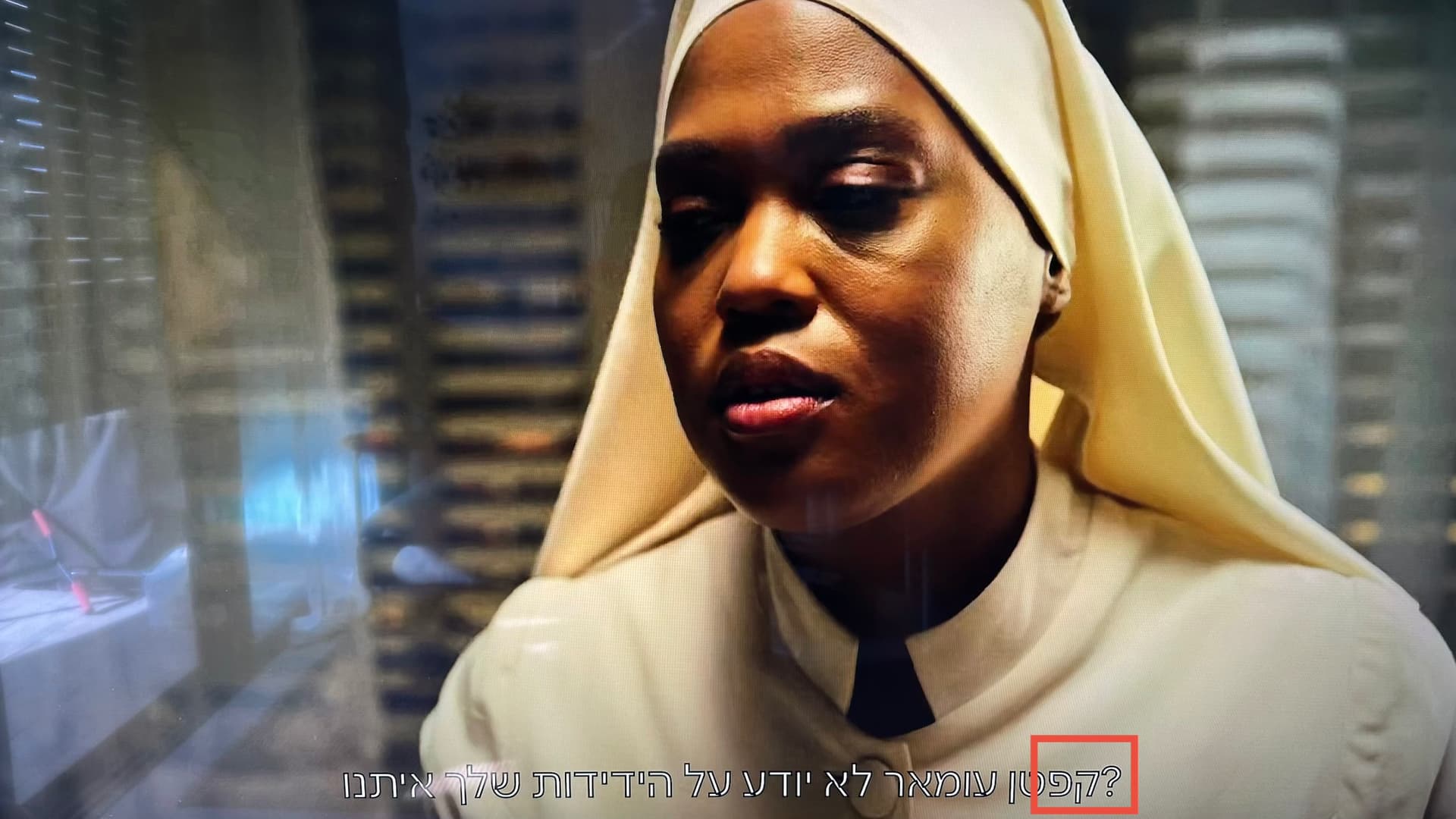
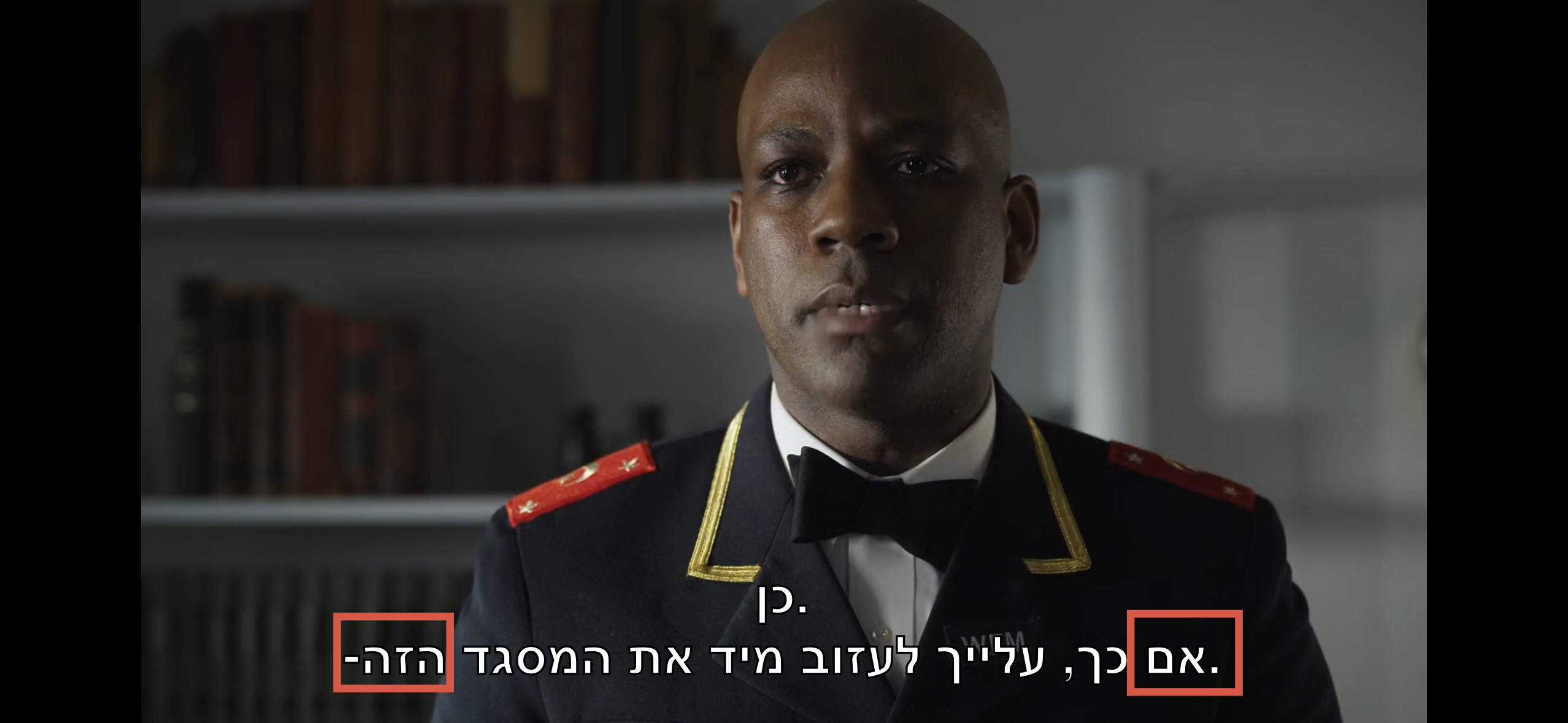
When I play and a movie with Hebrew subtitles on my Apple TV and iPhone in “Automatic” mode, the punctuation marks (commas, dashes) appear reversed, some characters are replaced with strange glyphs, and the font itself looks very thin.
Version; 2025.23.0
Here’s a screenshot of the subtitles, where you can see the reversed punctuation and the strange glyph glitches in the font itself:
This issue was reported multiple times when the Enhanced Player was released, and it took several years to get resolved. I hope it will be addressed before the new Plex Experience is launched.
The subtitles still won’t show up on version 2025.30.0
Apparently it cant work with encoding 1255 Windows-Hebrew, after changing the subtitle to encoding UTF-8 the subtitles appears, but still with above issues