Hi, from a time now I’ve been having two specific problems with subtitles:
Problem 1: Subtitles are not shown when a series episode is automatically loaded after finish the previous one. I mean, when an episode of a series ends, and automatically loads the next one, subtitles are missing, you have to go back to the main screen and start the next episode from there to have subtitles.
Problem 2: Special italics don’t work anymore, like when just one word, or one line, of the subtitle is in italics, the subtitle appears all in italics. For example, a line that goes: “Merci, Mr. MacQueen.” is shown as if it were “Merci, Mr. MacQueen.”.
I already had these two problems in the past and both were fixed with updates, but now they’re happening again. I have 2 Smart TV’s, one LG and one Samsung, and these problems presents in both TV’s, so is not a problem of the app. Is there any chance these problems can be solved in a future update?
1 - No. Picking a subtitles does not affect other episodes. If this was working for you before, maybe you are talking about the feature to automatically pick a subtitles based on your language settings.
2 - Looks like you are using the new Preview app. This is still “preview” and bugs are still being worked out. I have not seen that specific issues, but there are known issues around subtitles.
Hi, I didn’t understand your reply about the first problem I have. I don’t “pick” the subtitles, they’re automatically loaded by the app. I think you didn’t understand my problem. The thing is like this: I’m watching an episode from a TV series, right? After that episodes ends, if there’re more episodes, the app shows you a screen where you can play the next episode. Well, if I play the next episode from that screen, the subtitles are not shown. I have to go back to the main screen, and play it from there to have subtitles. Is it clear now?
About point 2. Which one is the “preview” app??? The server on my PC or the apps in the TV’s? I have the “preview” version in both of my TV’s? There’s a way of not having “beta” versions installed?
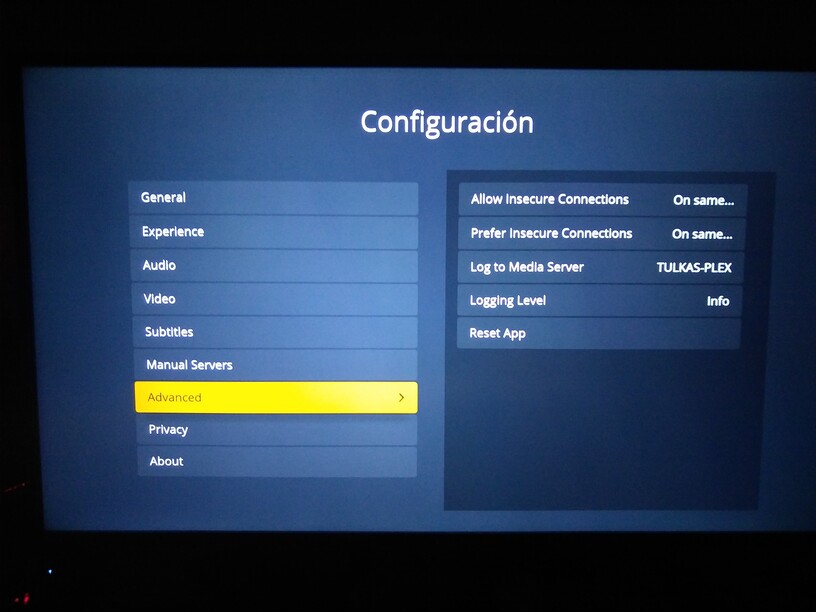
1 - I tested on my LG and it’s working for me. It selects the subtitles regardless which screen it’s played from. I don’t have a Samsung to test. Can you reproduce? From the TV app, enable the option to send logging to server. Play an episode, jump to the end to trigger the post play screen, then let it play the next episode. Let it play for 30s then stop. Get the logs from PMS. Upload them to Google Drive or similar and PM me the link.
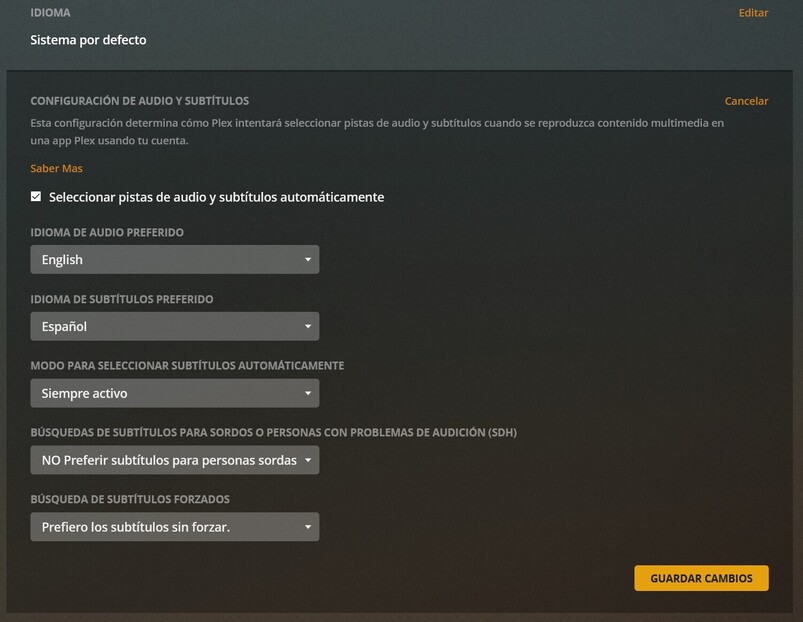
Also include a screenshot of your automatic selection page.
Hi again, thanks for the reply… I managed to locate where the audio and subtitles settings and the send loggin to server options are (screenshots attached), but I have no idea where to locate the log file, sorry.
Nevertheless, trying what you asked, I found out that, if I let the video run for more than 20/30 seconds, the subtitles magically appear again. I didn’t realize this before because as soon as I saw that the first lines of dialogue didn’t had subtitles, I cancelled the reproduction and started over from the main screen.
Why could it be that subtitles are not shown the first seconds? And what about the special italics? Any ideas about that?
Oh, you just mean that you don’t see the subtitles. I thought you meant they weren’t selected for you and you had to go back an manually enable them. Not having them selected and not seeing them are 2 different issues.
I’m not sure if the Smart TV app does this, but some Plex clients will start loading the next episode during this countdown. So it will have the audio and video information ahead of time. It’s possible the subtitles are not retrieved ahead of time so there could be a delay when the subtitles get retrieved and loaded. So if there are subtitles in the first few seconds, it could happen that they don’t appear immediately.
I’ll have to check but if that is the case, it was probably missed to also pre-download the subtitles.
As for the italics, I don’t know. It could depend on the type of subtitles you are using. I would need a sample of the subtitles.
I never mentioned that I had to manually select the subtitles, I only said that I just had to play the episode from the main screen. Like I mentioned before, I already had this problem, and it was fixed with a further update. I hope it can be fixed again.
And about the special italics, the subtitles are simple SRT subtitles with ANSI coding, not even SSA, they’re the same subtitles I’ve always used. They were working fine before, and now they don’t. If I watch again a movie with special italics that it was working fine before, now it doesn’t work. It’s not about the type of subtitles, the “system” is just not properly reading the start and finish codes for the italics, but I can send you a sample if you need.
Hello, I’m happy to announce that the problem with the subtitles not showing the firsts seconds after an automatic loading is solved… I don’t know which update solved it, but it’s solved…
The special italics error is still ongoing, though…
I have a TCL Roku Smart TV, with Plex added. I have a media library of TV shows. I have confirmed that subtitles work on Live TV. I definitely need subtitles for Deaf/HH. I have triple-checked my Plex settings, and have re-scanned my library files, Analyzed, and Refreshed Meta-Data, and still do not have subtitles. Subtitle mode is “Always Enabled.”
The video and .srt files are the same name except for .srt. I have confirmed that I can view my shows with subtitles just fine in VLC, so that app is seeing and playing the subtitles just fine. But since I have a 40" TV, I’m prefer to watch shows on that vs. a 24" monitor.
I can watch with subtitles in the Plex app on my computer, as well as in VLC with captions, just not on the Smart TV.
I’ve already followed the steps for “Adding Local Subtitles To Your Media” in the support section of Plex, and still can’t get it to work on the TV in Plex.