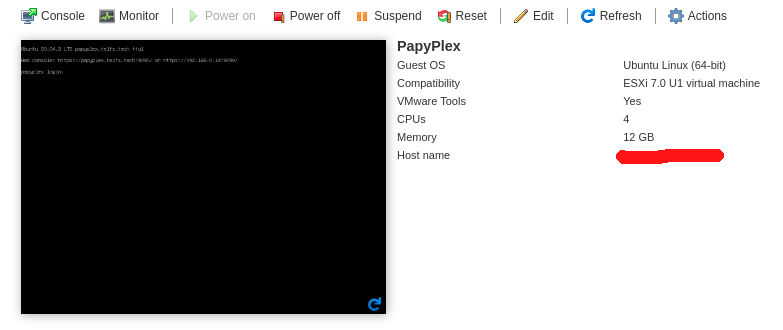
I own a very small homelab system, currently on Ubuntu (Desktop) 20.04.3, which runs Plex Media Server and then has a different set of VMs to do some other things at home.
I would like to turn this: Core i5, 8GB RAM, 2TB (non-solid) HD small homelab into a Proxmox (or any other HyperV server) and actually virtualize my Plex Server inside of it, this is because I feel I would be able to deal and maintain it better and also because it would be faster and easier to scale it when I can/need it.
I have tried to set a Plex Server VM inside Proxmox, I have read here that apparently it’s simply not supported by Plex. So I wanted to know first of all if it’s really impossible (being unsupported doesn’t necessarily mean impossible) and if possible with any other HyperV, I would like to be pointed how it was done, some tips, guides I can read.
My main issues have been that when trying to do so, CPU seems to be at its peaks all the time and therefore, trying to watch a 1080p .mkv file turns into 5 minutes of fluidity and 30 seconds of buffering for the entire video.
Promox is a tall order and you really need to be skilled with Proxmox to make it work.
It’s not “load and go” from my experience with it unless you use what’s pre-packaged (not the greatest).
I couldn’t make it work very well. The number of users wanting to use it, coupled with the complexity, is why it’s not supported.
Thank you @ChuckPa, so if you used Ubuntu Server 20.04.3 as guest OS, what did you use to Virtualize? I use Virtualbox right now, which is not capable of doing passthrough for HW transcoding.
Any guide you can provide for me to try to read more about?
OK, will give it a look, again I am limited by a small hardware, but I don’t actually require big power as I don’t host big things on my homelab, it’s a very light home usage and Plex would be like the bigger power hog, and it’s not supposed to be that big as I only use it for 4 family members and probably a couple of them transconding at the same time, so very small thing.
Well, I have tried eSXI, it has been a pain for me as I don’t use Windows at home, therefore trying to create a custom ISO (because my NIC is not initially recognized by eSXI) has turned into impossible.
Definitely Proxmox is a lot easier and better on installation.
That being said, has anyone been able to successfully use Proxmox as hypervisor for a Plex Server VM? Maybe the answer is to rely on least transcoding as possible?
What would be the best way to avoid transcoding and probably have a decent streaming of 2 or 3 devices at the same time using Proxmox VM?
Well, after few tests, setting it up on a Proxmox CT had no major difference from setting it up on a VM, however, I think I found the way it can work for me at least: basically for videos, as long as they are in a format that majority of the clients (at least mine) don’t need the transcoding (i.e. M4V or MP4) there are no issues as it will basically stream directly (at least inside the same network which is 90% of my case).
Just wanted to drop this update here for any person in the future that has these same questions. Still, many thanks for your help @ChuckPa!
I’m using proxmox 7 as a base OS, but rather than go the LXC native route, i actually ended up installing docker in an LXC (I prefer to use docker/portainer) and installing Plex Media Server via docker compose. Works perfectly well for my purposes. The server is a mini nuc style pc, so no transcoding etc, this is for a remote instance (direct play only).
If anyone’s interested in the steps I went through, I wrote it up: