Server Version#: 1.18.2.2058
Player Version#: 2.47.0.1035-e74d341b
This issue occurred randomly and very rarely around 2-3 versions of the Plex Player ago. The last two updates have made the problem consistent, it happens every time now. I just installed the version I’m reporting above so I cannot confirm if it’s still an issue yet.
I have Plex installed on a Intel NUC running Windows 10 64-bit Pro connected via HDMI to my Anthem MRX AVR which then connects to my HDTV.
If I power everything up fresh, Plex works exactly as you would expect.
When I power things down for the night my remote control turns everything off except the Intel NUC due to a firmware bug with the IR port where it will accept power off commands from a remote but not power on commands.
The next day when I turn everything back on (AVR, TV) everything starts up just fine as you’d expect.
The problem comes when I go to play something. The quality gets set to SD and I cannot bump it back up to Original.
This is what the Plex Server sees:

This is what the Plex Player gives me:

If I then reboot the NUC (I could likely get the same result by just closing/re-opening Plex Player but rebooting is far easier with the remote control) the quality is back to “Direct Play” and I have all of the options you’d expect for quality:

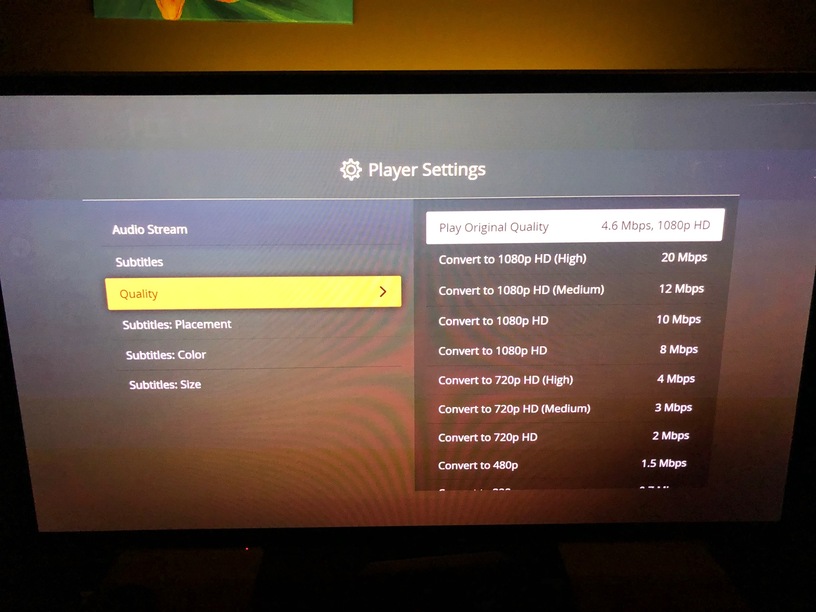
Next time I power things down I’ll confirm closing/re-opening the Plex Player also clears the problem and update this post.
