Since the recent PMS 1.18.0.1913 Update, the web browser interface on my PMS is not correctly labelling shows in Recently Added TV. Yet it still shows them correctly on the home screen.
Is anyone else seeing this behaviour recently?
For example, I have 10 episodes from Cheers Season 10 and on the home screen in correctly labels it as Cheers | Season 10.
But when I click through to the page with all 50 Recently Added TV shows, it labels it as “Season 10 | S1 * E10” without any mention of the show name at all. And when I click on those labels, though go to different places than what they say. That is, “S1” goes to the show, and “E10” goes to Season 10.
I hope I have explained that correctly. I will try to attach some screen shots just in case
Updating the library did not help. It displays correctly on the home screen, and in the Plex Media Player so I think it is an issue in the web interface of the latest PMS rather than in the library itself. And I see the same problem in both Chrome and Edge browsers, so I don’t think it’s a browser specific issue.
I tried this morning updating again to PMS 1.18.0.1944 and the problem was still there.
I’ve tried multiple times the Plex dance of unmatching and deleting a show from the library, and then rescanning to add it back in. The outcome of this depends on what I delete/add. This is a bit hard to explain.
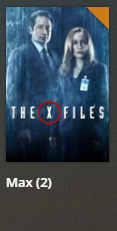
- For example, if I delete/add a show with multiple seasons, it then labels that show correctly, as well as any other show with multiple seasons recently added. But EVERY other show is displaying only one line of information! Single episodes show only the episode name. Single seasons show only the season name. For example, on the home screen I correctly see “The X-Files | Max (2) | S4 * E18”. But on the Recently Added TV screen, all I see is “Max (2)”.
- Similarly, if I delete/add a show that has only one season, then all single season shows are labelled correctly, but multi-season shows display the show name only, and single episode shows display “Season X” and the episode name, but not the show name or the episode number.
- If I delete a show for which I have only one episode, then I’m back to the original problem of single episodes being labelled correctly, but not shows with multiple episodes. If I delete one each of all the show types at once, that has a similar effect.
I’ve just installed the new “Plex” app on my laptop, and the same problems occur there as in the web browser interface. None of these problems occur in Plex Media Player on my desktop PC
I don’t know if there is anything else I can try myself?
Or is this just a bug that needs to be fixed by Plex?
I’m running PMS 1.18.0.1944 on a QNAP NAS with latest 4.41 patches!