Same issue here with last few versions, tried setting with and without hw-transcoder and encoder on, host is Windows Server 2022 Standard running on NUC10I7FNH (i7-10710U)
plex_logs_15_03_2025_DVR_playback_issue.zip (244.1 KB)
I also can’t view OTA through Plex. I use HDHomeRun EXTEND and channels play fine through their direct app. I’m on Mac, Version 1.41.5.9522, tried playing OTA on the Mac the server’s on, iOS, and Apple TV. attached logs
Plex Media Server Logs_2025-03-17_08-35-28.zip (4.6 MB)
@toni698 and @bkluige both of your logs are showing similar errors but are different from the thread you initially posted in. I’ve moved both your posts into this thread for tracking.
ERROR - [Req#5146a/Grabber/1.iltapulu.fi-30ku0ttg0cqyjz3ki0xy3ku5] Recorder: Error 16 (Recording failed. Please check your tuner or antenna.) starting the record, shutting things down.
Both of your logs show this  error. Can you please check to see if this issue is isolated to a specific channel(s) or if it’s all channels? How long after starting playback before the error starts? Can you provide a picture of the exact error message on screen? Once a channel or channels are identified as not working well, can you confirm that you can start and continue playback from the HDHomeRun player or VLC on the identified channels?
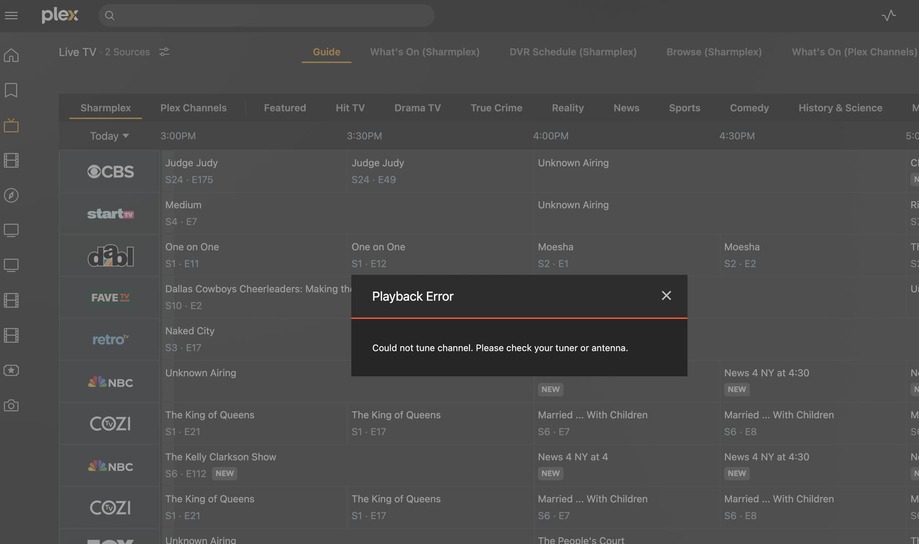
No channels play at all - they don’t even try to start playing - in Plex. Immediately upon clicking to watch a channel (channels that play fine in HDHomeRun app), the below error displays:
Playback Error
Could not tune channel. Please check your tuner or antenna.
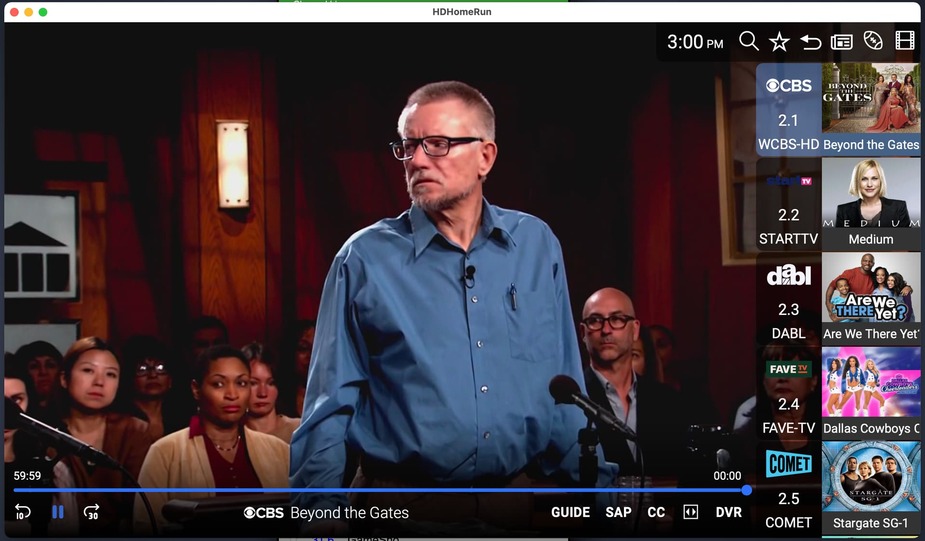
the same channel playing fine through HDHomeRun app:
In your case it appears that there may be a network issue of some sort. PMS is failing to start the transcode session because it is unable to reach your tuner (No route to host):
Mar 16, 2025 10:52:55.974 [0x16ec6f000] ERROR - [Req#2a22b/Transcode/1ac05944-63a1-49fb-8e3c-427a22231b81/c97dd1ec-3b6e-412c-9009-f97351b39c8f] [tcp @ 0x600001f7a800] Connection to tcp://192.168.1.78:5004 failed: No route to host
Mar 16, 2025 10:52:55.974 [0x16ea3f000] ERROR - [Req#2a22c/Transcode/1ac05944-63a1-49fb-8e3c-427a22231b81/c97dd1ec-3b6e-412c-9009-f97351b39c8f] http://192.168.1.78:5004/auto/v2.2?transcode=heavy: No route to host
This causes the entire recording attempt falls down after this.
Video playback did not start at all, only the loading icon showed up for maybe a minute. UI Error message is the same as above bkluige’s picture. I reinstalled Hauppage’s Windows drivers and tried another tuner device (PCTV 292e) and now live tv started working again. I will try next weekend again with the previous device (Hauppage WinTV-dualHD Model 1595) if it still gives errors.
The only thing I know I changed recently is that my server is wifi now, not ethernet. Could that explain anything?
If so, is there any settings I can change to make wifi work? (server’s on my macbook pro and I don’t have an ethernet adapter yet to test wired connection with).
It’s possible that the network change is contributing to the problem. Some access points (or routers with built-in Wi-Fi) provide a feature that isolates devices from one another. Different manufactures call this feature different names, but it’s usually in the Wi-Fi configuration area and generally has “isolation” in the name.
Find this feature if you AP/router has it and ensure it’s not enabled. It might also be labeled as “guest mode” or something similar; If there is a guest mode, ensure it’s not enabled on your primary wireless network.
Since the specific error being returned is “No route to host” lets check your routing table on the Plex server. Open a terminal and run the following command:
netstat -rn -f inet
Please provide the results here. It should only have localhost, private, link-local, and multicast addresses so it’s safe to post. It may provide some clues as to why the network stack thinks it can’t find a route to the tuner’s IP address.
Something else which might be helpful is to see the address information for the various network interfaces on the server. Please also provide the output of the following:
ifconfig -a inet
One other thing: Ensure that Plex Media Server has been granted Local Network access in macOS’ Settings → Privacy & Security → Local Network. If not it could result in the issue you’re seeing.
- Plex has access to Local Network
- I have Orbi mesh (RBR50 and satellites)- I turned off guest network access and now Live TV plays in Plex. If I want to have a guest network on, turns out I have to check this box: “Allow guests to see each other and access my local network”
Question: If I wire the server, do I need to keep isolation mode off?
I’m not very familiar with Orbi routers and mesh Wi-Fi. Will they allow you to create a separate guest network (as opposed to enabling guest access to the existing network)? I found this:
I’m not sure, to be honest. But either way you’ll probably have a better experience in general if you wire your server to the network. You’ll have more consistent throughput and latency, both good things when streaming video.
I’d suggest seeing of you can enable a separate guest network as documented in the linked KB article above. Hopefully that will limit isolation to just the guest network.
