Remote access is working fine for me. My PMS is running on Ubuntu Server in a Linux VM on MacOS. The media is on Google Drive mounted locally with rclone.
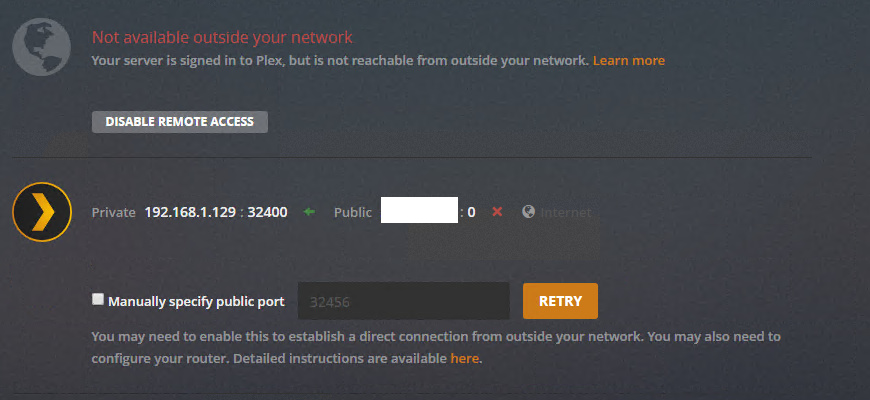
Thanks for the logs. I can see an issue starting at 14:22 with the server connection to the backend plex.tv pubsub servers. I have referred this to the relevant team
Thanks sa2000… wait and see… 
Checked the backend systems. All ok.
Digging deeper now , looks like the Plex Media Server issue where we have a lockout whilst communicating with the router and the lockout takes as long as the time the router responds with success or failure.
I do have a development build which i gave to a few users for server unreachable issue which is the same issue - can make it available to you to try.
Would be great, happy to try it… 
As it worked for ages before without a glitch, I’m pretty sure it will work again soon…
Any update? I can provide logs if need be, but it is not working still.
Logs are needed because there may be different causes for same symptom
Plex Media Server.log (681.0 KB)
Any updates?
uploaded the logs.
I can’t even get to my Plex server locally or remotely all of a sudden. I’ve rebooted but no change. If I connect direct it says refused, if I go remotely I can see my Plex account but the server section is unavailable.
I run Plex using the official Docker container on an Unraid server.
Same issue here since I updated to 1.14 last night. Permanently not available remotely. This has never happened before. Please see attached server log. Thanks.Plex Media Server.log (87.5 KB)
Looks like I’m back in business on my end. Maybe related to this issue, maybe not. Seems odd if not.
Sent you link for development build 1.15.0.398-66a371b1e which is in use by a few users. Positive feedback (there was one case of a lockout but not repeatable yet and waiting for diagnostics for that)
Let me know the outcome
Thanks
Would you mind sending me the link as well? Thanks!
Thank you for the log. The problem here is a timing one - not a new issue and has been seen before.
You disabled remote access at 12:59:48 and enabled at 12:59:53
It actually worked and at 12:59:56 it was ok. But at 12:59:59 I think you clicked retry and again at 13:00:06
To avoid the timing issue please leave a gap of 30 seconds or more between any retry clicks. Also after disabling and re-enabling remote access - wait 30 seconds or more before thinking it did not work and clicking retry. In such case, refreshing the browser may avoid the timing issue that I mentioned.
So please no quick repeated clicks and leave a gap of time before retrying,
If problem persists, get me the log again
I have escalated the problem to the development team
Thanks
Thanks for the log. A bit difficult to investigate this when relevant info is blanked out in the log
Is your local IP a WAN IP ?
If it is, did you at any time disable remote access ?
Yea, it works if I manually assign a port. If you use UPnP it does not, not sure how you can pull that from the logs.
Tell me how you want me to demonstrate so that logs are accurate and I will do it.
Thanks
Same issue here. After update no remote access - WD PR2100 server. Checked all settings can’t find a problem on my end!!! PIA
