This is a guide only, but the attachment will guide you what is required in Server/ Network Settings.

1 Like
That is super helpful…so much appreciated!
I have no values in

and

Do I need them?
I’m still getting ‘Not available outside your network’…
As a summary
-
connected via ethernet
-
using manually specified port
-
in Netgear Orbi router, port forwarding selected

-
Address reservation

So…what am I still not doing?
I connect to the Netgear router through my ISP Hub (Virgin) in Modem mode - checking those settings I see

Should i disable??
I also have Port forwarding options here - are they relevant? I gues as that is the first point of external contact ..possibly? But what would the settings be??
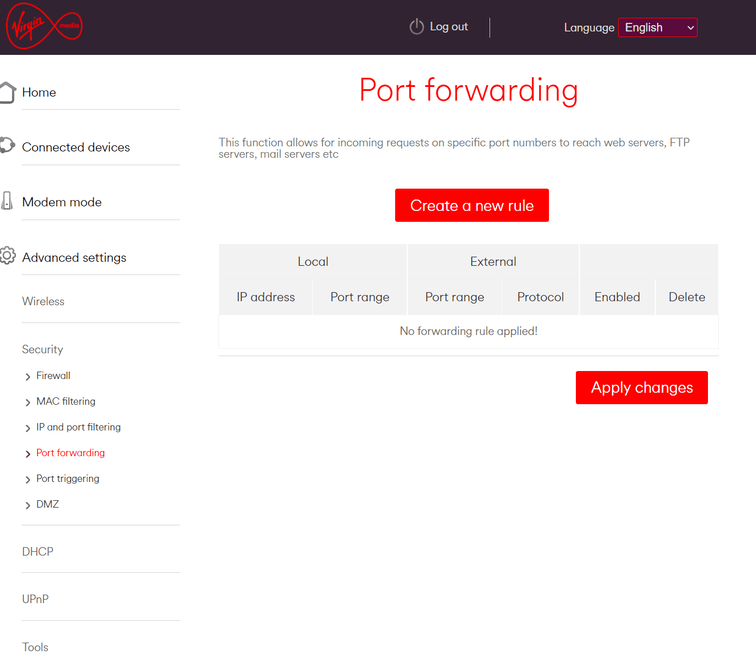
Yes disable UPnP and PMP- NAT. Then restart your Modems and Server.
Disregard list of IP addresses from previous question
1 Like
Awesome!
Did most of that - but not sure how to disable PMP-NAT? Do I need to do any Port Forwarding?
See how you go. May not have to do that…
Did you port forward earlier?
I have port forwarding on the Netgear
(Broadbancomes through the ISP’s hub (Virgin), which is connected vie Ethernet to the Netgear Orbi in Router mode
On DHCP it has this - with a reserved IP address being the Orbi

The iMac (and hence Plex) is connected to the Orbi
the ISP hub has these portforwarding options

The reserved IP needs to be your Mac LAN IP. Your Orbi is just acting like a switch in bridge mode.
The address shown in System Prefs/ Network/ IP Address
1 Like
I’ve just tried turning UPnP on, on the router & on Orbi, and taking off the manual port check box. Just wondering if whether some of the other bits i’ve (we’ve!) done might help
It’s kept the ‘fully accessible’ green tick for a whole 5 minutes and counting…
UPDATE - now gone red…it’s so fiddly!!!
Whose MAC address - the Orbi Router or the iMac?
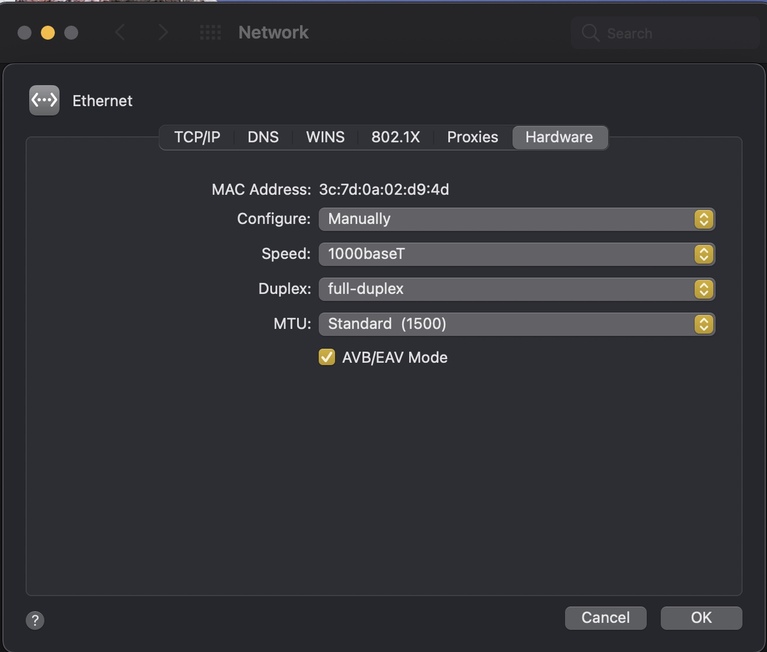
1 Like
Thanks again..but..
We are reserving an IP address, not Port Forwarding
The iMac doesn’t show as an attached device - its IP is 19.168.1.31, the router is 192.168.1.1. but this only shows the Router with a 192.168.0 as foreced enties - the ability to change the final one only and the

Is this because the ISP hub is operating in Router mode not Modem mode - with just the one attached device being the netgear router (this was the recommended set-up)
If so …err..I don’t know
So set up Port Forwarding like er this?

Which seems to work (for 5 mins) - does this though expose my router/mac at all - it doesn’t seem so - but just don’t know
Update…
Well, when I left the house this morning Remote Access still had a shiny green tick…but get to the office, nah
I did use one of those ‘canyouseeme’ things to check the port could be seen yesterday and that was all fine - I just guess there’s something else…
This topic was automatically closed 90 days after the last reply. New replies are no longer allowed.
