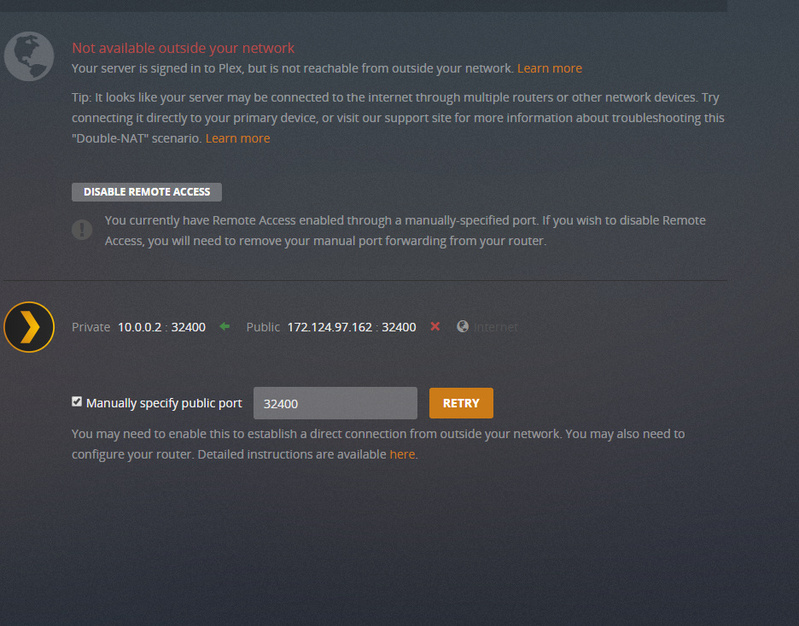
Server Version#: 1.15.4.994
Using Windows 7
Update: Not sure why but I disabled my Windows firewall and then tested the Remote Access. It worked. So for some reason my firewall started blocking it. I then turned my Firewall back on, and Remote Access was still working. I even closed the Plex App and reopened it just to be sure…and I still have that Glorious Green check mark. So for some reason, that I still don’t understand, toggling my windows firewall off, and then on again seemed to have fixed the issue…which I find weird!. I hope this might help anyone else who is also experiencing the same issue.
Update: I was able to fix the speed issue on my router so I am back to being plugged directly into it. I am using a Netgear Nighthawk 4X. Remote Access was running just fine before I switched to my modem, but now that I am switched back, it no longer works. I have no idea why.
I have not changed anything on my router and the only thing that I DID do with plex was to upgrade it to it’s most recent software version 1.15.4.994.
I have checked my port forwarding and nothing has changed, not even my IP address. I did however check the UPnP and I noticed an extra line of info that wasn’t there before. I turned it off, and then turned it on again hoping that would fix it, as suggested by Plex’s troubleshooting page:
" If the services are enabled, try toggling them off and then back on again and try to connect the server once more"
This didn’t work. I have added screenshots of my router’s configuration as well as the error message I received in Plex.