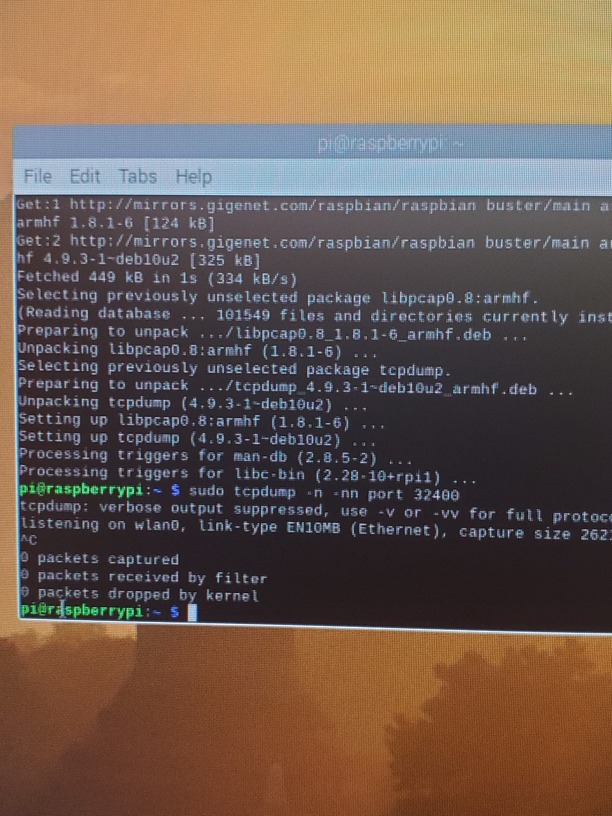
I’m having issues getting remote access working on my raspberry pi server. I’ve checked that I don’t have double nat, I’ve tried upnp, and currently have it set to port forward.
The raspberry pi is running pi os and has been updated. It also is set to a static ip in both the pi and the router, both the same ip.
ISP has set up a static public ip assigned from their router to mine. When I run traceroute to Google the first hop is my gateway and the second is on servers at my isp. This gateway ip ends in 34, and Plex is auto detecting my public facing ip to 33 (my router’s ip, also a public address).
The port forwarding forwards 32400 and 32400 to the static ip of the pi.
Actually, when you traceroute from your lan to the internet, you’ll see only the LAN IP of your router, something like 192.168.1.1, 192.168.0.1 or 10.0.0.1, the next hop is gonna be your ISP router(.33), which is the gateway of your router(.34).
If you go to your router summary you’ll see the IP .34 there.
Can I see your port forwarding setup as well as your Plex > Settings > Remote Access ?
nope, definitely see the router gateway on traceroute. My lan ip is a private number, the first ip shown on traceroute is this private number, the second matches my gateway ip and is a public number (Not 192 172 or 10). If that isn’t supposed to be that way I don’t know why that would be. Only thing I can say here is that isp set up their gateway to give my router a public ip directly.
Ahh, actually I see what you’re saying now. Yes, first port on the router is 10.0.0.1, next hop though is 34 which is the gateway, 33 is the ip on my routers internet port and doesn’t show up in the traceroute
Good… so your configurations is correct, although I would change the external port to something more random.
After setting up those configurations, have you tried to disable and enabled the remote access back to check if anything changes?
Raspberry OS isn’t supposed to come with firewall enabled, but try the command below:
sudo ufw disable
And if you have vpn running on the Pi, shut it down during the test.
Ok, I thought you were saying my ip addresses were backwards there.
Yea, I’ve tried a whole reset loop of router and server based on a couple of other forum threads to no avail. Basically delete the port, uncheck manual on Plex, disable remote access, restart both and try again. Done a few different versions a few different times now.
In your router, when you to network summary or something like that, do you see any IP starting with 100. ?
I just wanna make sure they are not lying to you
Actually, oddly enough, while it was wifi and incorrectly using 10.0.0.7 (which is not port forwarded) I could access it. As soon as I plugged Ethernet back in it’s gone
Actually, that is working now. I don’t know if I just never tried streaming earlier while it said it wasn’t available or what.
Does Plex just not have a way to see that it is available with 2 routers and uPNP then?
Regardless, you fixed something for me whatever it happened to be. Thanks for your expertise, half of the terminal commands are far and away beyond anything I understand.