Server Version#: 1.40.1.8227
Player Version#: N/A
<If providing server logs please do NOT turn on verbose logging, only debug logging should be enabled>
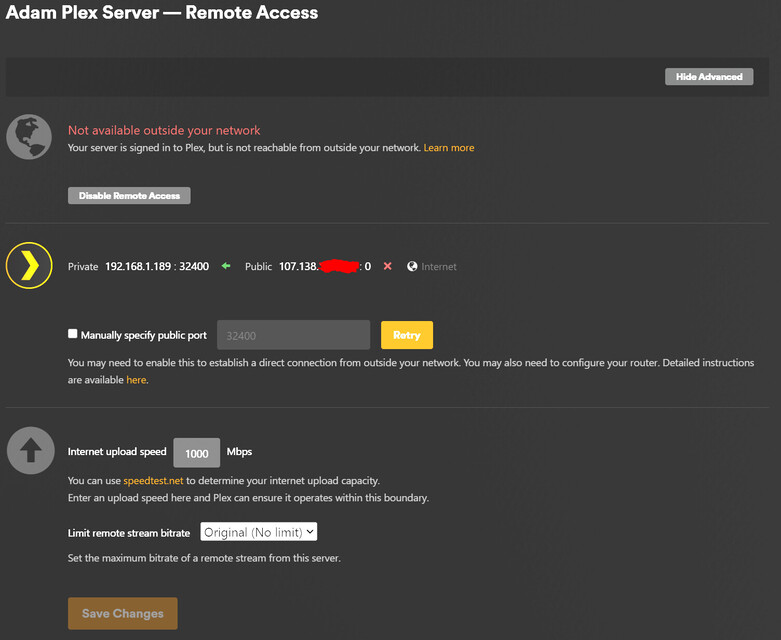
I’m having trouble getting Remote Access to work correctly and I know that I’ve forwarded each port that Plex uses correctly in my modem settings. I had Plex working on a Windows server prior to moving it to unRaid and I had the same port forward rules setup for my Windows machine. I have the Plex docker setup as “Host” network type so it should be using my server’s IP address. Can someone help me get the remote access working correctly? I think its causing all my clients to connect indirectly.
Plex Docker Port Mapings:
Modem Port Forwarding Rules (AdamNas = 192.168.1.189)
This just show how the rules above are defined in the modem/router.
Plex test for remote accessibility.
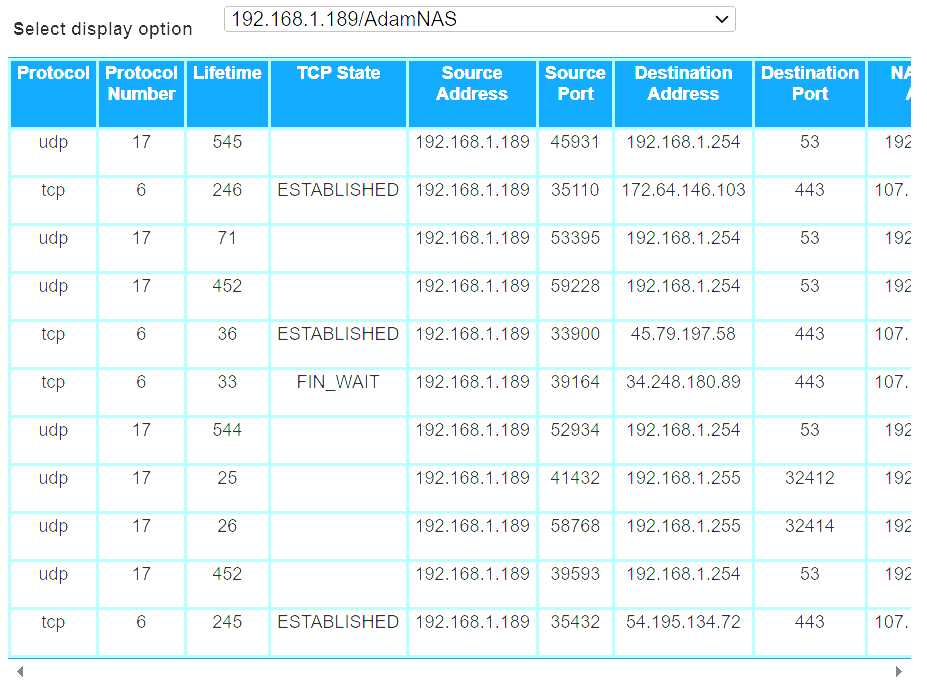
Modem NAT for Plex Server IP (192.168.1.189). I post this because it looks like other ports about being used. (1 of 2…had to scroll to the right to see the rest)
Modem NAT for Plex Server IP (192.168.1.189). (2 of 2…had to scroll to the right to see the rest)
Are you using two “router”-type devices in series? If not, then you have a lot of unnecessary port forwardings, which are not only superfluous, but can also pose certain security risks.
For remote access, you only need one port forwarding in your internet gateway: TCP packets to port 32400 of the internal server IP.
And if you create a manual port forwarding in your router, you need to actually tell Plex that you did so. That’s what the “Manually specifiy public port” checkbox is for.
Now, your usage of Docker complicates things a bit. I recommend you to simply use “host network”. It saves you from having to create all the port mappings which are used by Plex on the local network.
https://support.plex.tv/articles/200289506-remote-access/
I do not have routers in series on my network. I found out that this was going to be a pain when I switched my ISP about 1.5 years ago. I’m stuck using the AT&T modem/router to avoid having a double NAT when I use my own router.
I thought I only needed to check that box if I wanted to specify a port other than the default (32400). I hope this is the only change that needs to be made and it will fix the problem.
I only had 32400 forwarded when the Plex server was hosted on Windows and never had any issues with direct connections. I just added these other ports because unRaid shows that it is using them. I will remove these once I get everything working correctly.
I’m using “host network” in the Plex docker. It was my understanding from all the reading that this was the simplest way to do it.
Just wanted to post an update. The problem was fixed by checking the “Manually specify public port” box on the Remote Access screen. I misunderstood this checkbox and thought it should only be used if you wanted to specify a port other than 32400. Thanks for the help.
I strongly recommend using a different port number on the WAN interface of your router.
ISPs, WiFi access providers, and mobile network operators have long since included the default Plex port 32400 in their blocking lists.
It is a cheap way for them to reduce the data traffic volume in their networks.
Good call. I changed the port to a more random number so hopefully that’ll help. Thanks.