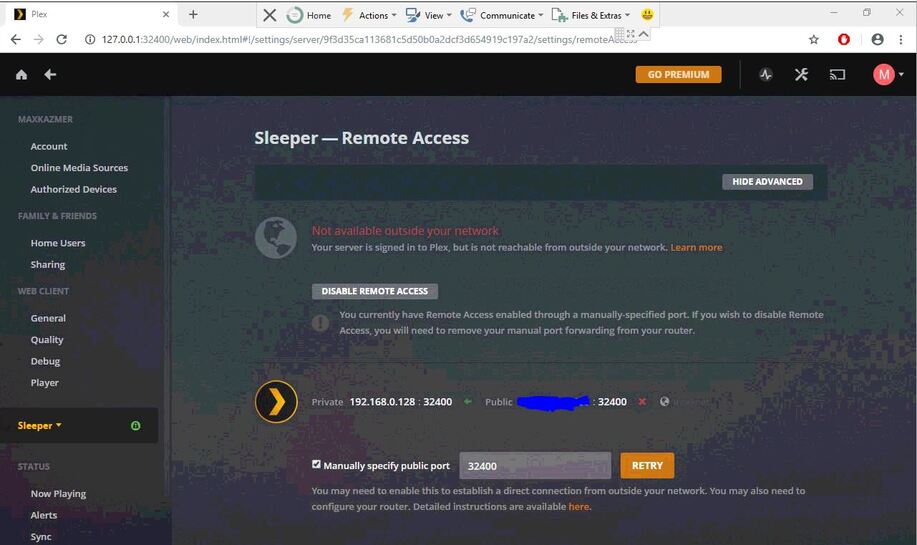
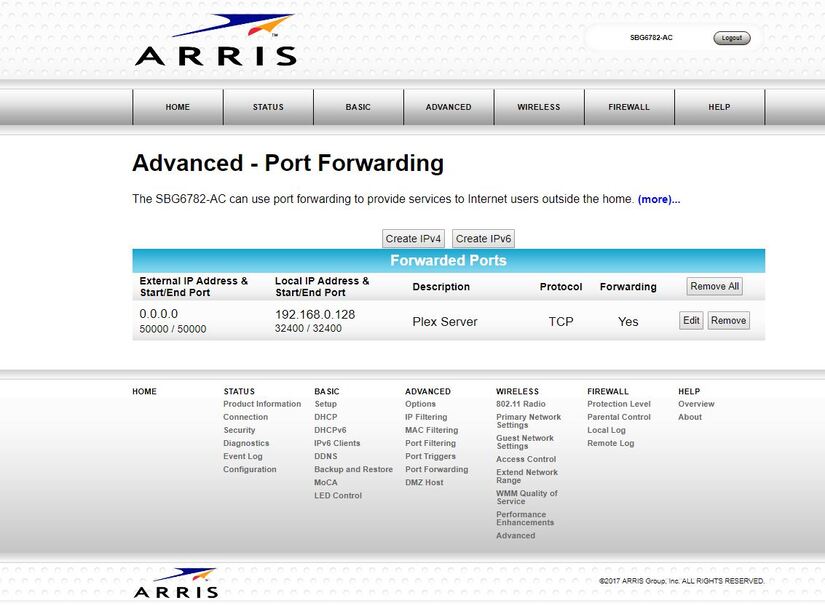
I cannot get Remote Access to work!
I’ve tried hundreds of different ports in port forwarding and in manual public port on plex,
I’ve hosted game servers from my server pc before, and I can port forward those no problem!
My WAN ip matches whatsmyip.com, so it can’t be double NAT.
I hard reset my router, powercycled everything several times,
I’ve gone so far as to disable firewall and antivirus on my router AND my server (runs windows 10)
My router is a Motorola/Arris SBG6782-AC gateway router (wifi +modem built in)
The server has a working, static IP. Screenshots provided in case they are any use.
I have read just about every post with a related title and it’s been no help whatsoever, even when following instructions to a T.
Any help is strongly appreciated! I’m going crazy!
Plex won’t let me upload more than one image, so they’re here: https://drive.google.com/drive/folders/1hHW5zJNzIjUombehomdmGVIqrZnxA6wg?usp=sharing
 anything else you can think of?