Plex Version:
Server Version (Windows): 1.18.3.2156
Player Version (iOS, AppleTV OS, Windows, MacOS, Panasonic TV): the latest on 31st December 2019
Connection Details:
Server Location: Czech Republic
Connection speed on the server side: 500/500 mbps
(cat6 ethernet ↔ fibre)
Player Location: New Zealand
Connection speed on the player side: 970/450 mbps
(cat6 ethernet for the computer and Apple TV / wifi 6 (5GHz) for the rest ↔ fibre)
Ping: cca 500 ms!
Plex Server Details:
CPU: Intel i7 4790K
GPU: AMD RX Vega 56
RAM: 32 GB DDR3 (2133 MHz)
Main SSD: WD Black PCIe SSD 500 GB
Media Storage Drive: WD RED 8 TB
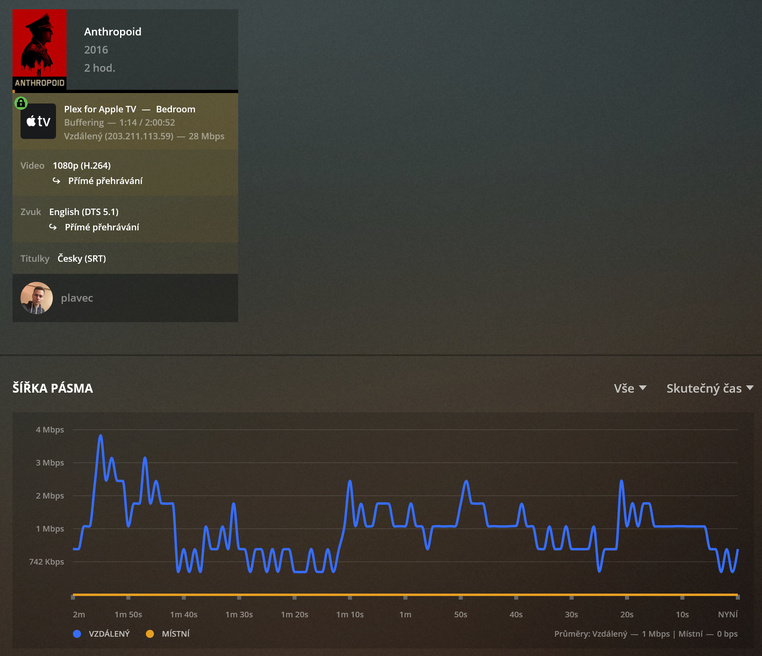
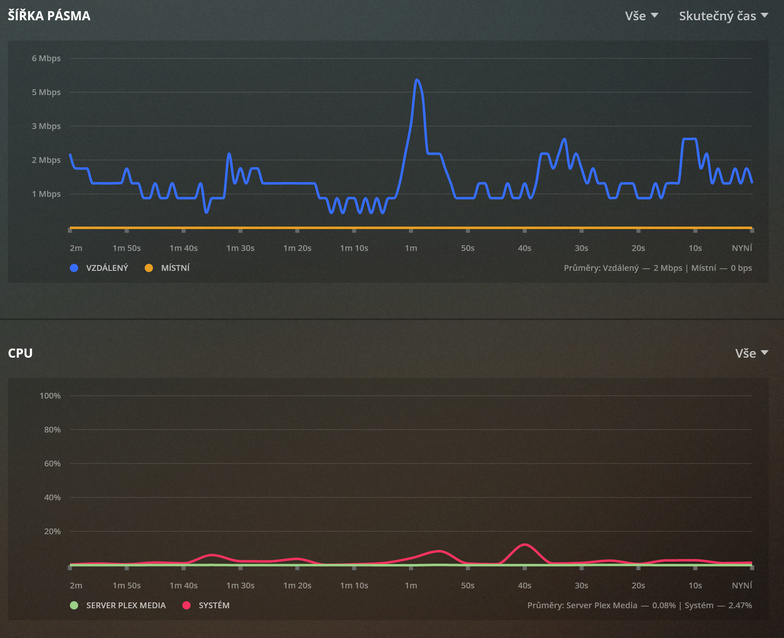
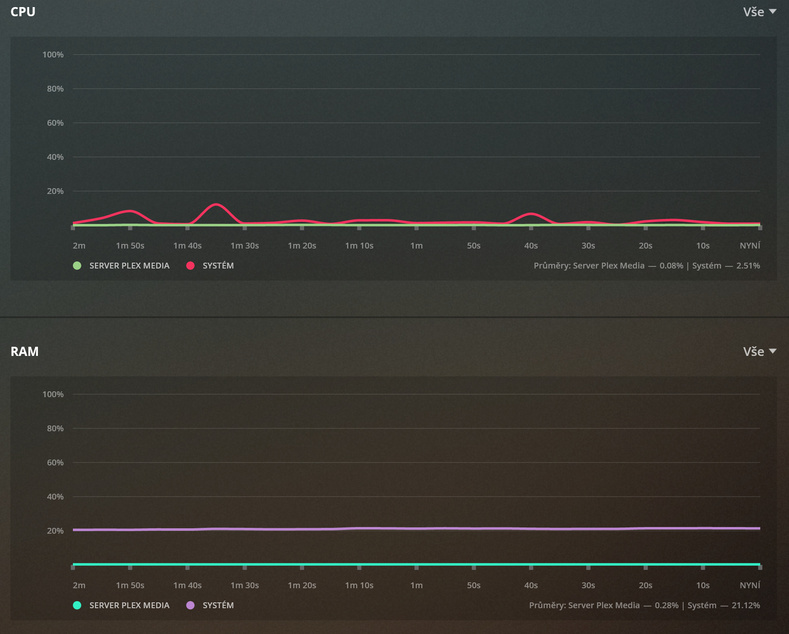
Hi all, I have been having issues with my Plex remote connection. Recently I moved from the Czech Republic (Europe) to New Zealand. My Plex Media Server is staying in the Czech Republic. I have never had an issue with remote connection within the Czech Republic. Now I just cannot properly connect to the server from New Zealand. The connection is too slow, falling cca every second, and buffering all the time (see pics below). I think the issue might be associated with the insaneously high ping (ping to the Czech server from New Zealand is usually aroung 500 ms), or just the connection between Europe and New Zealand is just too slow.
Interesting thing is that it is much faster to upload the mkv file to OneDrive, and then download it in New Zealand (full speed of uploading as well as downloading), than download it in the Plex app (eg in my iPhone on 5GHz Wifi, NZ) directly connected to the IP address of the Plex Media Server. When I download (sync) a movie in the Plex app in NZ, it still goes only a few mbps (the speed of downloading).
In theory you have plenty of bandwidth (I’m jealous being in Australia which has very poor internet speeds and ancient infrastructure).
Perhaps your internet provider in NZ has bad connections/routing to your Czech server and/or all European destinations? Have you tried reporting a “fault” to them? What happens when you do a speed test to a Czech site? Maybe you can try a different NZ provider to see if they have better speeds to Europe?
The other issue is likely due to the use of UDP packets when Plex is providing a video stream, these are not guaranteed to arrive or arrive in the correct order, and the larger the distance covered, the more likely they are to just disappear! This will cause Plex to see a broken connection and want to start again and so it buffers.
When you download/upload video as files, this uses TCP which is designed to cope with lost packets or those that arrive out of order so you don’t get a corrupt download.
There may be little you can do to fix the situation without getting the ISPs involved and doing things like trace-routes to see where there may be packet loss.
The main issue is the long packet roundtrip delay. Every transcoded or remuxed video stream is transferred in small chunks to the client. Each chunk has to be transferred individually, which slows down things considerably.
Use the Plex optimizer to create a direct-playable version of a video, then play it. You’ll see that this one plays much smoother (provided you chose a not-too-high bitrate).
I don’t think this is the case either - it is happening even when only downloading (syncing) a movie / file - it downloads whole file - no stream. If it were like you say, it should be fine when downloading only the file.
Sorry I misread your post. I’m not sure what protocol Plex uses to download compared to streaming. Are you able to remote desktop into the computer and copy a file over, does that give the same issues?
This list is for the machine where plex server is running on. i.e. most of these ports are only used in a LAN. For remote access, you only need to open port 32400/TCP in your router (unless you remap it to a different port number).
Your pings do seem suspiciously slow - even my crappy Australian NBN connection manages to do 85 Mbps Down / 30 Mbps Up with pings of around 300 ms from Sydney Australia to the UPC Brno Speedtest server so 500 ms does seem to be taking a VERY long and tortuous path? Clearly that’s not the only factor going on here though … but certainly something to investigate perhaps?
Interested to know the issue here too. My remote works great for ‘local city’ friends but my uncle watched a video I made in UK. (I’m in AUS)
It is available as 1080P and i have a 30mbps upload,
he has 160mbps download but only getting a download speed of 996kb
Other days it is 3mbps (my remote limit i have made).
Yeah, well, the ping is from cca 320 up to 500 ms (max), usually 350 ms, right. I don’t think changing ISP would solve the issue as it happens with all of them, and the fibre network is built centrally by Chorus, which leases the network to each ISP - the infrastructure is still the same.
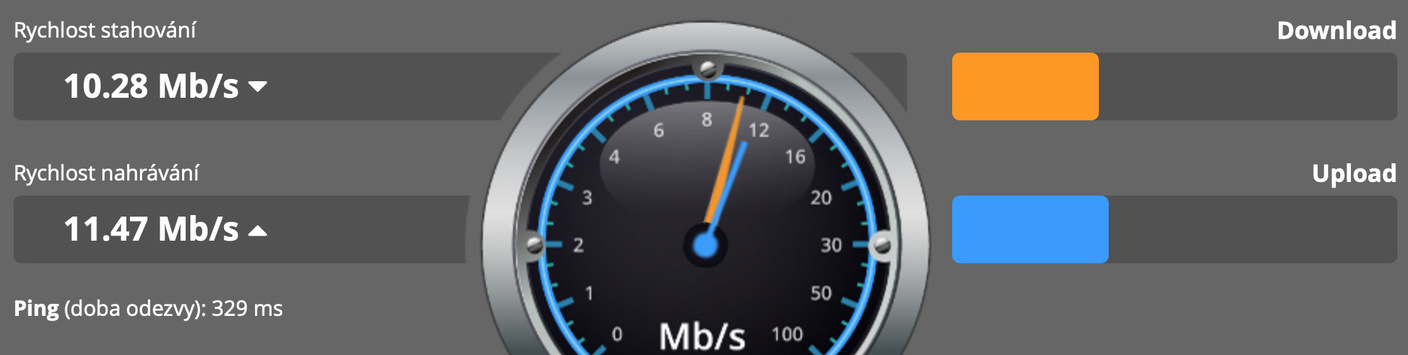
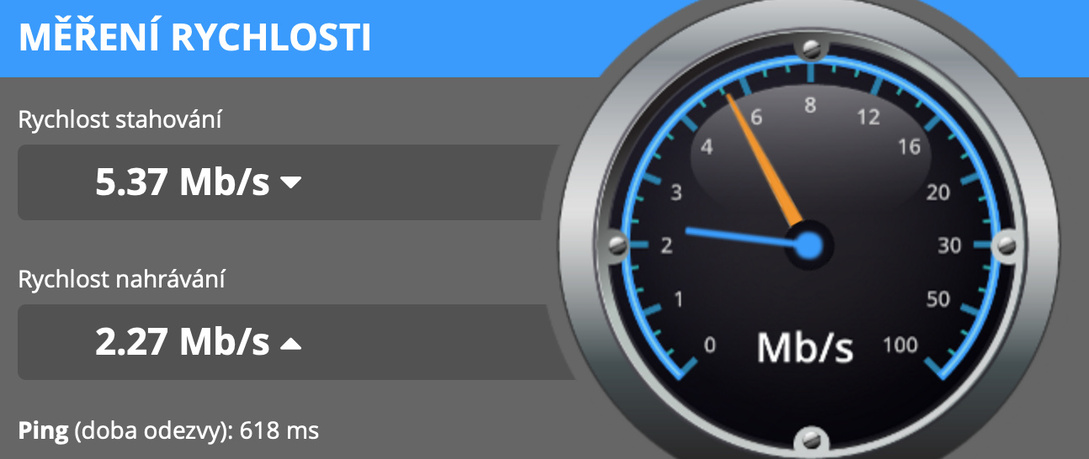
I have gone though a few connection speed checks in Europe (connecting from NZ), and the tests have gone crazy:
I think the last test was REALLY INTERESTING - the speed was rising all the time (the final results are not really average or peak results then), and if it were like this, there shouldn’t be much of issue.
The same speed test to the UK (download speed still rising - not valid final results, upload gone crazy):
So, I suppose the issue is in connection to Europe in general (to some servers). Though, I still don’t understand why some servers are fine, and why is there no problem when uploading to Microsoft servers in Europe and downloading from them in NZ (on OneDrive) - do Microsoft have some special way/broadband reserved for themselves so they are not affected by this?
That’s true that RD to the server is slow as hell too (and copying large files nearly impossible). It might have something in common with the speed tests I made (above). I still don’t understand why some speed test servers are fine (with rising speed up to the end of the test), and some are still far too slow. I suppose then the issue is the connection to Czechia, not really the server itself (at least not entirely).
Is there any way how to prevent the server to timeout and disconnect/restart uploading/… due to the high ping? Is it possible, that this is the issue, and the server starts uploading over and over?
Might be something you need to raise with your ISP in New Zealand as it appears the issue could be at that end. I’m in the UK and pings to Brno were 12ms and speeds > 270Mbps, a speed test to New Zealand was 250ms ping and > 100Mbps.
I think the ramping up of speed is normal as the TCP connection self tunes itself, I saw a similar thing on the New Zealand speed test.
We’re off to a good start.
I woke up on it’s first day on top of the grass, not under it.
I read through the thread and remembered a time long past when a DNS server pair I was using at the time (ISP, probably) really sucked. Changing to Google’s was like night and day.