Server Version#: 1.21.3.4021-5a0a3e4b2.x86_64
Player Version#: 8.1.2.18135
According to this topic: Android Plex app always transcodes all audio files, regardless I set 320Kbit transcoding music in setting page:

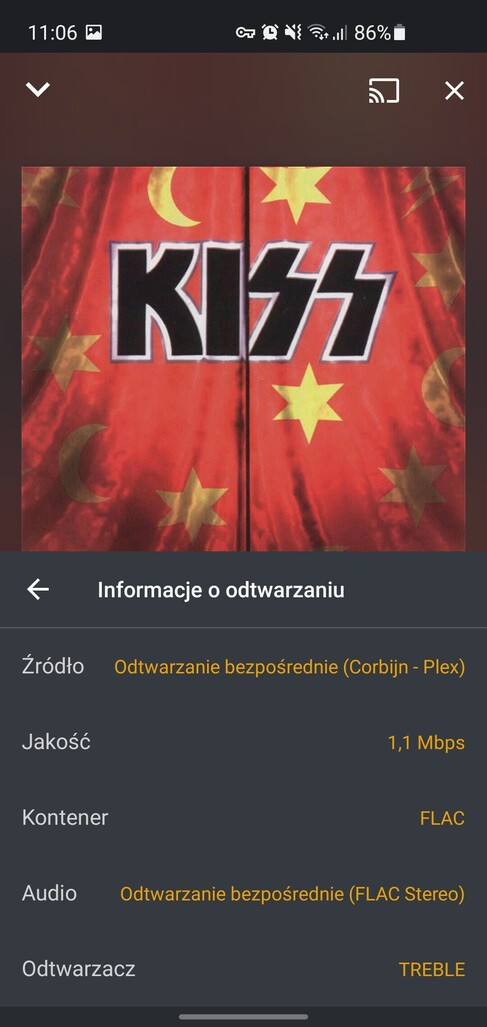
and when I’m playing music in home (LAN network) it is orginal (FLAC) quality:
…and this is fine, but when I’m out of my home network, using mobile (for example LTE network - Ping 18ms, ~7MB/s download and ~2MB/s upload) Plex always transcoding music to 128Kbit/s:

My home WAN network speed: 50dw / 5up MB/s… and even when I’m using (for example) directly streaming from my library (Subsonic API or VPN connection + NextCloud music add-on) there is no problem with network connection. But I don’t want …and I dont’t need use so much mobile transfer data.
In this case I’m using Samsung Galaxy S10e with all updates.
I’m wondering how can I set the music trancoding quality to 320Kbit/s (not 128Kbit/s) when I’m out of my home.
Regards!


