Server Version#: Irrelevant
Player Version#: 2025.15.0
Device: iOS
After a recent update, now I have advertisements on my Plex IOS app, and that is absolutely unacceptable. I pay for PlexPass so I don’t get ads on my screen.
There are now two ad sections on my home screen “Trending Trailers” and “Trending on Apple TV”. I don’t need or want Plex pushing advertisements on me. I know how to find what I want to watch. Plus there is a new “Discover” section that is again, nothing but advertisements I don’t want or need.
There is no option I can find in settings to disable this crap, I have disabled all “Services” under My Services.
I selected Plex because it had a clean, user friendly UI. It seems Plex is moving away from that, and if this doesn’t stop, I will also be moving myself and my family away from Plex.
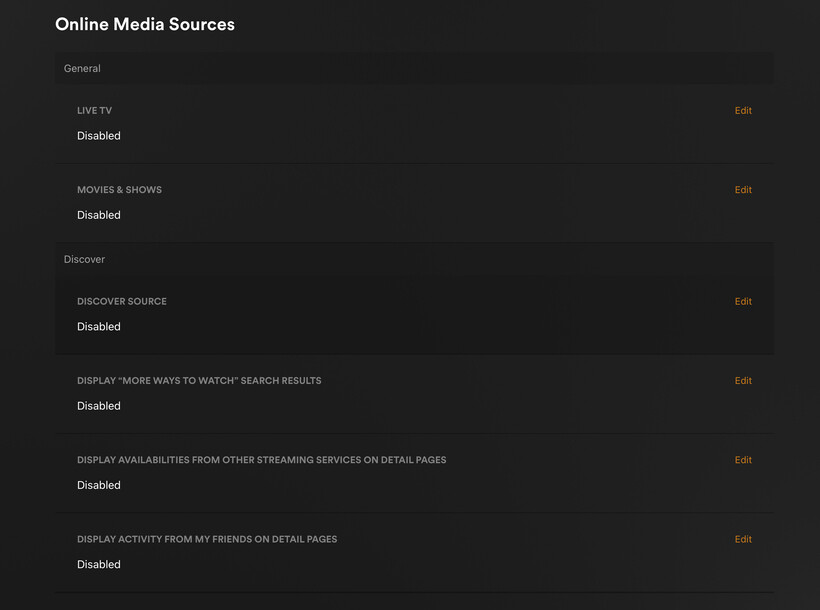
All of that can be disabled from the admin view on the web browser, under “Online Media Sources”.
https://app.plex.tv/desktop/#!/settings/online-media-sources
Be aware that “Disabled for managed accounts” means it is not disabled for you. You are the server owner, and thus are not a managed account.
I’ve had all that disabled on the server for a long time. I just double checked, and everything is still disabled for online media sources. That doesn’t stop the ads from showing up in the iOS app after the recent update.
Some things to try:
Restart your Plex server and then restart the app.
If that doesn’t work, uninstall the app and re-install it.
Nevermind, it seems they added “Disabled for managed accounts” and set my settings to that. What a horrible design decision.
Dear Plex, please stop changing my settings so you can shove ads down my throat.
Yep. I got roasted the first time I posted - this is the best thing you can do for your plex experience. Oh how times have changed