Server Version#: 1.19.3.2764
Plex.app Player Version#: 1.10
Plex Media Player Version#: 2.57.0.1074-f7d709d1
[EDITED due to confusion between PMP and Plex.app for macOS]
I have just downloaded and run the latest version of Plex.app on macOS Catalina (I’ve checked other OS versions: this occurs on everything from El Capitan to Mojave), and the user interface is still cutting off the controls just like it previously did on the windowed mode of Plex Media Player (PMP), when brought down to a smaller player size. In fact, the window still has to be of an unnaturally-large size just to see all of the controls on the bottom right - the window pictured uses more than half of my 23" monitor.

I would like to have a smaller, more accessible view of the player, but as you see, pictured here, it increases the height of the control bar at the bottom to accommodate the size/shape change, but still cuts off things like volume fader and shuffle button:

Please NOTE: this is NOT NEW BEHAVIOR, as it previously happened on PMP (as in the picture below), and now occurs identically on the Plex.app software.
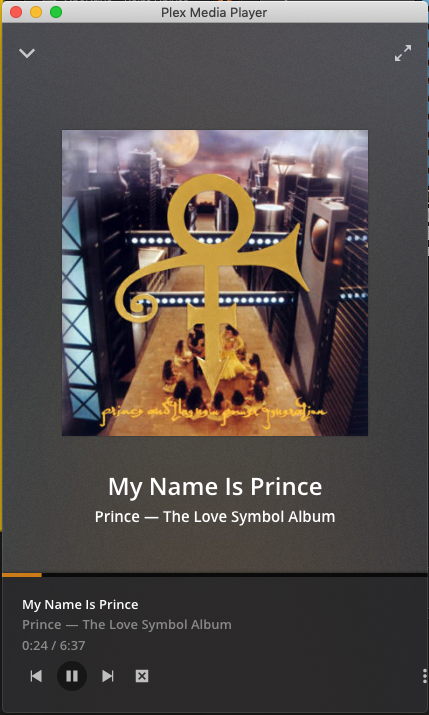
I have remained silent about it for 3 years, giving developers time to iron out little details like this, but it seems to need some attention. I figured it should be in the forums at this point? Any thoughts or ideas from anyone? From the Plex developer community?
thanks,
Plaid
