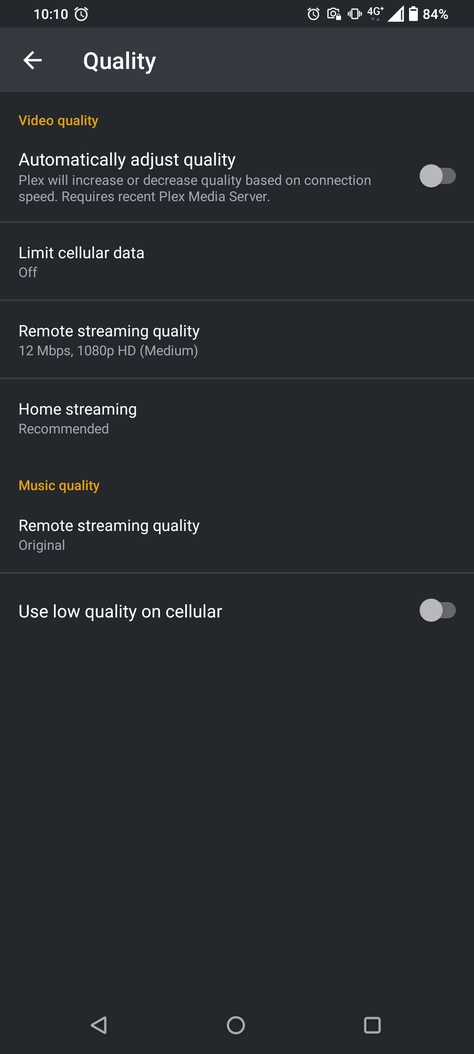
I have been experimenting with transcoding but I’m frustrated, no matter what I try, the client resolution won’t go above 720x404 when being transcoded.
Over my local network, everything plays natively and works fine playing at full resolution, even at 4K.
I’ve changed settings on both the server and the client and still won’t go a pixel over 720x404.
I’m running a Linux server with a Ryzen 5600g with a passmark score of 20000ish so should be more then powerful enough. As far as I’m aware everything is up-to-date.
I’m get my internet through a 4G router (not ideal but the broadband speeds here are a joke) but consistently get upload speeds of 20-25mbps.
Is the app limiting the resolution because I’m using an app on my Phone? It’s a Zenphone 8 Flip and Resolution is 2400x1080.
Is there a setting I’m missing
Just to add that streaming works fine, (even though it sometimes says its not even though it is), I just can’t get the client to increase its resolution.
The bandwidth restriction you are experiencing is caused by the Plex Relay service https://support.plex.tv/articles/216766168-accessing-a-server-through-relay/
Because
That’s the very likely culprit. 4G network ISPs usually don’t provide IPv4 addresses to their customers, which are reachable from the internet.
Instead, they are using Carrier-Grade NAT.
At the most, you get an IPv6 address of your own with such an ISP. But unfortunately Plex cannot use an IPv6 address for remote access.
I am able to stream, I have watched whole movies that have been transcoded. All while the server screen says its not accessable outside my network
But that isn’t the main problem, the thing that frustrates me is the issue with the resolution not being able to be changed, the Mbps increases but not the resolution.
Yes, that is the result of your data getting relayed. And the bandwidth of this Relay service is restricted to 2mbps for Plex Pass owners. Which leads to the limited bandwidth and resolution.
The main cause is your server not being reachable directly from the outside, due to the reasons explained above.
So Plex is restricting the stream to 2mbps???
Wish I had known this before spending money on a Plex pass
It is only doing so for “indirect” connections, where the Plex client cannot communicate with the server directly.
The alternative would be no connection at all.