I’ve been battling this issue for over a week now and can’t get it fixed. Logged out, logged in. Uninstalled. Rebooted. Turned my VPN off. Still nothing. Will stay green for a few seconds then back to no access.
Hi, I’m still having issues with this. I’ve done everything thus far suggested. It seems to have been since Friday/Saturday. I reinstalled the server today and it worked for a few hours up until about an hour ago and now it won’t stay connected for m more than 30 seconds again.
I’ve attached my server logs
Plex Media Server Logs_2023-09-06_22-04-16.zip (6.4 MB)
I have set a number of ports now, it goes online for a second then goes off all ports atempted have been forwarded on the router, I’ve seen a number of people complaining of the same thing recently.
Still not acess remote since last Friday
Same issue since last Friday
Well I just lost access to my B-Box, my A-Box is still accessible (I am running identical servers).
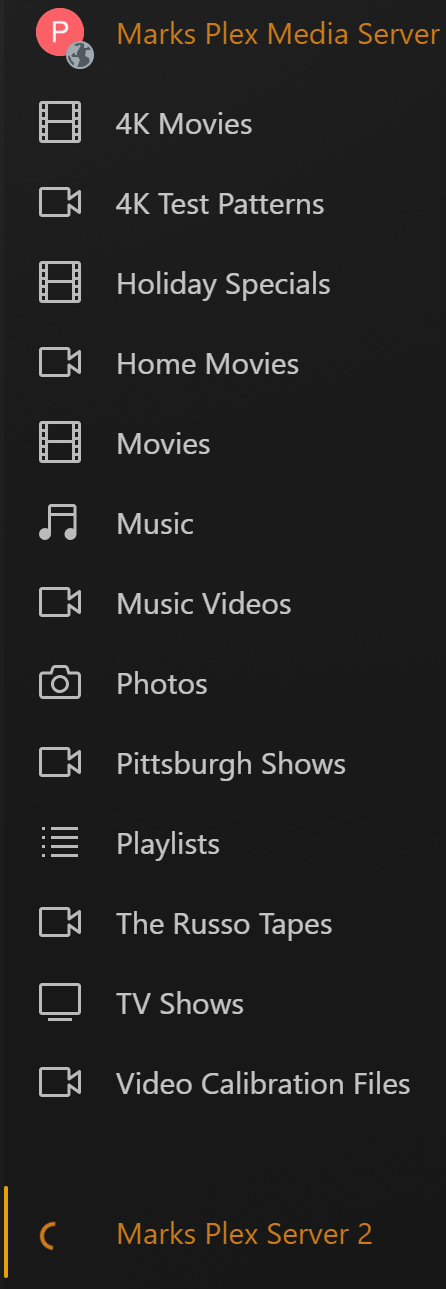
When I try to directly access my B-Box I get this;
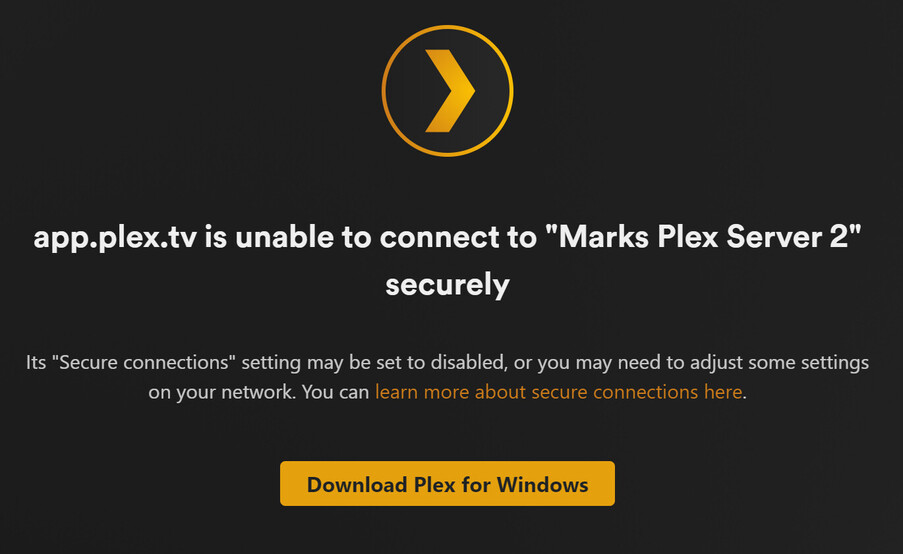
Everything was working fine last night as my cousin was streaming from it, but suddenly today I cannot access it remotely, local access via the direct IP:32400/web is fine.
Is this a case of the security cert expiring??? If so How do I update the cert??
[UPDATE] Tried to log out & back in & got an error that Plex was down for maintenance. Tried logging in 2 min later & now everything is back. ???
Still having issues, been over 2 weeks now.
Has anyone got an actual solution?
** Possible Solution  **
**
After comparing differences between 2 PMS setups & getting ready to wipe out my setup and rebuild it, i think, i have found the issue (for me anyway).
After checking the firewall rules many times and deleting/creating rules about a million times i noticed in one screen the rules had changed to BLOCK all incoming connections, including those on the allowed apps.
To quickly check your setup, try the below (windows users)
In the start menu type windows security & open the app
Next click on your active network (it will say active next to it)
Finally check the tick box at the bottom is blank, if it has a tick in it remove it & then retest your PMS, mine returned to normal behaviour straight away.
How or why this changed i haven’t checked yet but just wanted to give you another idea of what to check.
@ChuckPa @BigWheel
Might be worth getting others to check this if they report the same issue.
1 Like
BEFORE GOING NUCLEAR 
I’m working with the plex.tv guys right now to see if we can find anything.
I have a UK user whose server shows as reachable but is not.
I have others whose servers show not reacbable but are.
My server is reachable and has always been – so go figure.
There’s something afoot and I’ve been trying to find the pattern.
We’re running down one possibility right now
3 Likes
What you describe has been my exact situation the last 2 weeks, also located in the UK.
This has been the only thing that appears to have changed my end.
Hopefully it helps someone out.
1 Like
It is not RESOLVED! Multiple people have been having the same issue now for almost 2 weeks. The resolve answer shows a “possible” solution that did not work for me, and no one else said works either. Is the Plex team ever going to address this issue?
The OP @jockavelli is the one who change the title to RESOLVED not us. @ChuckPa intimated by saying “somethings afoot” in the post of theirs after that we is still looking into it.
@JoefromTexas It was resolved for me, thats why i changed the title for my post.
Hey did you ever find a reason for this?
I’m experiencing the same on my server in the uk.
Think I may have resolved it by rebooting both server and clients but I also changed a bunch of other stuff including changing the public port used to a different one (and changing the fw port forwarding to match)
Just happened out of the blue for a couple of people who access my server.
Same here @ChuckPa, I am in UK and using a mixture of my own Certs from GoDaddy on my own domain service and Plex’s cert for the Plex.tv fully supported route everyone else (Plex customers) can use.
Like another user in this thread I also saw a message that said Plex server cannot use a secure connection and it wanted me to go insecure. This is very odd.
Folks,
I’m sorry for being aloof for the summer (personal health issues).
Now that we’re back into this,
I’m going to request from each person:
- A fresh set of DEBUG logs, captured 2 minutes after restarting the server.
- Information – Are you using your own certificate and, if so, is that certificate added to PMS per the SSL v3.0.0 Linux Tips encryption requirements for v3.0.0
- More questions as we go along on a per-user basis.
BEFORE WE GET STARTED –
- Is this RESOLVED or NOT RESOLVED ? – Need I edit the thread title?
- Or do I need to split the thread out?
This topic was automatically closed 90 days after the last reply. New replies are no longer allowed.
