here the file:

That should go really fast.
I ran a test on my DS918+. Loaded a backup database, (280MB) and migrated from 1.41.5 to 1.42.2.
Everything updated in under two minutes.
Stop Plex and grab a new set of log files. Let’s see what is happening.
still same page so i stopped plex and here the new Logs.zip (2,9 Mo)
From Plex Media Server.log:
Jul 19, 2025 12:01:08.427 [140699504126776] INFO - Plex Media Server v1.42.0.9975-6b2b441e1 - Synology DS218+ x86_64 - build: linux-x86_64 synology-dsm7 - GMT 02:00
Jul 19, 2025 12:01:08.428 [140699504126776] INFO - Linux version: DSM 7.1.1.42962-8, language: en-US
Jul 19, 2025 12:01:08.428 [140699504126776] INFO - Processor: 2-core Intel(R) Celeron(R) CPU J3355 @ 2.00GHz
....
Jul 19, 2025 18:17:16.763 [140699506686608] DEBUG - Database: Shutting down.
The NAS date/time appears to be incorrect.
Sync the NAS with a public NTP server.
Synology Control Panel → Regional Options → Time tab (screenshot below).
Once the date/time is correct, start Plex.
Everything else looks good. The “Allowed Networks” error is still there, but there are no other issues.
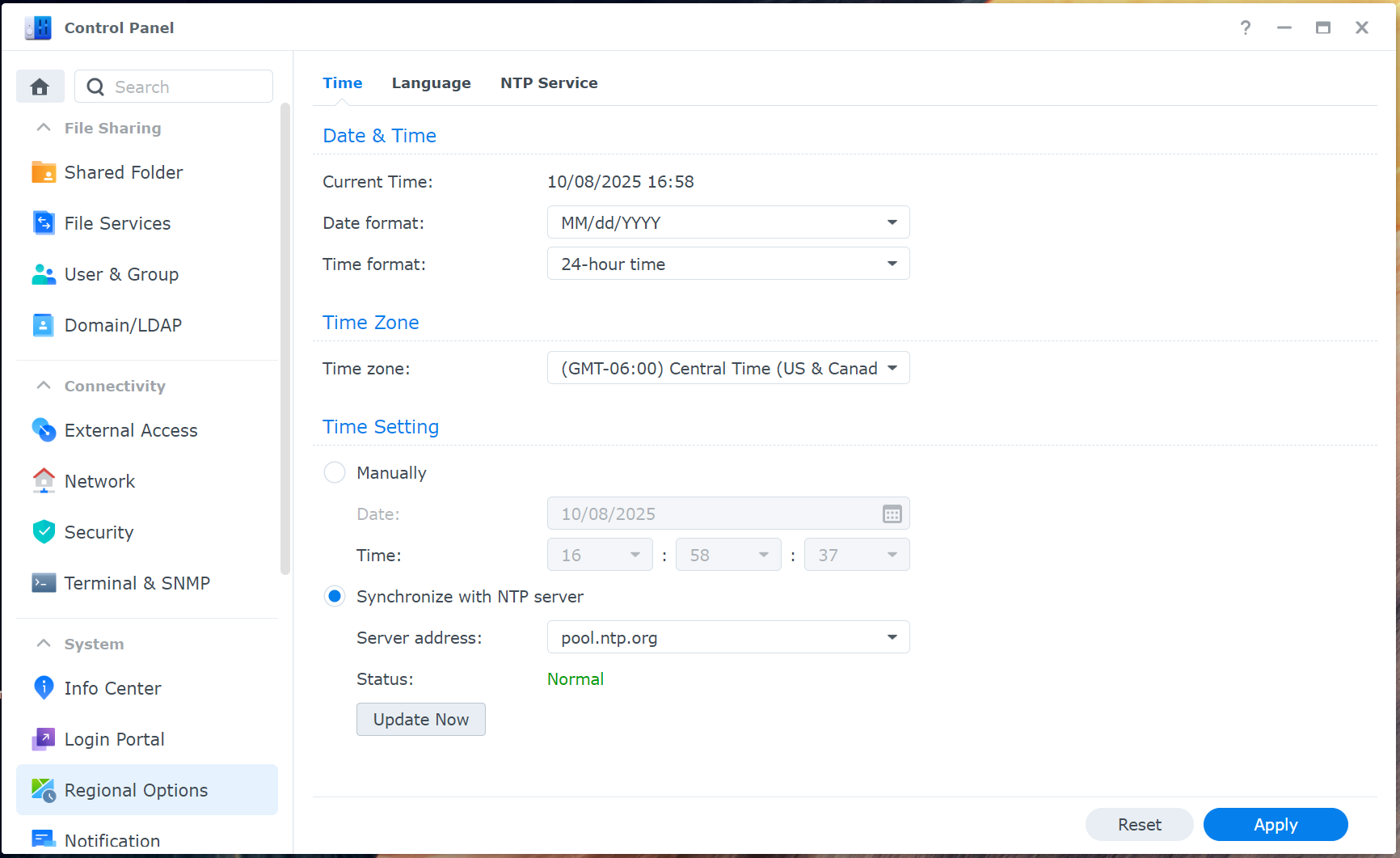
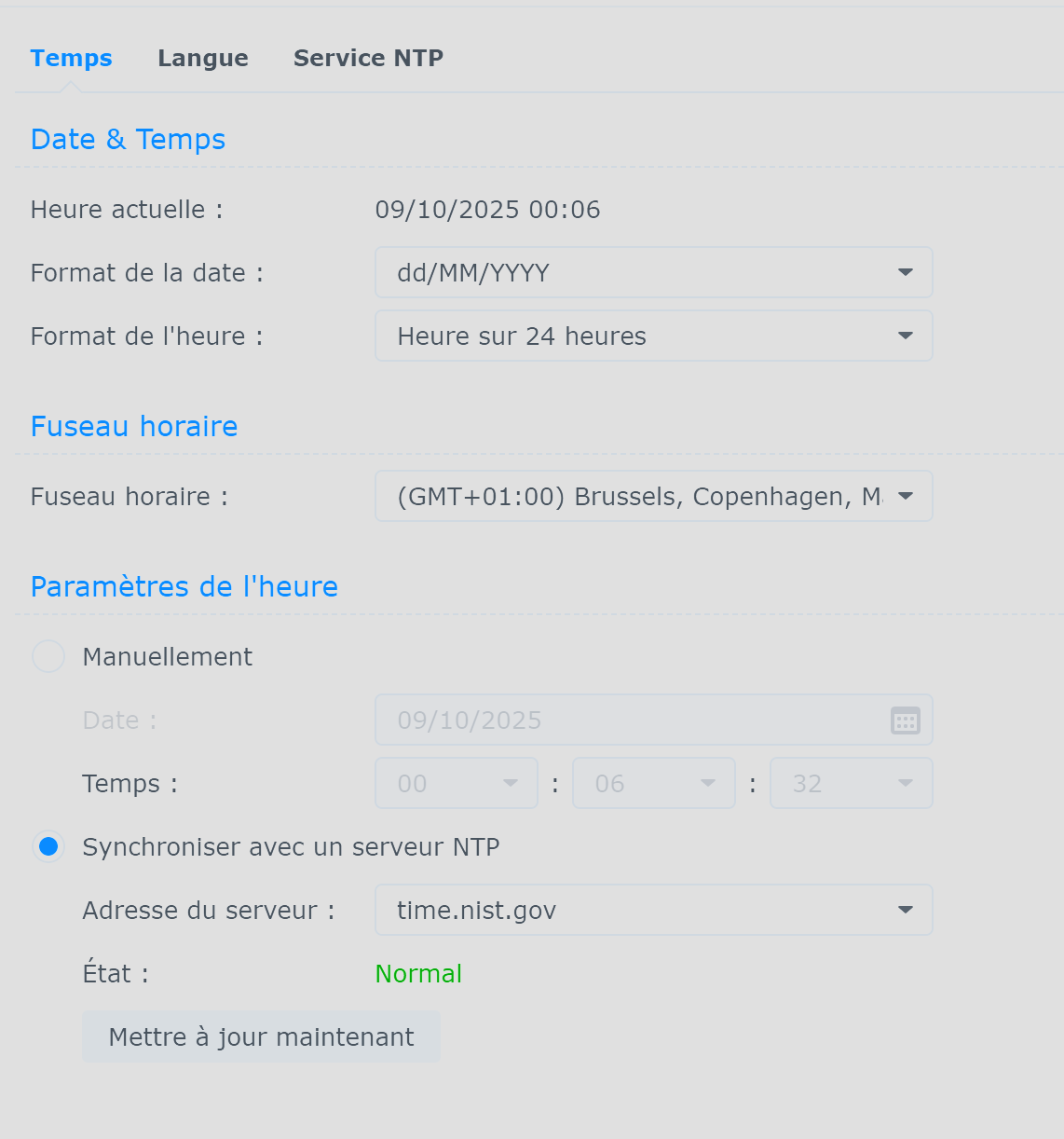


Definitely weird. I have not seen that before. I’m not sure how Plex would get the time stamps that wrong.
The only thing I can think of is to restart the NAS, then start Plex and see what happens.
Just saw your update.
Can you reach the server settings (wrench icon)?
Settings → server_name → General.
Is the server claimed?
EDIT: You could also try http://192.168.0.253:32400/identity
You’ll see one line of XML with claimed="0" (unclaimed) or claimed="1" (claimed).
Good! Glad you’re up and running.
Reply back if you run into any other issues.


For LAN Networks, you do not need to add anything. Those addresses are on the same network as your server, 192.168.0.x, so they are already considered local.
For addresses allowed without auth:
- Remove the comma at the end. That is causing the error.
- When adding a specific IP address, the network mask is not needed. Use
192.168.0.10,192.168.0.19
Open up a second browser window and go to Settings → Console. Then correct the entries.
You’ll see the console update. If anything is wrong, it should be in red. If OK, it should be in blue.
On my Synology:

ok and if i want all my local network, i need add this:
192.168.0.0/24
right?
no link with the problem but i can’t find the setting to avoid delete film/serie when file is missing and like i lost some due to a dead hdd, i would like which ones. can you remember me where is this setting in plex to not delete when file is missing during a scan?
Right.
Settings → Library. Uncheck Empty trash automatically after every scan.
i set 192.168.0.0/24 and i have this in console:

is it good now?
good was already uncheck.
Looks good. There would be an error message if it was wrong.


Invalid Field
You can ignore them.
I have the same messages on my server when I scan a library.
Many warning messages are just noise. The Plex developers may have changed something and not cleaned up the messages in the log files.
Slow Query
The Slow Query is a bit different.
It can show up when Plex is busy scanning media, updating metadata, etc. and a client browses a library. The system will be slow to answer and will log the message.
If it happens a lot, and the server seems slow, then it can mean the database needs optimized.
In Settings → Scheduled Tasks, make sure Optimize database every week is checked. It will run during the scheduled task window.
If you are comfortable with the Linux command line, you can also run DBRepair for Plex Media Server. In addition to optimizing the database it will look for structural errors and try to repair them.
I run it on my server about once a month. It takes 15 - 20 minutes on my DS918+.
See this post: Updated Plex Manually, then Synology Package Center, won't run manually stops - #24 by FordGuy61. It shows downloading and running DB Repair.
ok thanks for these infos and for your help
After you scan the directory, the missing items should have a red trash icon on them.
You can use an Advanced Filter to find them (instead of scrolling through the entire library).
With Plex Web, sort the library by title.
Change All to Advanced Filer (at bottom of list)
Match All of the Following: Trash is true
You should see a list of missing items.
Example: I moved the file out of the library, then scanned the library.

yes i saw the red trash and i counted of him to know what i lost haha but thanks for the filter i didn’t check yet to know if something exist
