Main Issue -
Trying to run two Plex Media Servers on two separate Synology DSM. However seem completely unable to access the newest one. I am running these two devices on the same network.
Description
One Synology Disk Station running Plex Media Server, up and running perfectly.
IP address - http://10.61.98.100:32400
Second Synology Disk Station has PMS installed.
IP address - http://10.61.98.105:32400
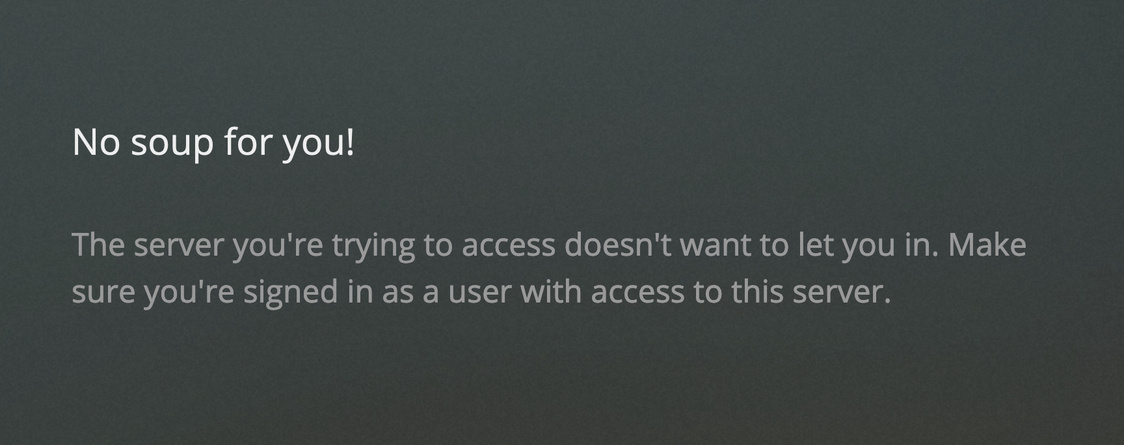
When signing into the second Plex Media Server (with a completely separate Plex account) I am faced with the error -
“No Soup For You
The server you’re trying to access doesn’t want to let you in. Make sure you’re signed in as a user with access to this server.”
I then navigate to ‘Your Media’ via the Plex side bar and I am faced with a message instructing me to download Plex Media Server
Seems as if PMS isn’t even installed on the 98.105 Synology unit but either way I am having real difficulty with it would appreciate any help given.
What is the hostname for them?
By default, they are named “DiskStation”.
If you put two on the same LAN, with the same name, this will happen.
Hi Chuck,
Thanks for replying.
Both host names are different.
They were configured upon installation.
Let’s try this maneuver
1 Sign out (again)
2. Open an incognito window to the IP addr of the troubled Syno. (don’t use app.plex.tv
If that fails, please manually grab a ZIP of the Logs directory (under Library in the Plex share… drill down a bit)
Thanks Chuck,
I have perfomed various troubleshooting exercises such as reinstalledin PSM, incognito windows, factory reset of NAS, different browsers, different devices. All no different.
Please find attached the latest log after a recent attempt
Plex Media Server.1.log (48.6 KB)
Note*** If i complete detach the NAS and reinstall it on another LAN it works just fine. This however is a last resort
Thanks in advance
Something really silly is blocking this.
I have 2 Synos, 2 QNAPS, a Thecus, and 2 Intel systems all on the same subnet.
I have no such issues.
DNS rebinding protection? ( private domain plex.direct isn’t allowed in the LAN DNS resolver)
Just to add, during my troubleshooting, I attempted to remove the preferences.xml file from my original working PMS and I seem to have screwed up access to that one now as well.
Super annoying
See below for the log file from my, was working but now isn’t, original PSM.
Started with one problem now I have two. Can only apologise
Plex Media Server.log (312 KB)
ok… that’s a lot of fun.
What’s the netmasking and which adapter is the default?
Apr 07, 2020 06:15:22.282 [0x7f3cd02d1740] DEBUG - Detected primary interface: 10.61.98.100
Apr 07, 2020 06:15:22.282 [0x7f3cd02d1740] DEBUG - Network interfaces:
Apr 07, 2020 06:15:22.282 [0x7f3cd02d1740] DEBUG -  * 1 lo (127.0.0.1) (loopback: 1)
Apr 07, 2020 06:15:22.282 [0x7f3cd02d1740] DEBUG -  * 3 eth0 (10.61.98.100) (loopback: 0)
Apr 07, 2020 06:15:22.282 [0x7f3cd02d1740] DEBUG -  * 4 eth1 (10.61.104.250) (loopback: 0)
Apr 07, 2020 06:15:22.282 [0x7f3cd02d1740] DEBUG -  * 5 eth2 (169.254.32.120) (loopback: 0)
Apr 07, 2020 06:15:22.282 [0x7f3cd02d1740] DEBUG -  * 6 eth3 (169.254.187.174) (loopback: 0)
Apr 07, 2020 06:15:22.282 [0x7f3cd02d1740] DEBUG -  * 1 lo (::1) (loopback: 1)
Apr 07, 2020 06:15:22.282 [0x7f3cd02d1740] DEBUG -  * 3 eth0 (fe80::211:32ff:fe1b:6603%eth0) (loopback: 0)
Apr 07, 2020 06:15:22.282 [0x7f3cd02d1740] DEBUG -  * 4 eth1 (fe80::211:32ff:fe1b:6604%eth1) (loopback: 0)
Apr 07, 2020 06:15:22.282 [0x7f3cd02d1740] DEBUG -  * 6 eth3 (fe80::211:32ff:fe1b:6606%eth3) (loopback: 0)
Morning Chuck,
10.61.98.100 is the default and the masking is /24 on those lans
For giggles?
Can you unplug the 2nd ethernet adapter, leaving only 10.61.98.100 operational?
(reboot DSM after doing so)
This is a case where the Syno spans two networks. Let’s see if we can get control of it on one subnet first.
Which subnet is the other one on?
Did the networking evolve after initial setup?
Is there a specific routing need to split it? These type of complex LAN configs often cause problems. (PMS and DSM aren’t intended for commercial-grade networks
Morning Chuck,
All these problems with Synology lead me to reevaluate my PMS installations. Although i felt like i was accepting defeat, I have taken PMS off one of the Syno’s and installed on a Mac Mini (More processing power anyway.)
This leaves me only needing PMS to run on one Syno on a completely different subnet. Which i figured would be easier.
However when reinstalling PMS on Syno @ 10.61.98.105, I am still faced with the same problem.
Attached logs below but i’m starting to consider factory resetting the Syno
log.zip (1.2 KB)
Did you purge your Logs directory or misclick ???
All I got was your Preferences file.
After some further troubleshooting, ChuckPa kindly found the root of the problem which essentially boiled down to the PMS on the Synology being unclaimed, yet claiming it was not so straight forward.
When trying to access the server Plex redirects you to plex.tv including various tokens in the url. These need to be bypassed at this point and access directly on PMS’s IP address.
At this point you are able to avoid signing in and allow Plex to reach the set up stage, however again we are unable to claim the server as we are accessing from a different subnet and this hasn’t been configured yet.
In order to get round that you must add the following into the preferences file - allowedNetworks=“10.61.96.0/255 255.255.0,10.61.104.0/255.255.255.0” (With these networks being the ones we will be accessing from)
We can them claim the server and it becomes operational.
If i have missed anything crucial @Chuck please forgive me. I am trying to give an overview of a task that utterly quite complex in the end.
Thanks all