Very simple. When querying the api, it works fine. But when I’m querying with id=10 (track), ' break the query. See below:
#! /bin/bash

# type=2 (series):
GET "http://192.168.2.15:32400/search?query=Agatha Christie's Poirot&type=2&X-Plex-Token=[[API TOKEN]]"
# ' in the name works fine
# above gave valid output with the series. AKA works good

# type=10 (track)
GET "http://192.168.2.15:32400/search?query=I'm upset&type=10&X-Plex-Token=[[API TOKEN]]"
# ' in the name doesn't work
# above didn't find the track that I have (Drake - Scorpion - Disc 1 - Number 6 I'm Upset)
# I am able to view the track using /library, so it's purely because the query didn't work.

# the following also didn't work:
GET "http://192.168.2.15:32400/search?query=I\'m upset&type=10&X-Plex-Token=[[API TOKEN]]"
GET "http://192.168.2.15:32400/search?query=I'm upset&type=10&X-Plex-Token=[[API TOKEN]]"
    -> 401 Unauthorized
GET "http://192.168.2.15:32400/search?query=I’m upset&type=10&X-Plex-Token=[[API TOKEN]]"
    -> 401 Unauthorized
When searching for a series (Agatha Christie’s Poirot), I don’t need to URL-encode the string. It works fine when the string is Agatha Christie's Poirot, so why would I need to suddenly URL-encode when I want to search for a track? I don’t have to for series, so why would I need to for tracks? It’s the same system.
If you’re talking about the request using Agatha Christie's Poirot, it’s (I think atleast) because I quote the request ("http://...").
True. But when you quote the request, it works I think. It’s the same in google:
#When you type this in the google search bar
"https://thetvdb.com/search?query=prison break"
#and press enter, this will be in the searchbar after loading the page.
"https://thetvdb.com/search?query=prison%20break"
#I think it's the same with the requests.
#Spaces are automatically replaced with %20 before processing
Searching tracks works fine. But when the track has a ' in it, it can’t find it.
P.S. I hate drake’s music. It’s horrible. The only reason I have it is because I needed music in the library so that it appears in the api, which I need for an script I’m making that is getting out of hand by now (4444 lines long) but I have nothing to do because school’s still closed .
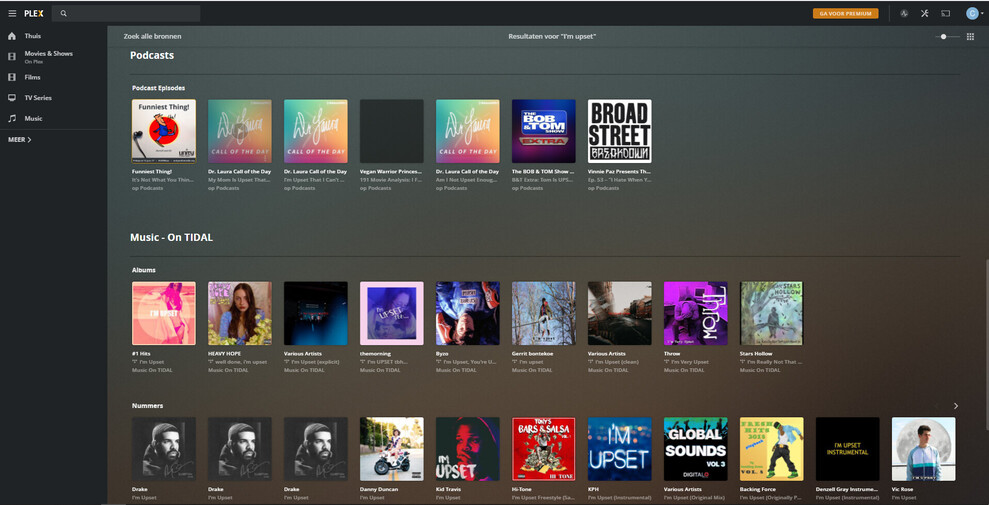
Press Enter please, to see more results.
Which apostrophe are you using? Does the search result change if you copy&paste this into your search field?
I'm upset
But it looks like your server finds actually some items with an apostrophe. So it must be something wrong with your query, I think.
Maybe you want to listen to the web app when it makes this search query to the server?
Content from Online Media Sources won’t be affected by a damaged server database.
HOWEVER:
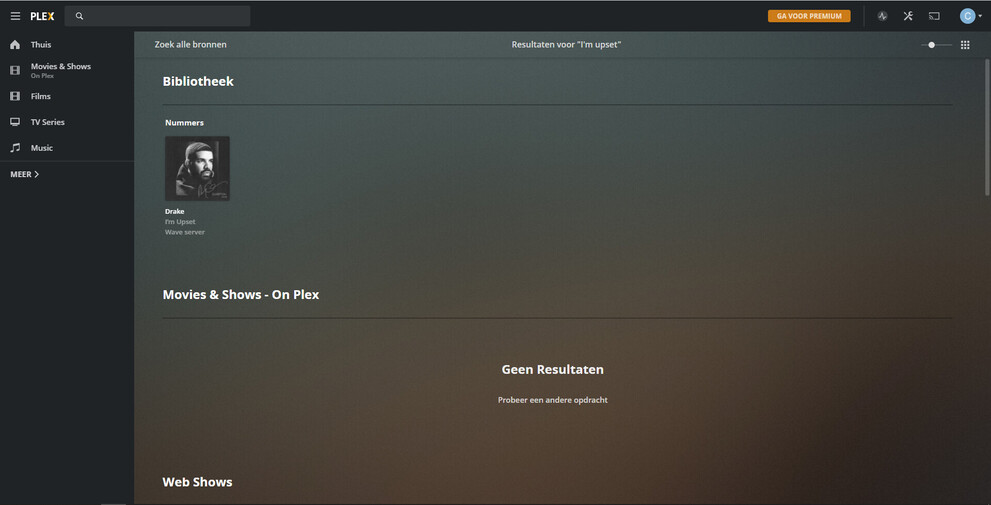
I assume that “Wave” is your server, right? And the sole “track” search result is the right one.
So the web app does it right and the server database is actually not damaged.
Now you need to find out what the web app is doing differently, to get this correct search result.
The server name is Wave server. It’s indeed a bit stupid of me to think that online sources matter. The track that it found was indeed the right one (in the first screen shot of my previous comment).
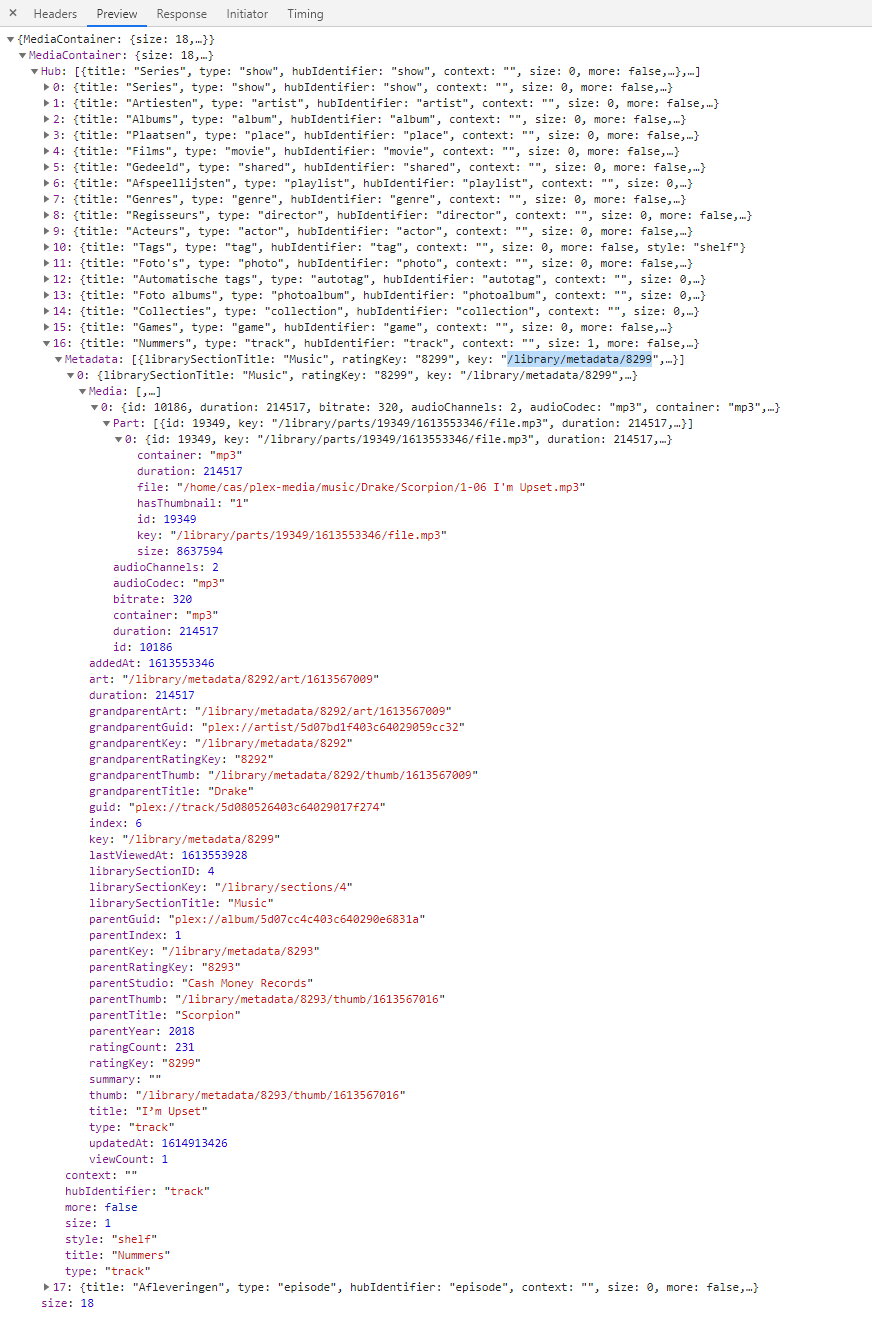
After doing CTRL+SHIFT+I and going to Network inside google, then searching I'm Upset in plex and then stopping the recording on the network page, I got some information.
I’m selecting the second to last request that was made while searching and getting the result:
Then choosing Preview in the window right of it. After clicking some arrows, I found that for Nummers (which is dutch for numbers/tracks/songs), it had one result. The key (selected; blue), after I checked using /library in the api in my terminal, is INDEED the key that coresponds to the track!
We already knew this because… well we saw that plex found it in the results. But I just wanted to give this information. Maybe I gave you an idea for where I could search. Maybe you now learned how I did it in google and are now able to find something yourself. Maybe I reminded you of something that might help. I don’t know but I thought I’d share.

 .
.