Ok I have no access to router or modem it’s included in the rental agreement w landlord so nothing I can do there.
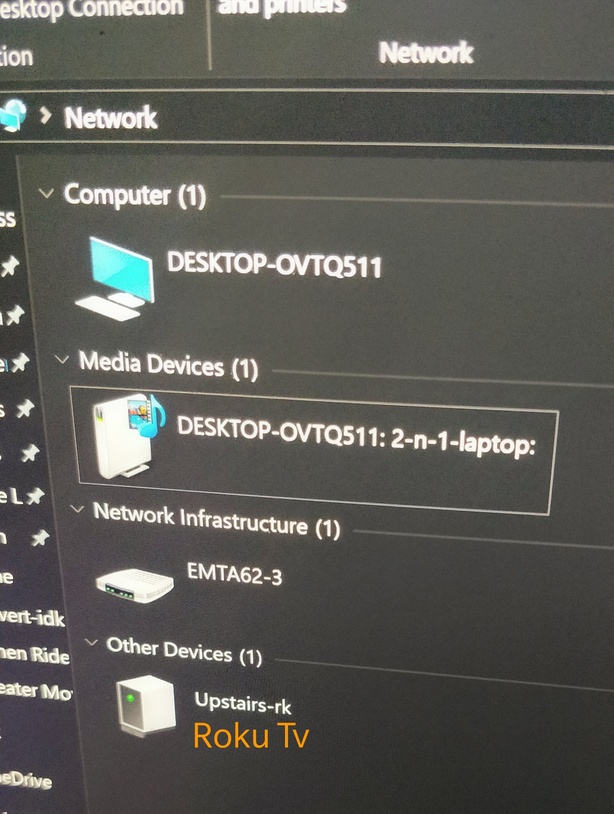
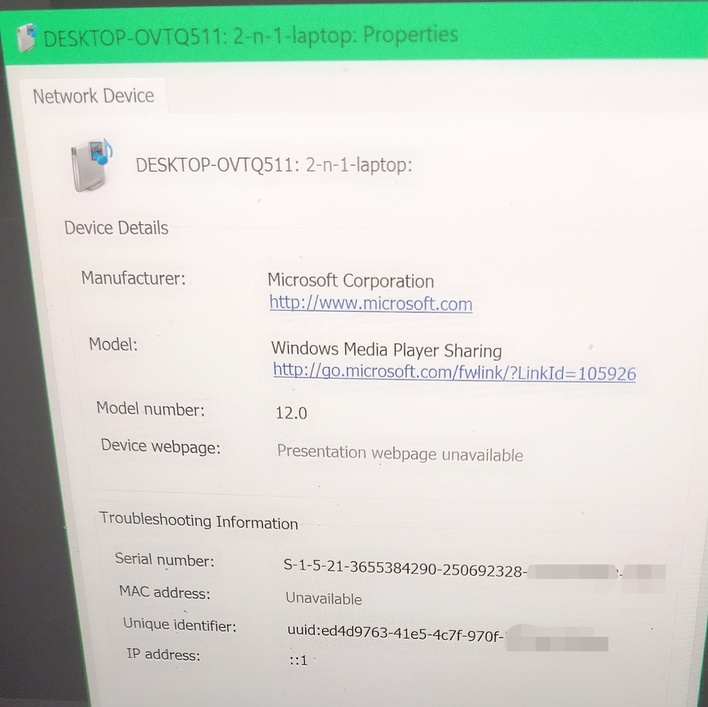
Plex web on laptop (where server is connected) says direct connection but if I try Plex web on my tablet or phone says indirect. I haven’t heard any grumbling from my mom who uses Plex on the Roku TV. All of them are connected to the same wifi. I can see what looks like the server under network’s media devices but clicking it goes nowhere. Information on the media devices Mac address is unavailable. I’m stumped on how to get direct access with the limitations of not having access to router/wifi. Was looking forward to moving my server to Nvidia shield pro but don’t think that will happen if I can’t get direct access.
What I see when I’m looking at network when on hosted laptop:
To check, have a read of this post in the thread Remote access failure to identify your local plex.direct hostname (it will be the in the format https://AAA-BBB-CCC-DDD.HHHHHHHH.plex.direct:32400 and have the status local="1".
Copy the address corresponding to AAA-BBB-CCC-DDD.HHHHHHHH.plex.direct. Open a command prompt on your laptop and type the command nslookup and paste the address there (i.e. nslookup AAA-BBB-CCC-DDD.HHHHHHHH.plex.direct.
If it returns the IP address as AAA.BBB.CCC.DDD to match the plex.direct local name, and this also corresponds to the local address of your plex server then it means that DNS Rebinding is unlikely to be the issue. If it returns a different address then it’s likely to be a DNS Rebiding issue.
As you don’t have access to the router you could manually enter a different DNS server on your tablet or phone.
Or your landlord enabled a feature on the router called network isolation which give devices access to the internet but not to each other. This prevents your devices from seeing their’s and vice versa. If this is the case, there is nothing you can do as you don’t have access to the router.
Does your landlord only give you WiFi access? Do you have access to a wired connection? If so, you could install your own router and have all your devices connect to it, instead of the provided router. This will allow them to see each other.
Pfffftttt. My landlord is not technically advanced, he only just upgraded to a non flip phone from 1 that only did texting & calls. His wife isn’t much better w tech.
Also I should have expanded the router isn’t even his. He’s cheap & went w optimum’s router when the one that was being used went. He has the altice plan where we have the wifi tv box in our apartment.
By wired you mean Ethernet? Yeah he only just got the Ethernet cable that came into the house upgraded when changed to altice. (I’m called down stairs often when things like the router or set up goes wrong to troubleshoot) There’s a old cable that comes into the apartment but the only other company around here is FiOS. When landlord had them (lasted only 3 months), we had such TERRIBLE wifi speeds/signal that we actually needed to go buy a repeater just to get wifi in places it would usually reach. So neither of us want to use that company.
Update: I did get it fixed using IPv4 info after giving my troubleshooting steps I took using Kodi where I got upnp working until Kodi on my laptop went bonkers & smb ispv4.