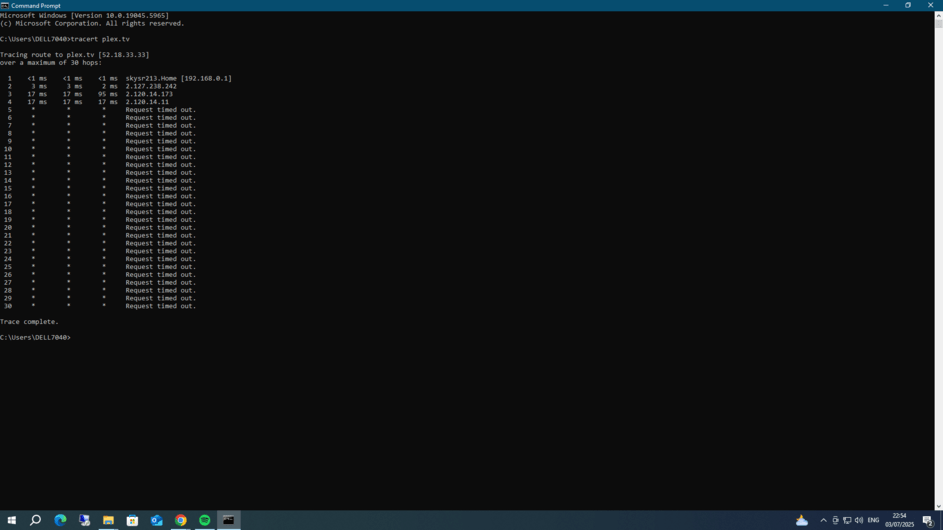
I’m having a problem accessing my libraries outside of my home network. It’s only come to light when checking before going away next month.
Broadband is with Sky and upgraded to full fibre with a new line and router (new white box) earlier this year but hadn’t checked remote access. I’ve accessed the router settings and enabled port forwarding and within the my sky app but still nothing.
Thanks for reply, I’ve not had time to take a look till now.
Not quite sure how to do that within the PMS, I’ve ran the “tracert plex.tv” in windows cmd which has brought up results, but I don’t really understand what I’m looking at. Would you be able offer any further details / advice
Access the Sky Box and make sure the port forwarding rule is pointing to your Windows server’s IP. Make note of your Public IP and port you are forwarding to 32400. Many ISP’s filter 32400 so I would use a different number like PUBIP:55555–>WINIP:32400.
If you are using a Sky Broadband router, you can set up port forwarding by following these steps:
Open a web browser and type 192.168.0.1 into the address bar to access the Sky Hub Menu.
Click the Advanced tab and enter the username and password.
Navigate to LAN IP Setup and add an address reservation for the device you want to forward traffic to.
Go to Security, then click Services and Add Service. Type a name for the service and choose the type of port (TCP/UDP or both).
Add the port number and protocol, then click Add. The hub might request a restart.
Go to https://canyouseeme.org/ enter your Public IP and port you entered for forwarding and test. You should get a success, if not then you may have to call the ISP.
Hi, I’ve accessed the router and opened both the advanced tab and the local network looking to update the setup as you mentioned (although I’ll be honest I wasn’t entirely sure how to and was hoping it’d be clearer when in)
I’ve attached a screenshot of both as I’m not sure they’re what you mentioned.
No problem, appreciate your help.
I have to access the router port forwarding through the My Sky app which I’ve done. I’ve entered the port number as 32400 protocol TCP/UDP (default) - there is an option to add a range but your suggested 55555 to 32400 comes back port range invalid.
Just thought to add that within my plex server settings the remote access says its fully accessible with the port setting either set as 32400 or manually set ?
Sky had a really bad DNS-Rebinding attack a couple years back and they may not have a bypass.
Let’s look at the logs to see what is happening, will need the client and the server logs. Restart the server, wait at least 3 minutes and then try to connect from remote on the device. Follow the steps below to produce 2 zip files, drag and drop in a reply here.
When using the mobile Plex app, grabbing logs from the app is easy.
Reproduce the Issue
Whatever issue you’re having, reproduce it in the app right before you go to grab the app logs. That way, that issue is among the recent activity in the logs.
Look careful. “55555 to 32400” doesn’t mean a range. In any case, only one port number is required for remote access.
What @pl_5309 meant was to use port number 55555 on the public/WAN side of the router, and 32400 on the private/LAN side.
So if a request comes in from the internet, which adresses your router’s public IP and port number 55555, it is forwarded to the internal IP of your plex server machine and port number 32400.
Normally I would say go into the router and change it there for all devices but just for testing lets change in on the server.
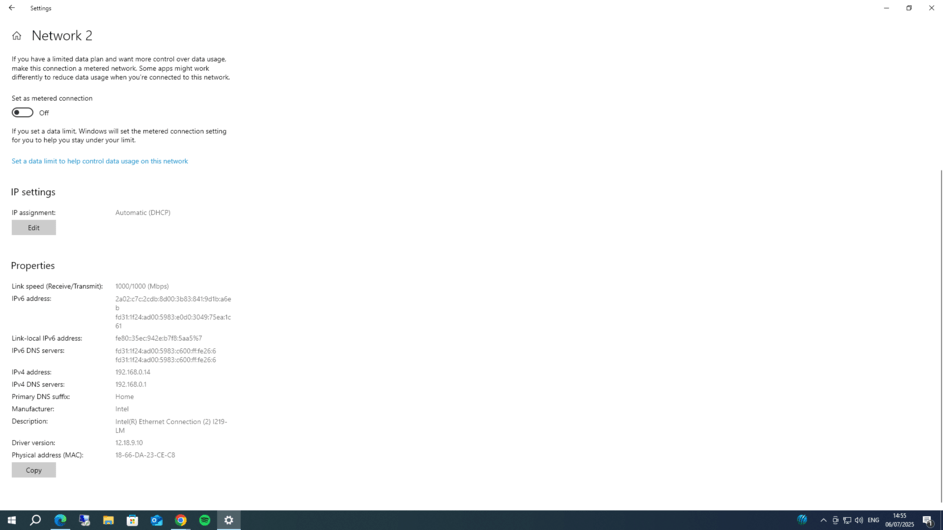
Go into Windows Settings > Network & Internet > Ethernet
Click on edit for DNS server assignment set to manual and enter the ips in Preferred and Alternate.