I am having this issue & I do not use any plug-ins. Just the default plex install. In addition, the problem persists no matter how long there server has been up & running for.
Please Advise.
I am having this issue & I do not use any plug-ins. Just the default plex install. In addition, the problem persists no matter how long there server has been up & running for.
Please Advise.
We are waiting patently  for the Plex team to release an updated version with a fix. It seems we can not fix it other than rolling back to a previous version that works.
Plex Media Server 1.23.2.4656 does not resolve the issue.
Not only did it not resolve the issue in my case - it made it worse.
Now it is stating that my server is “unclaimed” & where I could at least watch my existing libraries of media before, now I can’t.
Very disappointed.
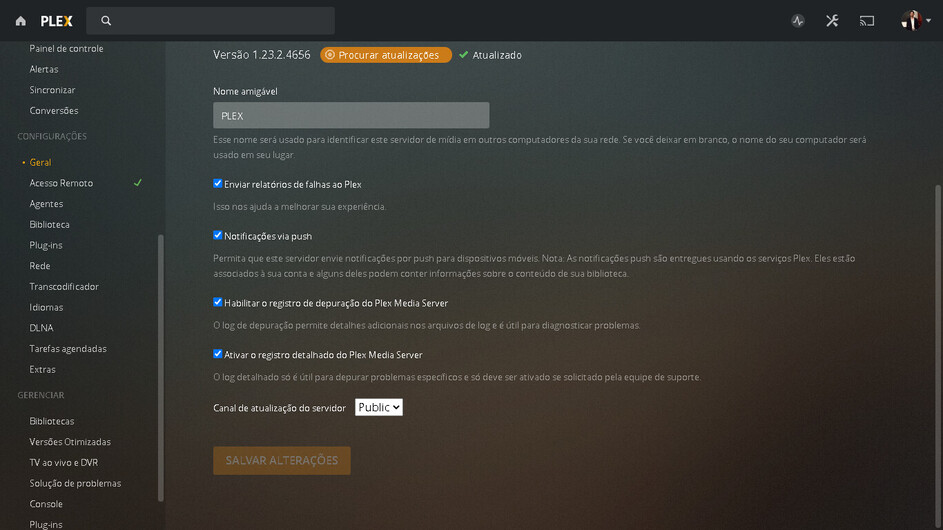
Same here, just updated my server to 1.23.2.4656-85f0adf5b it gave the settings unavailable issue. Library auto and manual scanning, video streaming still works, just that the server settings UI are completely unavailable.
And here also the problem with the settings pages showing the error message “Server settings are unavailable”.
But for me it’s not on windows, but freebsd (IOCage jail) like some other people in also in this thread.
Yesterday I updated to PlexMediaServer-1.23.2.4656-85f0adf5b
Before this update I was on 1.21.3.4021 without any issues
Turning on the debug logging isn’t possible in the GUI because of the message.
I reverted back to 1.21.3.4021 for now but I can enable debug and upgrade again if loggings er requested.
I might as well check if 1.22.X doesn’t break the settings pages. But have to check when I might have time to do so.
Edit: Had some time to do some testing. Hope somebody has some use for this information…
For me the settings pages break if I update from 1.22.3.4523 to v1.23.1.4571 and the following updates don’t resolve it so far. The updates before 1.22.3 haven’t caused the message to appear.
same Problem over here with Freebsd plex on iocage Jail. Since 2 Updates no server settings available…
Same problem here - had to revert to 1.22.3.4523 and it started working again.
It actually looks like all 1.23.x versions are failing for me (Truenas jail).
Same here now, Since updating to “1.23.2.4656-85f0adf5b” I now get this error when I try and access “SETTINGS”, but everything before like “STATUS” is working fine. Unfortunately I don’t have access to 1.22.x version.
Edit: Running on Windows Server 2019
I have this same issue. Running version 1.23.2.4656-85f0adf5b-x86 on Windows 10. “Server settings are unavailable”
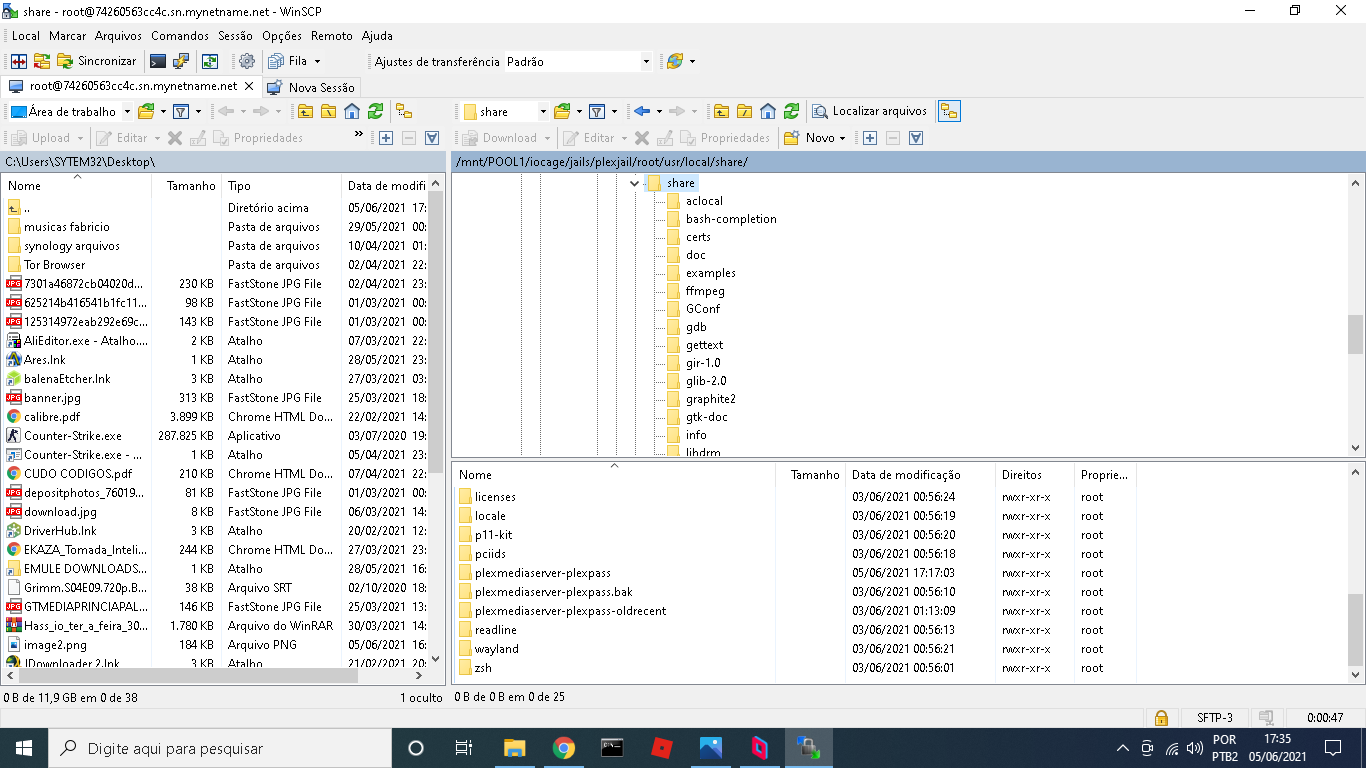
TrueNAS/FreeBSD folks: How have you upgraded to 1.23.x? With the pkg? Or with the PMS_Updater.sh script? Using that script is ugly because it orphans the pkg and the files the pkg and plugin provide.
Can somebody with the problem share their /usr/local/etc/rc.d/plexmediaserver or /usr/local/etc/rc.d/plexmediaserver_plexpass files?
I’m curious if LD_LIBRARY_PATH is being set in the rc script, or if something else is going on.
Working for me! So this should be solvable.
For FreeBSD/TrueNAS: If your plexmediaserver or plexmediaserver_plexpass rc script has either of these lines:
    export LD_LIBRARY_PATH="%%PREFIX%%/lib/compat:${SCRIPTPATH}"
    export LD_LIBRARY_PATH="${SCRIPTPATH}"
Try commenting it out or deleting it. Those are incorrect paths. The current FreeBSD pkg no longer sets LD_LIBRARY_PATH at all.
Current versions of the rc scripts, for comparison:
https://svnweb.freebsd.org/ports/head/multimedia/plexmediaserver/files/plexmediaserver.in?view=co
https://svnweb.freebsd.org/ports/head/multimedia/plexmediaserver-plexpass/files/plexmediaserver_plexpass.in?view=co
Edit: Note that this has changed several times recently. Plex did not need the variable, and then did need it again. For many users the solution has been to ADD this BACK.
No LD_LIBRARY_PATH in the script
Here is the file:
#!/bin/sh
# Created by: KalleDK <plexmaintainer@k-moeller.dk>

# PROVIDE: plexmediaserver_plexpass
# REQUIRE: LOGIN
# KEYWORD: shutdown
#
# Add the following lines to /etc/rc.conf to enable the Plex Media Server:
#
# plexmediaserver_plexpass_enable="YES"
#
# plexmediaserver_plexpass_support_path="/usr/local/plexdata" # Plex data: logs, media metadata, settings, etc
#
# plexmediaserver_plexpass_tmp="/var/tmp/plex" # configure tmp directory used for the transcoding process if desired
#
# plexmediaserver_plexpass_maxplugins="6" # Maximum number of background plugin procs. May have to raise in rare cases.
#

. /etc/rc.subr

name=plexmediaserver_plexpass
rcvar=plexmediaserver_plexpass_enable
load_rc_config $name

: ${plexmediaserver_plexpass_enable:=NO}
: ${plexmediaserver_plexpass_support_path="/usr/local/plexdata-plexpass"}
: ${plexmediaserver_plexpass_user="plex"}
: ${plexmediaserver_plexpass_group="plex"}
: ${plexmediaserver_plexpass_maxplugins=6}

command=/usr/sbin/daemon
procname="/usr/local/share/plexmediaserver-plexpass/Plex_Media_Server"
command_args="-f ${procname}"
pidfile=/var/run/plex/plex.pid
start_precmd=plex_precmd
stop_precmd=plex_stop_precmd
stop_postcmd=plex_stop_postcmd

plex_precmd()
{
	#Set identification variables for FreeNAS; with fallback to FreeBSD
	if [ -f "/etc/version" ]; then
	  export PLEX_MEDIA_SERVER_INFO_VENDOR="$(cat /etc/version|cut -d- -f1)"
	  export PLEX_MEDIA_SERVER_INFO_DEVICE=NAS
	  export PLEX_MEDIA_SERVER_INFO_MODEL="$(uname -m)"
	  export PLEX_MEDIA_SERVER_INFO_PLATFORM_VERSION="$(cat /etc/version|cut -d- -f2-)"
	else
	  export PLEX_MEDIA_SERVER_INFO_VENDOR=FreeBSD
	  export PLEX_MEDIA_SERVER_INFO_DEVICE=PC
	  export PLEX_MEDIA_SERVER_INFO_MODEL="$(uname -m)"
	  export PLEX_MEDIA_SERVER_INFO_PLATFORM_VERSION="$(uname -r)"
	fi
	export SUPPORT_PATH="${plexmediaserver_plexpass_support_path}"
	export HOME="${plexmediaserver_plexpass_support_path}/Plex Media Server"
	export PYTHONHOME="/usr/local/share/plexmediaserver-plexpass/Resources/Python"
	export SCRIPTPATH="/usr/local/share/plexmediaserver-plexpass"
	export PLEX_MEDIA_SERVER_HOME="${SCRIPTPATH}"
	export PLEX_MEDIA_SERVER_MAX_PLUGIN_PROCS=${plexmediaserver_plexpass_maxplugins}
	export PLEX_MEDIA_SERVER_APPLICATION_SUPPORT_DIR=${plexmediaserver_plexpass_support_path}
	export PLEX_MEDIA_SERVER_PIDFILE=${pidfile}
	export PLEX_MEDIA_SERVER_LOG_DIR="${plexmediaserver_plexpass_support_path}/Plex Media Server/Logs"
	export PATH="${SCRIPTPATH}/Resources/Python/bin:${PATH}"
	export LC_ALL="en_US.UTF-8"
	export LANG="en_US.UTF-8"
	ulimit -s 3000

	if [ ! -d ${pidfile%/*} ]; then
		install -d -o ${plexmediaserver_plexpass_user} ${pidfile%/*};
	fi

	if [ ! -d "${plexmediaserver_plexpass_support_path}/Plex Media Server" ]; then
		install -d -g ${plexmediaserver_plexpass_group} -o ${plexmediaserver_plexpass_user} "${plexmediaserver_plexpass_support_path}/Plex Media Server";
	fi

	if [ ! -d "${plexmediaserver_plexpass_support_path}/Plex" ]; then
		install -d -g ${plexmediaserver_plexpass_group} -o ${plexmediaserver_plexpass_user} "${plexmediaserver_plexpass_support_path}/Plex";
	fi

	if [ ${plexmediaserver_plexpass_tmp} ]; then
		export TMPDIR=${plexmediaserver_plexpass_tmp};
		install -d -g ${plexmediaserver_plexpass_group} -o ${plexmediaserver_plexpass_user} "${plexmediaserver_plexpass_tmp}";
	fi
}

plex_stop_precmd()
{
	if [ -r ${pidfile} ]; then
		export _PLEXPID=$(check_pidfile ${pidfile} ${procname})
	fi
}

plex_stop_postcmd()
{
	_PLEX_CHILDREN=$(pgrep -g ${_PLEXPID})
	echo "Cleaning up leftover child processes."
	kill -9 ${_PLEX_CHILDREN}
	wait_for_pids ${_PLEX_CHILDREN}
}

run_rc_command "$1"
Your rc script looks fine - it’s the current version from the pkg.
I dunno. I’ve been trying and I can’t break it in the same way. Maybe affected folks should share more logs. 
I’m not used to reading Plex logs, but it seems that all of the plugins are crashing. This I suppose makes sense because another symptom I see is that metadata has stopped updating.
Plex Media Server.log (153.1 KB)
I see that Plex is now ignoring this topic (2 weeks since last reply) so I’m not very hopeful
i checked that too. my rc script looks fine. Problem is still there…
Are you also using plugins?
well everyone is using plugins. the “system” is a plugin as far as plex is concerned. in my log, the system plugin crashes less than half a second after plex starts
but i also do not have those variables set in my rc script
Timeout or error reading status line from plug-in pipe [com.plexapp.system], we’re killing it.
digging into the plugin logs, no log has had output in two weeks. makes sense i suppose if all they’re all crashing. but makes it harder to diagnose