At which time frame did you set your server maintenance window now?
Please use the user interface to download the logs, as this will also catch log files which are currently in use and leaves out irrelevant logs.
At which time frame did you set your server maintenance window now?
Please use the user interface to download the logs, as this will also catch log files which are currently in use and leaves out irrelevant logs.
Sorry about that. Here is a new file. I set the maintenance to run from 11 PM to 5 AM. Plex Media Server Logs_2020-06-17_07-20-33.zip (8.3 MB)
And were you updating your library during the same time period? This is something you should avoid.
Nope. The only time I update the library manually is 1 or 2 times a day if I add anything. I only do this when the scan is inactive.
Has your music videos library all files in one giant folder?
Scanning Music Videos using xn(Plex Video Files Scanner) with 3336 current media items and 1 section locations in the database...
What kind of a drive is Y:?
Y: is a WD PR4100 NAS, and the music videos are each in a separate folder in a folder named Music Videos on Y:.

Are there any preferences in the NAS device, which version of the SMB protocol is used and supported? If it is set to version 3, try reducing that back to version 2.
I will try that:

Still pretty slow:

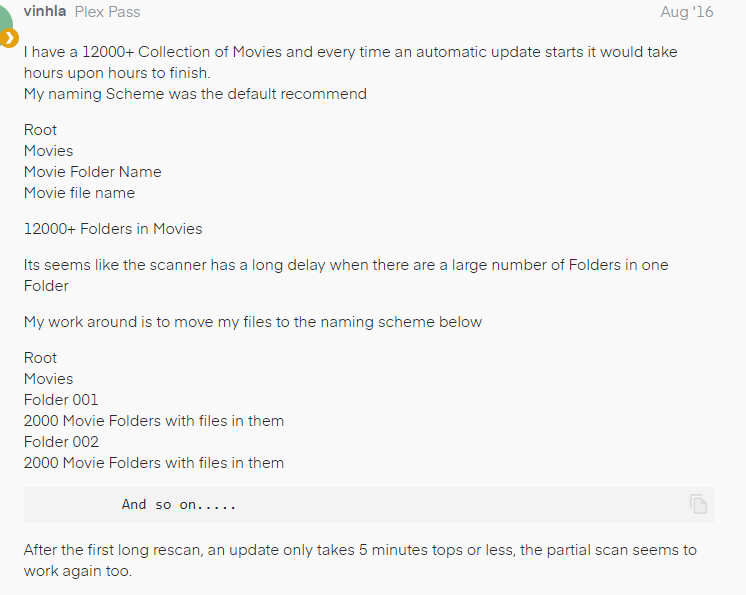
Yes, it’s worth consideration, to reduce the number of items in one folder to about 500 or so.
Ideally, you then add each of those subdivision folders individually to the library.
Thanks, I’ll give it a shot.
I tried it with the Music Videos, and it seemed to work. The scan is FLYING. Thank you for the help! Any reason why I need to switch the SMB on my PR4100 back to 3?
Ideally, one should alyways use the latest stable version of the protocol. Unless there are compatibility issues.
So go back to version 3, unless you see negative side effects from doing so.
This topic was automatically closed 90 days after the last reply. New replies are no longer allowed.