Slower speeds from remote server

This happens with every movie I have tested. My test file is a high bitrate personal movie that is 4k. But it happens with 1080p as well. High bitrate 1080p would be 25mbps and I am unable to stream those. When streaming the high bitrate on 1.3.4, my download speed spikes up to 8MB/s for a bit and then stops, then again spikes up. It’s not continuous. With 1.4.4, my download speed just stays consistently around 1.2-1.5MB/s

This is my test file

<MediaContainer size="1" allowSync="1" identifier="com.plexapp.plugins.library" librarySectionID="1" librarySectionTitle="Travel" librarySectionUUID="9df07443-eb5d-4b09-a2b0-c4c376f46b91" mediaTagPrefix="/system/bundle/media/flags/" mediaTagVersion="1485992327"> <Video ratingKey="1" key="/library/metadata/1" guid="com.plexapp.agents.none://75b546861414d2c4ab2d7322f14baa1b55bbda8a?lang=xn" librarySectionID="1" type="movie" title="Emerald Lake Colorado" summary="" year="2016" thumb="/library/metadata/1/thumb/1489863195" art="/library/metadata/1/art/1489863195" duration="52166" originallyAvailableAt="2016-10-05" addedAt="1475642647" updatedAt="1489863195"> <Media videoResolution="4k" id="1" duration="52166" bitrate="29533" width="3840" height="2160" aspectRatio="1.78" audioChannels="2" audioCodec="mp3" videoCodec="h264" container="mkv" videoFrameRate="NTSC" videoProfile="high"> <Part accessible="1" exists="1" id="1" key="/library/parts/1/1475642647/file.mkv" duration="52166" file="/home/orange/media/Travel/Emerald Lake Colorado.mkv" size="192580125" container="mkv" videoProfile="high"> <Stream id="1" streamType="1" default="1" codec="h264" index="0" bitrate="29373" bitDepth="8" chromaSubsampling="4:2:0" colorRange="tv" colorSpace="bt709" frameRate="29.970" hasScalingMatrix="0" height="2160" level="51" profile="high" refFrames="2" scanType="progressive" width="3840"/> <Stream id="2" streamType="2" selected="1" default="1" codec="mp3" index="1" channels="2" bitrate="160" language="English" languageCode="eng" audioChannelLayout="stereo" samplingRate="44100"/> </Part> </Media> <Extras size="0"></Extras> </Video> </MediaContainer>

Another

<MediaContainer size="1" allowSync="1" identifier="com.plexapp.plugins.library" librarySectionID="2" librarySectionTitle="Movies" librarySectionUUID="8e6b72e8-ac04-400c-b906-974668986d00" mediaTagPrefix="/system/bundle/media/flags/" mediaTagVersion="1485992327"> <Video ratingKey="104" key="/library/metadata/104" guid="com.plexapp.agents.imdb://tt0770802?lang=en" librarySectionID="2" studio="Magidson Films" type="movie" title="Samsara" contentRating="PG-13" summary="Samsara is a word that describes the ever turning wheel of life. It is a concept both intimate and vast - the perfect subject for filmmakers Ron Fricke and Mark Magidson, whose previous collaborations include Chronos and Baraka, and who, in the last 20 years, have travelled to over 58 countries together in the pursuit of unique imagery. Samsara takes the form of a nonverbal, guided meditation that will transform viewers in countries around the world as they are swept along a journey of the soul. Through powerful images pristinely photographed in 70mm and a dynamic music score, the film illuminates the links between humanity and the rest of the nature, showing how our life cycle mirrors the rhythm of the planet." rating="7.7" audienceRating="8.7" year="2011" thumb="/library/metadata/104/thumb/1489864785" art="/library/metadata/104/art/1489864785" duration="6125878" originallyAvailableAt="2012-08-22" addedAt="1466452064" updatedAt="1489864785" audienceRatingImage="rottentomatoes://image.rating.upright" chapterSource="mixed" primaryExtraKey="/library/metadata/623" ratingImage="rottentomatoes://image.rating.certified"> <Media videoResolution="1080" id="104" duration="6125878" bitrate="19461" width="1920" height="804" aspectRatio="2.35" audioChannels="6" audioCodec="dca" videoCodec="h264" container="mkv" videoFrameRate="24p" audioProfile="dts" videoProfile="high"> <Part accessible="1" exists="1" id="104" key="/library/parts/104/1466452064/file.mkv" duration="6125878" file="/home/orange/media/Movies/Samsara (2011)/Samsara (2011).mkv" size="14902136410" audioProfile="dts" container="mkv" videoProfile="high"> <Stream id="4808" streamType="1" default="1" codec="h264" index="0" bitrate="17925" language="English" languageCode="eng" bitDepth="8" chromaSubsampling="4:2:0" frameRate="23.976" hasScalingMatrix="0" height="804" level="41" profile="high" refFrames="5" scanType="progressive" title="x264" width="1920"/> <Stream id="4809" streamType="2" selected="1" default="1" codec="dca" index="1" channels="6" bitrate="1536" language="English" languageCode="eng" audioChannelLayout="5.1(side)" profile="dts" samplingRate="48000" title="DTS 5.1"/> </Part> </Media> <Genre id="4303" tag="Music"/> <Genre id="2129" tag="Documentary"/> <Director id="2124" tag="Ron Fricke"/> <Writer id="2127" tag="Ron Fricke"/> <Writer id="2128" tag="Mark Magidson"/> <Producer id="2130" tag="Mark Magidson"/> <Country id="4333" tag="Italy"/> <Role id="4329" tag="Marcos Luna" role=""/> <Role id="4330" tag="Putu Dinda Pratika" role=""/> <Role id="4331" tag="Puti Sri Candra Dewi" role=""/> <Role id="4332" tag="Ni Made Megahadi Pratiwi" role=""/> <Extras size="1"> <Video ratingKey="623" key="/library/metadata/623" guid="iva://api.internetvideoarchive.com/2.0/DataService/VideoAssets(162896)?lang=en&bitrates=80,212,450,600,750,1500,2500,5000,8000&duration=64&adaptive=1&dts=0" type="clip" title="Samsara" summary="" index="1" year="2011" thumb="/library/metadata/623/thumb/1489864432" duration="64000" originallyAvailableAt="2011-09-19" addedAt="1489864432" extraType="1"> <Media videoResolution="1080" id="1583" duration="64000" bitrate="2500" width="1920" height="1080" aspectRatio="1.78" audioCodec="aac" videoCodec="h264" container="mp4" premium="1"> <Part id="1583" duration="64000" container="mp4" key="/services/iva/assets/162896/video.mp4?bitrate=2500" optimizedForStreaming="1"> <Stream id="2919" streamType="1" codec="h264" index="0" bitrate="2500" height="1080" width="1920"/> <Stream id="2920" streamType="2" selected="1" codec="aac" index="1" channels="2" language="English" languageCode="eng"/> </Part> </Media> <Media videoResolution="720" id="1584" duration="64000" bitrate="1500" width="1280" height="720" aspectRatio="1.78" audioCodec="aac" videoCodec="h264" container="mp4" premium="1"> <Part id="1584" duration="64000" container="mp4" key="/services/iva/assets/162896/video.mp4?bitrate=1500" optimizedForStreaming="1"> <Stream id="2921" streamType="1" codec="h264" index="0" bitrate="1500" height="720" width="1280"/> <Stream id="2922" streamType="2" selected="1" codec="aac" index="1" channels="2" language="English" languageCode="eng"/> </Part> </Media> <Media videoResolution="480" id="1585" duration="64000" bitrate="450" width="640" height="480" aspectRatio="1.33" audioCodec="aac" videoCodec="h264" container="mp4" premium="1"> <Part id="1585" duration="64000" container="mp4" key="/services/iva/assets/162896/video.mp4?bitrate=450" optimizedForStreaming="1"> <Stream id="2923" streamType="1" codec="h264" index="0" bitrate="450" height="480" width="640"/> <Stream id="2924" streamType="2" selected="1" codec="aac" index="1" channels="2" language="English" languageCode="eng"/> </Part> </Media> </Video> </Extras> </Video> </MediaContainer>

I can’t stream from here… (1.5 Mbps upload MAX) so I never think of this.

Check / clear / play with any streaming limits you have on the server side? There is a “Total limit” and a “Per stream” limit.

Do something outlandish. If the video is 10 MB/sec (80 Mbps) make the limit 160 Mbps .

Try to play .

I’m not home right now but I can play with that later. I do have it on default No limit.

Do you have enough info to submit this to devs? Anything else you need let me know. I will be home later and can run more tests

Appreciate the help!

What I’m challenging is what’s IN the settings underneath…

YOu may see “Unlimited” but is it responding to it.

Example:

Set 10 Mbps, See 10Mbps bandwidth usage
Set 20 Mbps, See 20Mbps bandwidth usage

There have been bugs over the years where the reported value and the value it was using were NOT the same. (which happens in windows too… Change something, change it back, magically works)

@mixolyd said:
I’m not home right now but I can play with that later. I do have it on default No limit.

Do you have enough info to submit this to devs? Anything else you need let me know. I will be home later and can run more tests

Appreciate the help!

@mixold, I have a couple of ideas. If you don’t mind some help, send me a PM. I’ll shoot you my phone number and we can try a few things. It will be much easier to touch base on the phone and maybe setup TeamViewer so we can do some remote stuff while on the phone. I should be available most of the weekend if you want a hand. Worst case is we can get some good logging for Plex to help them out.

Carlo

Carlo, Are you thinking what I’m thinking >:) Go for it if you want. My fingers hurt! lol

@ChuckPA said:
What I’m challenging is what’s IN the settings underneath…

YOu may see “Unlimited” but is it responding to it.

Example:

Set 10 Mbps, See 10Mbps bandwidth usage
Set 20 Mbps, See 20Mbps bandwidth usage

There have been bugs over the years where the reported value and the value it was using were NOT the same. (which happens in windows too… Change something, change it back, magically works)

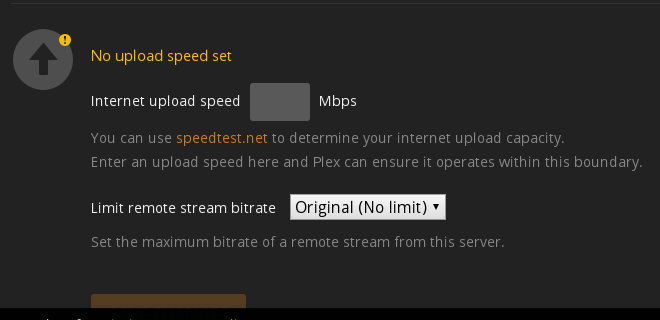
I changed from unlimited to 20mbit and also tried internet upload speed as 999, 100, 50, but I’m still getting 10-12mbit on 1.4.4, so same speed as before.

@cayars said:

@mixolyd said:
I’m not home right now but I can play with that later. I do have it on default No limit.

Do you have enough info to submit this to devs? Anything else you need let me know. I will be home later and can run more tests

Appreciate the help!

@mixold, I have a couple of ideas. If you don’t mind some help, send me a PM. I’ll shoot you my phone number and we can try a few things. It will be much easier to touch base on the phone and maybe setup TeamViewer so we can do some remote stuff while on the phone. I should be available most of the weekend if you want a hand. Worst case is we can get some good logging for Plex to help them out.

Carlo

Thanks! PM sent :smile:

I’m following this thread to see what the eventual outcome is. I too have noticed that the upgrade from 1.3.4 to 1.4.3, 1.4.4 & 1.5.0 resulted in my server not being able to serve up content quick enough.

My server is on a 1Gb connection and since downgrading to 1.3.4 I am now able to watch high bitrate files with no issues.

@“Stewie Griffin” said:
I’m following this thread to see what the eventual outcome is. I too have noticed that the upgrade from 1.3.4 to 1.4.3, 1.4.4 & 1.5.0 resulted in my server not being able to serve up content quick enough.

My server is on a 1Gb connection and since downgrading to 1.3.4 I am now able to watch high bitrate files with no issues.

Glad to hear I’m not the only one. Curious what OS is your server on?

I too have noticed versions after 1.3.4 have resulted in my remote streams not doing too well. I’ve had to limit my remote streams to 4 mbps to get them to stream without buffering. My LAN streams are unaffected.

Running on Ubuntu 16.10, CPU i7 6800k, 30 mbps upload.

@mixolyd said:

@“Stewie Griffin” said:
I’m following this thread to see what the eventual outcome is. I too have noticed that the upgrade from 1.3.4 to 1.4.3, 1.4.4 & 1.5.0 resulted in my server not being able to serve up content quick enough.

My server is on a 1Gb connection and since downgrading to 1.3.4 I am now able to watch high bitrate files with no issues.

Glad to hear I’m not the only one. Curious what OS is your server on?

Ubuntu 16.04

To All, I am working out a 100% definitive test we (Linux types) can do. Once I have it solidified, we will all be able to present our findings in the same format.

@ChuckPA said:
To All, I am working out a 100% definitive test we (Linux types) can do. Once I have it solidified, we will all be able to present our findings in the same format.

I’ve tried windows, Linux, and shieldtv lastest versions all have the same issue of limited remote play.

Ok folks.

Step 1:

  1. Open to your movie/video library
  2. Go to the one you will test with.
  3. Hover over it to expose the ellipsis.
  4. Click it and select Download
  5. Watch the PMS delivery rate to you in your network monitor

@ChuckPa said:
Ok folks.

Step 1:

  1. Open to your movie/video library
  2. Go to the one you will test with.
  3. Hover over it to expose the ellipsis.
  4. Click it and select Download
  5. Watch the PMS delivery rate to you in your network monitor

During download phase
Latest - Version 1.5.0.3501

1.3.4.3285-b46e0ea

Can you show what it looks like on the client side? I have a network adapter traffic monitor on the computer. I can show one, let it run a minute, interrrupt it, then start the next and run for the same duration. This will, without fail, show what I’m getting at the client.

@mixolyd

Taking a look at your logs again. This is calling for a 720p 4000Kbit download… (4 Mbps)

Mar 18, 2017 06:50:33.934 [0x7f3328bff700] DEBUG - Job running: EAE_ROOT='/home/orange/Library/Caches/PlexMediaServer/Transcode/Sessions/EasyAudioEncoder' FFMPEG_EXTERNAL_LIBS='/home/orange/Library/Application\ Support/Plex\ Media\ Server/Codecs/7f7c2d3-1195-linux-ubuntu-x86_64/' XDG_CACHE_HOME='/home/orange/Library/Caches/PlexMediaServer/' XDG_DATA_HOME='/mnt/mpathc/orange/Library/Plex/plexmediaserver-1.4.4.3495-edef59192.x86_64/usr/lib/plexmediaserver/Resources/' X_PLEX_TOKEN='xxxxxxxxxxxxxxxxxxxxe/Library/Plex/plexmediaserver-1.4.4.3495-edef59192.x86_64/usr/lib/plexmediaserver/Plex Transcoder' '-codec:0' 'h264' '-i' '/home/orange/media/Travel/Emerald Lake Colorado.mkv' '-filter_complex' '[0:0]scale=w=min(1280\,iw):h=min(720\,ih):force_original_aspect_ratio=decrease,format=pix_fmts=yuv420p|nv12[0]' '-map' '[0]' '-codec:0' 'libx264' '-crf:0' '16' '-maxrate:0' '4000k' '-bufsize:0' '8000k' '-r:0' '29.969999999999999' '-preset:0' 'veryfast' '-x264opts:0' 'subme=1:me_range=4:rc_lookahead=10:me=hex:8x8dct=0:partitions=none' '-map' '0:1' '-metadata:s:1' 'language=eng' '-codec:1' 'copy' '-copypriorss:1' '0' '-f' 'segment' '-segment_format' 'matroska' '-segment_format_options' 'live=1' '-segment_time' '1' '-segment_header_filename' 'header' '-segment_start_number' '0' '-segment_list' 'http://127.0.0.1:32400/video/:/transcode/session/6b4jqyqcc0xw6n13mvc3hrru/seglist' '-segment_list_type' 'csv' '-segment_list_size' '2147483647' '-avoid_negative_ts' 'disabled' '-map_metadata' '-1' '-map_chapters' '-1' 'chunk-%05d' '-start_at_zero' '-copyts' '-y' '-nostats' '-loglevel' 'quiet' '-loglevel_plex' 'error' '-progressurl' 'http://127.0.0.1:32400/video/:/transcode/session/6b4jqyqcc0xw6n13mvc3hrru/progress'
Mar 18, 2017 06:50:34.107 [0x7f3320fff700] DEBUG - Request: [127.0.0.1:55848 (Loopback)] PUT /video/:/transcode/session/6b4jqyqcc0xw6n13mvc3hrru/progress/stream?index=0&id=0&codec=h264&type=video (3 live)
Mar 18, 2017 06:50:34.108 [0x7f3331111700] DEBUG - Completed: [127.0.0.1:55848] 206 PUT /video/:/transcode/session/6b4jqyqcc0xw6n13mvc3hrru/progress/stream?index=0&id=0&codec=h264&type=video (3 live) 0ms 227 bytes

Everyone else? Kindly check your playback settings (Settings - Web - Player) and let me know OR

Settings - Server - Help - Download Logs and post them. I’ll give them a read.

@ChuckPA said:
Can you show what it looks like on the client side? I have a network adapter traffic monitor on the computer. I can show one, let it run a minute, interrrupt it, then start the next and run for the same duration. This will, without fail, show what I’m getting at the client.

I have been using a network monitor NetSpeedMonitor. So whenever I said 8MB/s or 1.5MB/s it’s from watching the client side network download speed. I will record that now.

@ChuckPA said:
@mixolyd

Taking a look at your logs again. This is calling for a 720p 4000Kbit download… (4 Mbps)

Mar 18, 2017 06:50:33.934 [0x7f3328bff700] DEBUG - Job running: EAE_ROOT='/home/orange/Library/Caches/PlexMediaServer/Transcode/Sessions/EasyAudioEncoder' FFMPEG_EXTERNAL_LIBS='/home/orange/Library/Application\ Support/Plex\ Media\ Server/Codecs/7f7c2d3-1195-linux-ubuntu-x86_64/' XDG_CACHE_HOME='/home/orange/Library/Caches/PlexMediaServer/' XDG_DATA_HOME='/mnt/mpathc/orange/Library/Plex/plexmediaserver-1.4.4.3495-edef59192.x86_64/usr/lib/plexmediaserver/Resources/' X_PLEX_TOKEN='xxxxxxxxxxxxxxxxxxxxe/Library/Plex/plexmediaserver-1.4.4.3495-edef59192.x86_64/usr/lib/plexmediaserver/Plex Transcoder' '-codec:0' 'h264' '-i' '/home/orange/media/Travel/Emerald Lake Colorado.mkv' '-filter_complex' '[0:0]scale=w=min(1280\,iw):h=min(720\,ih):force_original_aspect_ratio=decrease,format=pix_fmts=yuv420p|nv12[0]' '-map' '[0]' '-codec:0' 'libx264' '-crf:0' '16' '-maxrate:0' '4000k' '-bufsize:0' '8000k' '-r:0' '29.969999999999999' '-preset:0' 'veryfast' '-x264opts:0' 'subme=1:me_range=4:rc_lookahead=10:me=hex:8x8dct=0:partitions=none' '-map' '0:1' '-metadata:s:1' 'language=eng' '-codec:1' 'copy' '-copypriorss:1' '0' '-f' 'segment' '-segment_format' 'matroska' '-segment_format_options' 'live=1' '-segment_time' '1' '-segment_header_filename' 'header' '-segment_start_number' '0' '-segment_list' 'http://127.0.0.1:32400/video/:/transcode/session/6b4jqyqcc0xw6n13mvc3hrru/seglist' '-segment_list_type' 'csv' '-segment_list_size' '2147483647' '-avoid_negative_ts' 'disabled' '-map_metadata' '-1' '-map_chapters' '-1' 'chunk-%05d' '-start_at_zero' '-copyts' '-y' '-nostats' '-loglevel' 'quiet' '-loglevel_plex' 'error' '-progressurl' 'http://127.0.0.1:32400/video/:/transcode/session/6b4jqyqcc0xw6n13mvc3hrru/progress'
Mar 18, 2017 06:50:34.107 [0x7f3320fff700] DEBUG - Request: [127.0.0.1:55848 (Loopback)] PUT /video/:/transcode/session/6b4jqyqcc0xw6n13mvc3hrru/progress/stream?index=0&id=0&codec=h264&type=video (3 live)
Mar 18, 2017 06:50:34.108 [0x7f3331111700] DEBUG - Completed: [127.0.0.1:55848] 206 PUT /video/:/transcode/session/6b4jqyqcc0xw6n13mvc3hrru/progress/stream?index=0&id=0&codec=h264&type=video (3 live) 0ms 227 bytes

Everyone else? Kindly check your playback settings (Settings - Web - Player) and let me know OR

Settings - Server - Help - Download Logs and post them. I’ll give them a read.

My playback settings are set to unlimited. That might have been because it was a fresh install so it started off at 720 but then I changed it to unlimited. If you check the second logs I posted (when I disabled ipv6), they show direct play.

I recorded my screen to show the difference between download speeds on 1.3.4 and 1.4.4. This is not streaming, rather I clicked on ‘download’ – It’s odd that even HTTP downloads are affected.

For the records, i had exact the same problems with 1.4.x on Centos 7(1Gbps Dedi Server). Streaming/Downloading from 1.4.x was a pain.

I have disabled Remote Access, created a domain for plex, created SSL Cert with Lets Encrypt for this domain and edited vhost Settings of this domain for Apache Reverse Proxying. My server settings for Custom server access URLs are now “https://mydomain.com:443 (for secure connections)” and “http://mydomain.com:80 (for insecure connections)”. voila!!! I can use now my plex server on all my devices(firetv, appletv4, pmp,iphone and web browser) without any throttle-connection problem.

The only problem was Plex App on my PS4 because the software giant(!) Sony dont trust Lets Encrypts Root Certificate. So, (on ps4) settings > allow insecure connections and ps4 app is using now http://mydomain.com:80 instead of https://mydomain.com:443 to reach the server.