Server Version#: 1.30.0.6359
Player Version#: 4.94.2 (hosted)
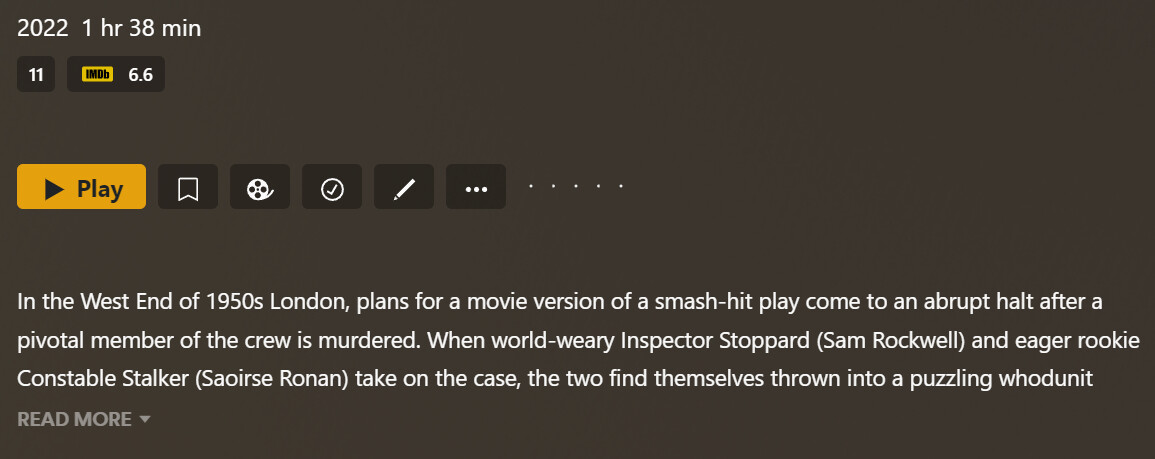
It looks like the button styling has changed in the latest relase. Which renders the button content misaligned (icons) and button text too big? I don’t know if this was intentional? My OCD can’t handle this
Tested in: Chrome 107.0.5304.89, Edge 107.0.1418.35 and Firefox 106.0.5 (Win11).
You guys always have pixel perfect design. So I was also wondering, how this got trough Q&A (joking)
Was it off-centre in all 3 browsers ? Chrome, Edge and FF ?
Yes!
I’m a webdev myself. So yes, I have hard refreshed etc. It is the same on all browsers (win11). Looks like it is a tiny bit offset. It kinda looks like it is because of the responsive sizes. I use a 4K screen (150% scale). If i manually resize the window, I can get it to align on certain sizes - but it is kinda random at my end.
Thanks for your help! Appears to work fine on Mac (all browsers) and off centre on Windows (all browsers). I’m guessing because subtle difference in the font.
The easiest way to see it on Windows is, by decreasing the height (ex. 21px here) of the button element (.ActionButton-medium-XXXXX) in devtools. Until it aligns with the lowest part of the content (text or icon).
… and with font-size and line-height disabled also on .Button-button-XXXXX:
But your right. On my Safari (iOS 16.1) it looks better (still 1-2px off though) in the web version.
Note: Not that annoying for me. Just something I noticed



 (joking)


