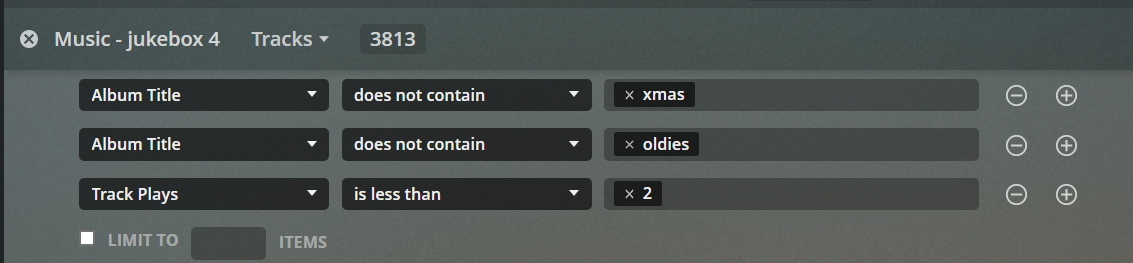
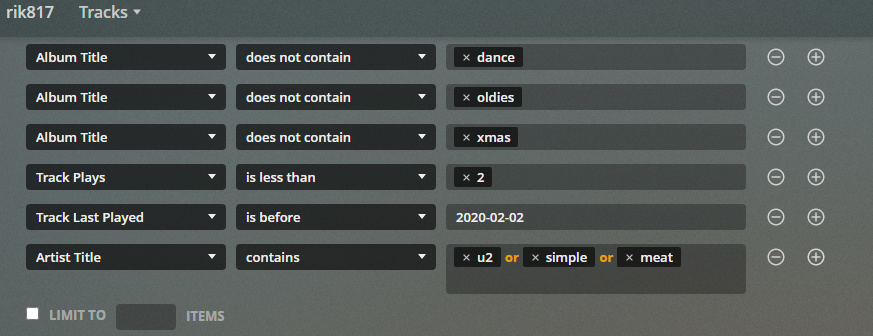
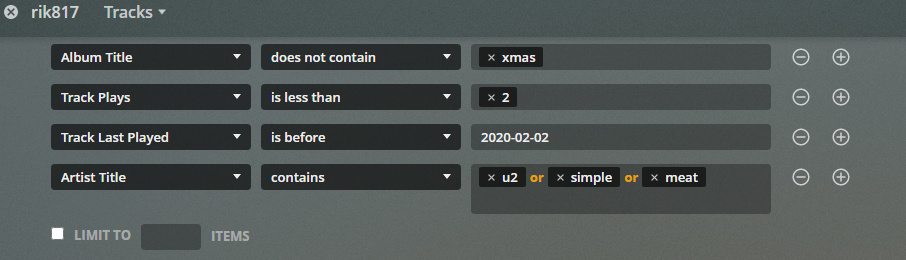
Please may i bump this thread, this is a defect that is so frustrating, i see that it is said to be known but is there a timeline for a fix yet?
Thanks
I believed that this has been, for the most part, fixed, although the devs are still tweaking it and continue to work on it. But it’s pretty good for me now.
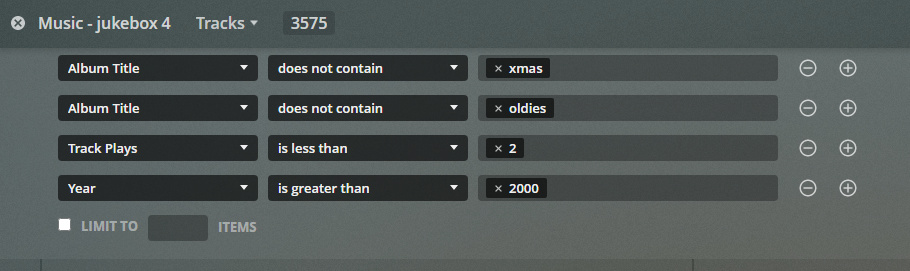
Hi, this is really powerful tool and try to use this a lot and would use it a lot more if it did work reliably, i am on the beta channel Version 1.19.5.3021 and still seeing this fail, although occasionally i do get lucky and it saves but there is no rhyme or reason i can see to success or failure. It seems to fail reliably when i have more than 2 rows, it is only occasionally it will save three rows and i have never successfully saved a 4 row one.
ever hopeful
Hi, yes confirming that i am accessing via https://app.plex.tv and also today i checked in various browsers and am seeing the rows clipped to 2 but just occsasionally it will save a 3 row, here is a successful (and rare) 3 row
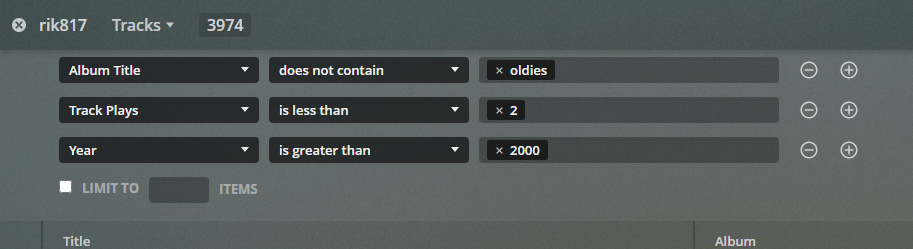
and simply doing a save-as with a new name and you see it has lost a row and the track count matches the new (lesser) query, this is definitely not fixed yet.
Can you show a filter example which always fails to edit?
Is it always with multiple ‘Album Title’ lines? Or are there other filter criteria affected as well?
Hi i have tried a few things and i honestly cant see any sense. one thing i do notice is that album title starts out as a single row with “OR” and becomes multiline on enter. another thing is that if i play the dynamic filter as displayed, everything is working, what is failing is saving that combination and of course then when you recall the sved it’s all wrong. here are my screenshots
ah less haste… that penultimate screenshot is incomplete, i did add the track last played is before … parameter, i have just used the wrong screenshot so the final screenshot has lost the oldies and xmas but correctly saved dance, 2 and 2020-02-02 sorry for confusion.
Rik
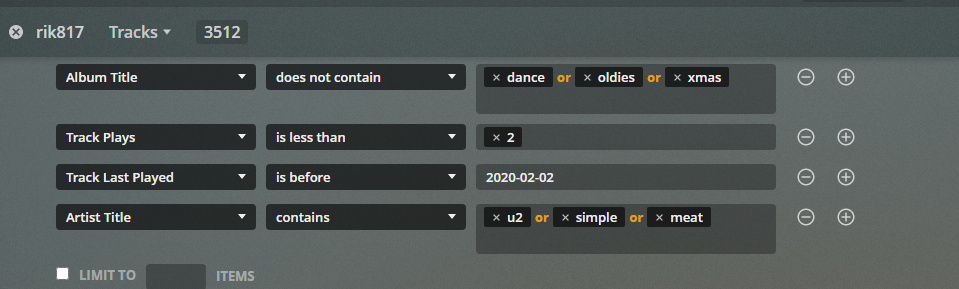
i have returned to this because it was bugging me… i have 3 screenshots and i finally twigged that the code is behaving badly over “album title” - see below how artist behaves correctly creating ORs bu the “album title” is behaving wrongly. ROWS are i assume AND so one should never have 2 rows of album title but when i put multiple ORs in album title it ramdomly truncates to only one of the OR values but correctly saves only one album title row. I think this is clear in these screenshots but ping back if i’ve not made my explanation clear
and here when i save and then go edit - there is correctly only one row of album title but it has lost the OR values but the artist title has correctly created the row with the OR values.
I’m currently having this same issue when trying to create/edit smart playlists. I’ll edit filters, Apply and Save, only to return and have various criteria suddenly missing, or the “or” lists will be split into separate lines (which then often disappear). It’s enormously frustrating. Currently running QNAP Plex server v1.20.1.3252 , Plex web v4.34.4
Edit: In case it matters, I’m filtering TV shows/episodes on things such as “Episode Last Played”, “Episode Rating”, and “Show Title”