Server Version#: Latest
Player Version#: Plex for Samsung 5.73.2 / Platform 6.5 (Currently working)
Tuner Make/Model: HDHomeRun Prime
Model: HDHR3-CC
Device ID: 13277CCD
Firmware: 20230713
Have HDHomeRun Prime w/ Verizon Cablecard, connected to Plex Server running on Shield TV Pro with NAS Storage.
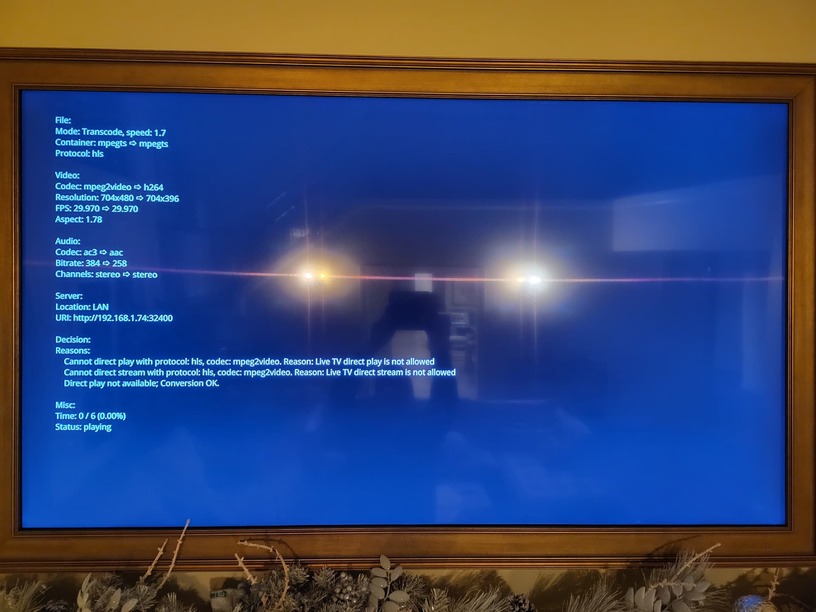
Live TV doesn’t work on any of my Samsung TVs, just gives black screen for every channel Can record with Plex DVR and then play back just fine Live TV Works fine with web player Live TV Works fine using a Shield TV as the client Can connect to the tuner directly from the Samsung TV and play!
Please help fix this error, I bought HDHomeRun because it was a supported Plex tuner, but has never worked with the Samsung TV app. It hangs for a while “transcoding” then gives “Playback Error An unexpected playback problem occurred.”
I haven’t used my prime in many years but the prime required a cable card and a tuning adapter. And if the channels are marked DRM will only play back on the device that recorded them which would be the server. See if the show will play locally at the server. You say you have a Nas if that’s where the recordings are being saved then it won’t play anywhere. I’m not certain where they stand nowadays but Verizon and Comcast used to be a couple of the providers that used to DRM everything. Not just the movie channels like some providers. Hopefully others with the same service will chime in and help you out with some facts. I don’t think many are using the prime anymore I didn’t think anybody was giving out cable cards these days.
When you say it don’t play on the Samsung TV how are you trying to play it on the TV. Using DLNA or have you installed the Plex app in the Samsung hub. How’s the TV connected to the network. Sounds like there may be some copy protection kicking in.
When you say it don’t play on the Samsung TV how are you trying to play it on the TV. Using DLNA or have you installed the Plex app in the Samsung hub. How’s the TV connected to the network. Sounds like there may be some copy protection kicking in.
Well I used the Plex app on my 2011 Samsung TV many years back and at that time it worked. But I stopped using it because the Samsung TV OS was just too slow, and at that time I had a Windows PC as a home theater running Windows Media center connected to the TV. Obviously Windows media is long gone and now using an Android box Plex app connected to that same 2011 vintage TV.
I just installed the Plex app on my 2011 Samsung TV , set it up and it works fine. In order to set it up I had to manually configure and type in my local IP address. For that to work properly you had to have previously configured the server to allow non-secure connections locally. Which I have already done there’s possibly something in your network causing the black screen. I don’t know why you’re getting a black screen but you can attempt to change your network settings at the server to correct it.
Search The forum for your Plex server not working locally when the internet is down that’ll tell you what settings to change to allow it to work locally on your lan when your internet connection is down.
Thanks! The Plex app actually works awesome, especially on the newer TVs. It’s only the Live TV feature of the Plex app on Samsung where I’m having issues.
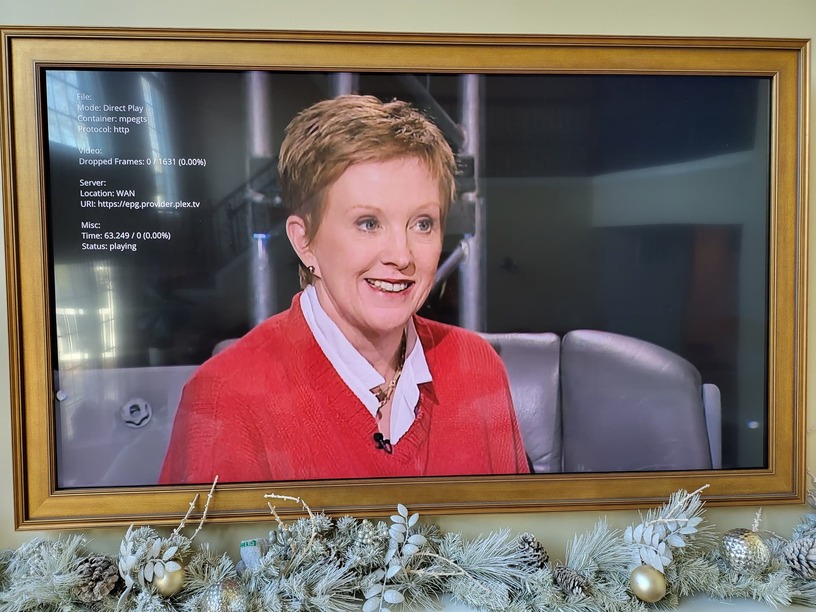
Ok after a year of testing every release that had “Live TV” in it, as well as checking this past Saturday. Today, when I fired up the logs, happy to say it’s working in version 5.73.2 of the Plex for Samsung Client. I guess we’ll call it solved since this is the first time I have ever seen it work.
 Live TV doesn’t work on any of my Samsung TVs, just gives black screen for every channel
 Can record with Plex DVR and then play back just fine