Issue resolved: It turns out Truenas Scale needs the bios clock to be the set to the current UTC time. I had my bios set to Pacific time. Once I changed the time 7 hours ahead the issue went away.
Server Version#: 1.32.5.7210
OS Version: TrueNAS-SCALE-22.12.3.1
Player Version#: Brave browser
Plex Media Server Logs_2023-06-28_17-03-04.zip (237.4 KB)
Hello all,
I am trying to set a plex server running in truenas scale to the proper time zone so the EPG can show properly. At this point the EPG and the server logs show times that do not match the entry I have.
My Time zone is Pacific Time, I have tried the changing the entries under the System settings> general>location in the server and in the plex container time zone but the logs are incorrect and scheduling a recording does not work as the time is incorrect. The EPG does show correctly but if I choose live the title is ‘Unknown airing’ If I choose to record it the EPG records but titles the file the show 7 hours ahead.
I have tried the following changes in both locations (Truenas and the container):
‘Etc/GMT-7’ time zone
‘America/Los_Angeles’ time zone
‘US/Pacific’ time zone
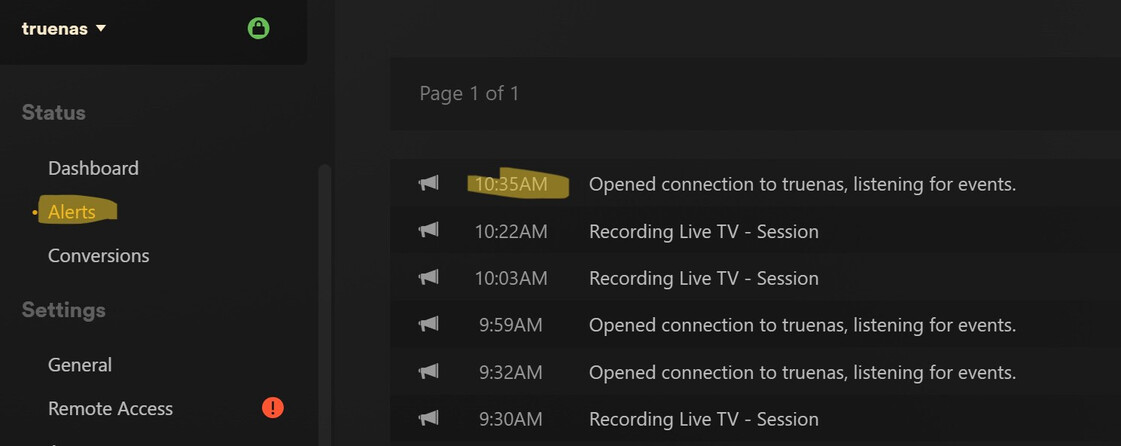
Truenas scale does show the proper time and date. The Plex server console shows and logs shows a times 7 hours ahead. The Alert console shows the correct local time.
Could this be a permission issue that the plex server does not update the time zone?
Is there a file somewhere in the plex server install I can check? I have added the install to a SMB share and I can access it to see any files. I looked around but no files seem to have the timezone.