gonna reboot my server it dropped from 129 to 92 and now 91 lol
I also noticed Activity the spinning progress circles don’t work anymore on Activity or u know on the left hand side of each folder your scanning… no longer shows the folder has activity… only notice when scrolling through the folder of movies how its refreshing the metatags…
but ill let it reboot and maybe it will fix itself
ya I noticed… and it actually doesn’t work the spinning starts then quits even thought the folder is scanning… so its not showing activity when there is actual activity
and do you know if plex will search the IMDB website for movie titles…
or does plex have a text file of the entire database so I can write a program
that takes physical File name and File name plex gives it to compares it and flags it that these do not match… as there is no way I can tell all the mistakes plex makes till I look at each file
is there a way to dump the entire database to like
File name ---------------------Plex Name
\videos\action\die hard ----Rudullph red nose reindeer
this be a lot faster in a text file then clicking say 5 thousand files click the three dots clicking Get Info to make sure each file is linked to the correct file name
as by thumb nails I cant tell if I had that movie after time… and its linked right… after I put my VHS tapes and blu rays dvds to my server…
but if not ill deal with it… has happened I watched Die hard and Rudulph came on instead lol
couple other glitchs I found
1… is the activity it stops spinning reporting yet it is still doing activity in the folder
2…i deleted the Christmas folder but re added it… when you told me to click MORE to see more options the Christmas folder is there… But when you goto HOME it doesn’t show up its not there.
3. gets very anoynoing when you click MORE I see my backup Plex and my main… if I scroll down to a a folder on my main Plex server say Christmas… the damn left column goes back to the top to Backupsserver… it doesn’t stay relalive to the spot I clicked on… so basically like if you scrolled on a webpage and if you clicked a link it brings the main page back to the top not leaving where it is last left at…
is there a way for me to fix that… or is that just plex resetting itself back to the top as its a pain gotta scroll down again each time I click a different folder
I appreciate the help so far you given… also the reboot and rescanning after reboot brough the movie count from 91 back to 129…
funny how things work lol
plex dance doesn’t work… you have to click FIX match then manually do it… but if you have 5000 movies there is no way plex dance works… it will always point Die hard to rudulph unless your click Fix Match… and then manually change it… but what id like is the entire 5000 movies dumped into a text file so I can see File name and Plex filename as they should be exact and if its not exact it gets put into another file… so doing 5000 files should takes 3 seconds to process to find Plex name doesn’t match File name
reason I was curioud if I can dump to a text file or a Excel file with 2 headdings Actual Filename and Plex given name
as plex dance doesn’t work it will work sometimes but it will constantly read the wrong file name from the internet how ever it gets it
and the link for customizing plex web didn’t show anything about the situation I mentioned…
in pic1 you see my scroll down half way down on my “tower” if I click Action …. the Left hand column then goes to the top of the list on my Backup plex server mitchflix… it doesn’t say down half way the column you see it goes back to the top… how do you force left hand column to Stay in position it was left at and not reset to goto top…
so say if you had a list of 100 and you click list 50 then it resets and goes back to postion 1 and doesn’t stay at position 50… you gotta then scroll back down while checking things… is there a way for me to fix that
I see you have made several libraries. And some items appear in several libraries at once. That’s the duplicates you see. They are not de-duplicated on the home screen, because each of the posters represent the item in a different library.
If you make libraries with overlapping content, you will have to live with that.
oh ok I appreciate that… didn’t know that… ya I broke it up in sections as in earlier plex it wasn’t working right if I had folder within folders… like my tv shows /videos/tvshows/action/show/season (x) so reason I went that way…
but ok if htats the only reason that’s fine…
and whats the best format for plex to play back when I rip my dvds as I find some avis don’t play right and some times mkv
and do you know why if I fast forward some tvshows as I flip through it will get stuck in “buffering” it will lock in 5-10 min before I back out of the app then re launch it and sometimes it fixs it
oh 1 more question I have…
how do you get the Title Sorting process done properly
I have a bunch of titles with “A xxxxxx” or “The xxxxxx”
and the never show up in the A’s or T’s they might show up under C if the next letter is C so its all messed up… how can you force plex to sort it the way Plex labels a move with the “A” and the “THE” or when you look in your folder through windows… everytihg with A shows up first… how can I force Plex to do this too
You are aware that what you want will place 60% of your media items under the A and T letters, right? That’s not really an improvement.
That’s why “bibliographic sorting” is applied by default, which removes prefixes from the ‘sorting title’ of media items.
because example
Plex calls the movie “A Christmas Carol” well if you know the movie is called a “A Christmas Carol” you goto “A” but its not there it be under C and then when I goto “C” I find some movies are starting with “A” or “THE” in C
because I have like 28 movies that start with “A” that’s what IDMB calls it that’s what PLEX calls it that’s how I labeled it and that’s why I got frustrated I couldn’t find it in my listing.. plus it will help when you have a big database you can scroll plex and scroll windows folder same time so you can match file to file if its showing up or not…
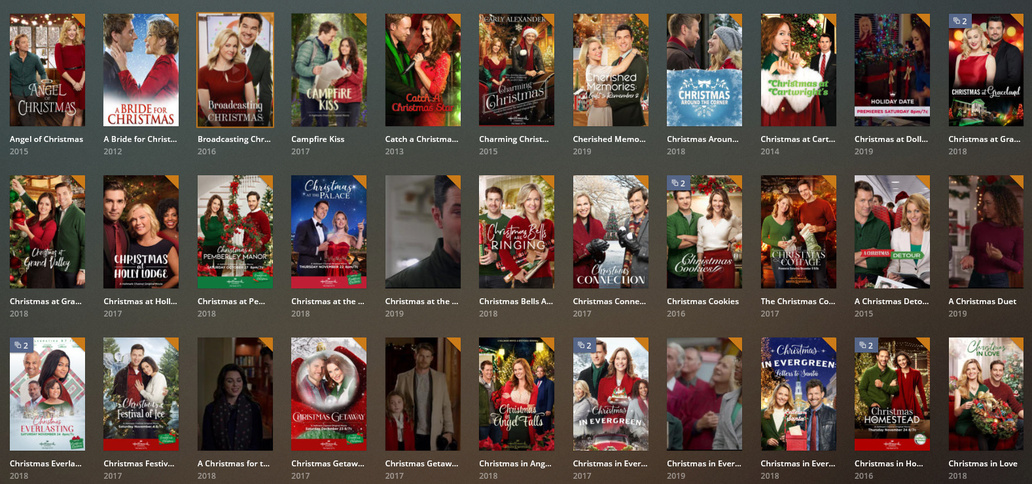
here I posted pic.. under A you see some are A some are THE and rest are C under A… it doesn’t remove THE or A as a prefix but doesn’t show all the movies that start with A but ill check out the advanced… thank you sooo much so far
and how do I apply it to previously added items? happy dance?
It doesn’t remove the prefix from the title but from the search title, which is a different thing. Just ‘edit’ one of the affected movies in Plex and you can see it.