But this is only while in your Photos library or does it happen in any other library media type?
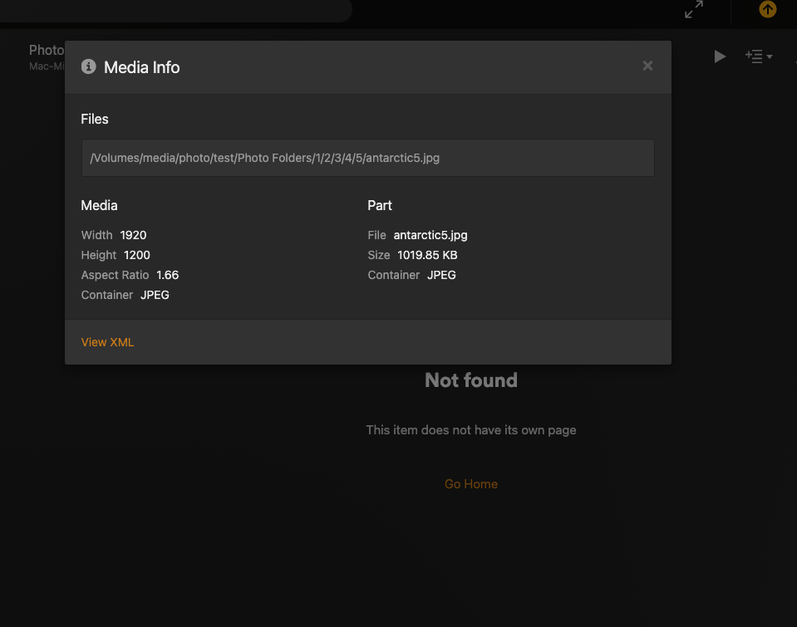
I would say that I had thought of that. Most of my main folders start with a subject title, then split by year, then by month & finally by day. This is what works for keep accurate journals of events. I can see no other way of doing this. And no; this happens even when I have only two levels to click down into before I am actually viewing the image. I would say however, it looks like if there is only one level to go down, it does not occur. It is however most likely that in order to comply with what I want to do, I need four levels down before I click to actually view that image.
Main Library → Year → Month → Day → Numerous Images/Videos
On occasion, I will create a video consisting of numerous end images. This allows me to construct the representative video with images & music. In this case, I may leave the video on the same subfolder as the images that were used or in some cases & depending on the purpose of the video, once the video has been created, I will create one more subfolder labeled “Original Photos” and place ALL of the images into that leaving just the repsentative video in the event folder. So it would look like this.
Main Library
Year
Month
Day - with one file in it. A video combination of images and music
Original Photos - Containing all of the photos from the previous folder
Normally, I will not drill down into the last folder as I can get a summary of the event from the video that I created.
This morning I discovered that another Mac (a very new Macbook Air with up to date OS) also is displaying similar error when using the most current Plex Media Player app. I have attached its log
Plex.log (104.5 KB)
I have to fall back to this version in order for it to NOT display errors… Plex-1-91-0-129
Sorry this error is not about the subject decoder issue, but belongs with the discussion on “Something is Wrong”. But, I don’t know how to move it any other previous replies to the correct subject discussion.
I’ve moved the previous thread into this thread. Like I said, I’m able to reproduce the issue. Looks like there is an existing internal issue tracking this behavior. I’ve added all your logs and details to our issue. Thank you for your reporting and patience while we resolve this issue. I do not have an ETA for resolution.
Like all of you following this thread, I’m also facing the “Something Went Wrong” issue (SWW) when browsing within my photos library, and this seems rather random. Some folders for which I was able to access the photos start to throw the SWW error, while for others, it is the other way around.
So far, I was convinced that the SWW error was a dead lock and the only way to get out of it was to restart the plex client. But that’s not true at all: to get out of it, just click the settings icon (wrench on the top right) then click the home icon (top left) and you are back on the home screen. And now, guess what: you can go to the folder for which you just got the SWW and browse it!
That’s not very practical, because if you have to go thru a folder structure, you’re good to repeat those steps potentially for all folders. But eventually you can access your photos.
Note that the timeline view is not affected by this issue and for those for which it is usable, it’s the best option to view photos
Hey @Atomatth, any news?
Just updated to 1.41.6.9606 and stil have an issue.
No nothing new to report. Sorry. Bumping internally! Thanks for the reminder and your patience.
It continues to happen with any newer version of the Plex Player.
@Atomatth If it becomes available in beta and you’d like someone to test it, feel free to reach out—I’d be happy to help!
I would be more than happy to test the beta. Using a very old version just does not appeal to me. I like stating current.
FIX IT ALREADY
plex-4.145.1-90d6727.js:2:1024457\npl@http://…",
“name”: “TypeError”,
“message”: “y.At(…) is undefined”
}
I’ll just add this here. Seams like a similar bug.
This looks similar — in my case, refreshing the page resolves the issue as well.
We are not hearing anything about this issue. If this could be solved, then I would be able to update my version for my two newer Mac. These Macs are the ones that I use for my Plex working and viewing. My older Macs are running old versions of Plex player and can no longer update the versions due to the age of the Macs. BUT, THEY WORK. It is just happening on my New Macs with Sequoia 15.3.2 OS. We need this fixed. One of the newer Macs is barely 6 months old with nothing weird installed and no major OS changes and app. Please push to figure this out.
Almost 2 weeks have passed since I last asked for an update.
PLEASE! LET US KNOW WHAT IS GOING ON!
US with brand new Macs and up-to-date MacOS CANNOT seamlessly use you Plex Media Player without getting this error. And while we can use an older version in order to view images, we CANNOT view ANY video due to download decoding issues. But, first we must solve this issue. PLEASE PLEASE PLEASE.
Why hasn’t this been resolved. I can’t go to the current version of Plex player on my mac because I get this error ALL the time.
PLEASE FIX this
I have FOUR Late 2012 Mac Mini’s successfully running Sequoia OS15.0 using OpenCore Legacy Patcher. What OCLP does is allows you to install/upgrade your old Mac hardware to extend its life by altering the configs that prevent it from being upgraded in the first place. Pretty easy.
Been able to run the latest Plex Server on two of the 2012 Mac Mini’s that would have otherwise not been able to run on its last running OS.

This isn’t about my older Mac. This is NOT working on either of my NEW UPTODATE Macs running the current UPTODATE Sequoia 15.4.1 OS
I CAN NOT RUN THE CURRENT PLEX MEDIA PLAYER on either of them since both of them give me this error continuously.
Do you know if your work around on the older Macs might include a Late 2010 Mac Pro running High Sierra? But, then why upgrade my older mac where Plex Media Player works just fine even though it is an older version.
This should be resolved with the recent update to Desktop. See: Plex for Mac, Windows, and Linux - #138 by rubenamorim
