Sony TV stuttering on Ethernet vs perfect on WiFi

Interesting little brain challenge :
Same movie running direct without transcoding from remote Plex server:

  • Stuttering and buffering when TV connected by Ethernet
  • Perfect (10x bandwidth) when TV connected by WiFi

It looks like this has happened to others on the support but I cannot spot a clear root cause nor resolution…
Anyone knows?

Thanks a lot!

A lot TVs have higher bandwidth WIFI hardware than LAN ports.

Any specifics about the two scenarios?

What information is showing in the “now playing” tile for that playback on the Plex server dashboard?
Exemplary screenshot from the "now playing" section
https://support.plex.tv/articles/200871837-status-and-dashboard/

1 Like

Thank you for the very quick feedback!
I don’t think it’s a hardware limitation cause we are talking about low bandwidth in both cases:

  • WiFi ~35Mbps (which is the max download speed I have on the client side)
  • Ethernet ~[1-2]Mbps at best

And the same TV will do ~35Mbps by Ethernet on other streaming services like YouTube, Amazon Prime, or DSvideo (Synology)

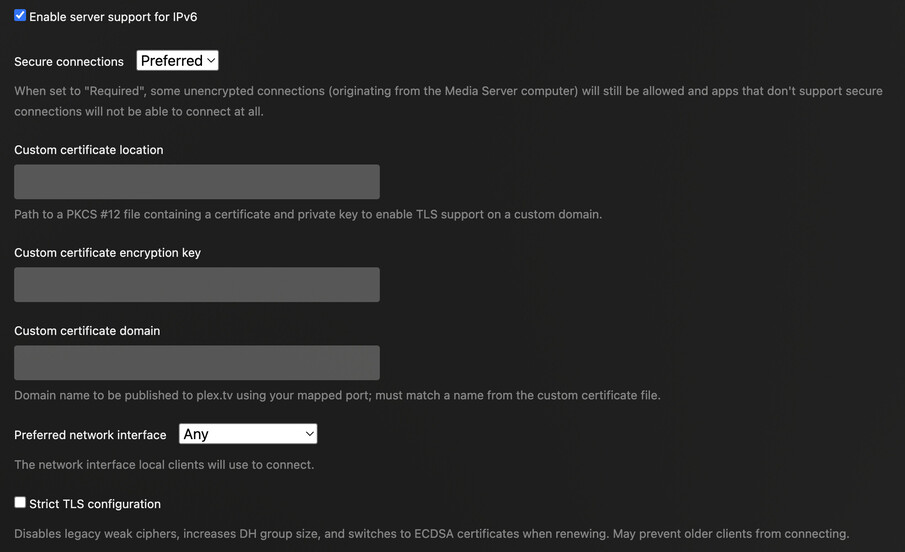
And here is an example of the PMS’ activity while playing a movie and network setting

I suppose the important aspect of the 1st screenshot is that your stream is considered to be „remote“, not „indirect“.
Do you get the same result streaming wired/wireless?

Hi Tom, yes the PMS is running on a Synology NAS in town A (connected in Ethernet to fibre) while the client TV is running in a town B (with ~35Mbps of download speed max)

And this is where I have my little riddle:
Everything being the same, I have NO issue when the TV (in remote town B) is connected to WiFi with download speeds of ~35Mbps,
vs. I get buffering and stuttering issues if connected to Ethernet with download speeds of a couple of Mbps only.

And it’s specific to Plex because the same TV, connected to the same Ethernet will achieve 35Mbps on Amazon Prime for instance.

FYI yesterday I shifted back to Ethernet after having used WiFi for weeks… and surprisingly it worked ok
I cannot understand :slight_smile:
Let’s see how long it works with Ethernet but if not it’s not a systematic issue, it’ll be hard to find a fix.

This topic was automatically closed 90 days after the last reply. New replies are no longer allowed.